End-to-end AI Empowered Digital Transformation | Browzwear | PI Apparel
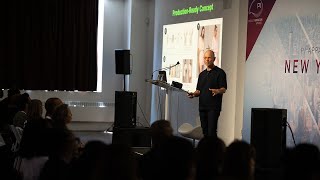
In this 45‑minute presentation, the speaker (a senior product leader at Browzwear/Browser) walks the audience through the company’s AI‑driven end‑to‑end digital transformation for fashion design, production and e‑commerce. He frames AI as a lasting phenomenon that already delivers high value but also carries identifiable risks, especially around IP leakage and accuracy in manufacturing. The talk is organized around a risk‑vs‑value matrix (green = low‑risk/high‑value, yellow = higher‑risk/higher‑value) and a five‑pillar workflow: Plan, Design, Fit, Sell, Manufacture. Key capabilities demonstrated include: - AI‑powered trend analysis that ingests images and text from social media, e‑commerce and other sources, identifies demographic attributes (age, gender, ethnicity) and produces actionable trend briefs. - AI‑aided design tools that accept mood‑boards, reference images, blocks and textual prompts, then generate countless inspirational concepts using Stable Diffusion, with a private, client‑specific machine‑learning pipeline that protects IP. - A closed‑loop from AI‑generated concepts to 3‑D digital twins that are production‑ready, eliminating the need for physical samples. - Automated generation of presentation assets (different body types, ages, ethnicities, lighting, environments) for decision‑maker review. - Integration of the digital twin into virtual fitting rooms, enabling shoppers to try on AI‑generated garments before they are manufactured. The roadmap is split into horizons: Horizon 1 (beta in 6 weeks) delivers the green‑box features; Horizon 2 (3‑4 months) adds block variations, color swaps and accessory generation; Horizon 3 (≈1 year) targets autostitching, autograding, autofitting, 2‑D↔3‑D pattern conversion, fabric‑physics prediction and more. The speaker emphasizes the importance of a trusted partner ecosystem (165 partners) and a dedicated AI team to guide customers through the digital transformation. The session ends with a brief Q&A covering model diversity, IP safety, and the private ML pipeline.
Questions this video answers
All model images shown are fully generated by generative AI; no real photographs are used.
Browzwear provides a private, client‑specific machine‑learning pipeline built on top of the Stable Diffusion engine, ensuring that any proprietary patterns or designs are never shared with public AI services.
Yes, the system can produce model images with varied ages, ethnicities, sizes, lighting conditions and backgrounds on demand.
Chapters
Oh! Hello, everyone. I am so excited to be here. When we started Browser, it was like 23 years ago, something like that. And I was so excited about 3D. And then 23 years later, I feel like I'm like a kid with this all AI coming in such a blast on us. Every day there is something new. It's mind-boggling. I would ask my team to do something and a day later it's like, whoa, it's there. Never seen such a thing in all my 23 years in browser. So I'm here to share this with you because we are bringing this to you as we always promise to bring the latest and greatest. So if there are 3 things I think that I want you to take out of this session today is one, AI is here to stay. It's a phenomenon. It's not going anywhere. Number 2, there's a huge potential in it, but there's also a huge amount of value realized today. That's the second. The third is there are some risks, nothing to be afraid from, but just know them and be aware of them. And then let people like us guide you through selecting the right path. So 3 things: phenomena, huge value, some risks. So it's, it's, let me start just by saying, you know, it touches everything. I have actually, I have a question. Everybody raise their hands, whomever is actually using ChatGPT. See, ChatGPT made friends with most of you. Who kind of played or tried any one of the Midjourney, DALL-E? Nice. That's going to make it easier for me. So here's the thing. It's exploding all over the place, all over the space. And whether it's image generation, video generation, but the one thing that is really important for us and for you as well is the fact that AI in just recently— I'm talking about the last 2, 3 years— was able to be trained to understand features. Now, it looks like so a commodity. What computer doesn't recognize features in an image? Well, it didn't. Until 3 years ago, it was hard for the computer to— or it was hard to train the computer to actually understand what it sees in images. Usually the best thing that happened was face recognition and things that you know from your iPhone, I guess. But today, while the AI engines have learned trillions of images and they're being— and the training pipelines became more and more sophisticated and the engine below is more sophisticated, now they know to recognize elements within the image, which makes it a completely, totally different game. So, and we'll talk about it later. This is just an image of what's happening today within the space in every category, text, image, audio, code creation, chatbots, video, all of those have these guys. And probably today since I made the presentation, there are more startups that are doing something with AI to that category. And it's growing and it's growing like mushrooms after the rain. Of course, at a given point there will be consolidation, but that goes to show you, to show that this is not going anywhere. It's a phenomenon and everybody understands that this is, we're just seeing the beginning, the very beginning of it. So some fun facts. Let's look at the, how long did it take or phenomenons, other phenomenons in our past to reach 1 million users. So if you look at Spotify, it took them around 130 days to reach 1 million users. Instagram took them 75 days. ChatGPT, 5 days to reach 1 million users. That's how crazy it is today. Midjourney, which is less of a, I think, interest to the to everyone in less than 10 months, got 15 million users. And look at how quickly it goes. And I'm not even talking about the trillions of dollars of business around this because I think it's just the beginning. It's going to be much bigger than that. And this, this is June '22, a year ago, and it already looks like ancient history. It was the first magazine cover made completely with AI. And today it's almost like, I would say, a commodity to generate images which are far more stunning than this one. But this is the beginning. So what we did in Browser, we took the space that we're in and we divided into risk, versus value. And the risks that we are seeing, and that's what I said in the beginning, there are like, it's not a life or dead risk, not now. But the risks that we are seeing right now are, you know, AI can still do a lot of mistakes and that can end up with loss of millions of dollars if you give it the wrong things to do. And then of course, everything which is around your IP or intellectual property is something that you need to protect and make sure that you're not just giving it away. So these are the risks that we see today. And what— what if you— if you see the green box, it's what we are looking into right now. It's the low risk, highest value that we can find and that we already are doing in browser. So first and foremost, it's about everything that we can give the users as a recommendation, not changing anything that you do, it's a recommendation that AI will, will supply to you, whether it's inspiration, ideation, trend analysis, rapid design showcasing, sales and marketing. These are all things that you will see during the presentation. And but what it does really doesn't enforce itself as the only tool. It just gives you good recommendation and I can tell you that from being a product also in the company that I'm now managing, I can tell you it's for many years I haven't seen something which is so addictive. It's just fun. So I'm going to try to share this feeling with the next slides that are coming. But this is where we at. First of all, the green box, then the yellow one, which is coming later in Horizon 2, which is also high value and also high risk too. So going into manufacturing patterns is something that is super high value if it's automated by AI, except it needs to be tested. It needs to be trained with enough information so it will do no mistakes. OK? Cannot say no mistakes. Usually AI is known to do things with 95% of accuracy. And when it comes to manufacturing patterns, you don't want the 5% of mistakes option. So it will take a bit more time. Autograding, autofitting, manufacturing instruction to begin with as a tech, you know, your tech pack. These are all things that can completely be automated later on with AI. It just takes a bit more time because these things are in the risk zone. Avoiding, of course, that's the bottom right box, avoiding anything which is giving your IP into those public AIs. Don't do that. It doesn't make it unless you really want to give your IP to the rest of the world. I mean, this you're free to do so, but that using Midjourney, putting your information, your blocks, your patterns for any type of a reason right now means that you're giving it away to everyone. If you don't want to give it away, Don't do that. So how do we then map the green box and maybe the yellow into the workflow that you know? So if we take it very simplified into 5 pillars: the plan, the design, the fit, the sell, and the manufacture, then this is the workflow, whether it was the analog workflow that you guys or some of you are still doing, or Some of you I know that are going with us into the digital transformation of doing all of those 5 pillars digitally. And the one risk that we all see during that transformation is sometimes it's being delayed. Sometimes there is pushback. Sometimes there are people that go slow or doesn't like to go into the digital workflow to learn new things. And the risk in that is that sometimes organization can be held back and they need to justify. And this is where we want to use AI to just de-risk the entire digital transformation. And so we take the green thing that you saw before, the green, uh, low risk, high value, and we are using it now in planning and trend analysis. We're using it in AI-aided design tools, and we're going to use it in selling as well. Of course, fit and manufacture, which are, as you see, in the yellow, colored with yellow, these are on the risk side. So moving forward, I mean, this is just, uh, um, uh, coming from our clients. Some of them are already testing it, um, and for them, being able to, uh, to use AI for collection ideation, it means it's faster, easier, And it's more creative. And for that, they're not even using 3D. And that's before they used anything from browser. It's just something that we see coming from our more advanced client out there. So let's start with planning. In planning, what we're doing is— and this is something that the disclaimer here is that that particular element is not us doing, it's us integrating solutions from our— using our open platform, but solutions that are coming from partnerships. And we are still looking for the good partners that will be able to take those images out there and understand the elements as we know that AI can do today. And with that, whether it's images from social networks of people posting themselves and others wearing things from all around the network, including text, including information that comes from other e-commerce sites of what is being sold today. All of that together is going into the AI brains, and then it spits out what is trending. And because it can actually identify what is a human, what is a kid, it can actually also identify ethnicity today. It can do all of that. Then the trend can be set by areas, by geographies, by kids, by grownups, by female, by male, all of that. That's how distinct it can be with analyzing the material. And then the process that we are looking into is taking that market scanning of images and text, doing the trend analysis with the AI. And then you see the, the switch between the trend analysis to the designer brief. This is already the 3 images out there already made by the AI based on all the information coming in. And this, and this is becoming a designer brief that goes into the asset What is the asset toolbox? The asset toolbox is what the designer should be working with when it includes the patterns, the colors, the materials, everything that the AI was able to transpot in order to give the designers whatever they need in order to build something which is on trend. And coming into the, into the real world, how do you make it happen in 4 weeks? Those materials that were found as a trend should also be the ones that those who are appearing in the toolbox for the designers should also be the one that are existing right now in the factories. And when the design is done, they can actually block those materials and go for manufacturing. And we're talking about small quantities, obviously, but that's the way to be on trend. And that can allow you to be 4 weeks from, from the get-go on the shelves with a ready-made garment. This is the— this is what we are looking into, as we call it, kind of make-to-trend. But even if you don't go with 4 weeks, just the ability to have that type of a toolbox with all the information which was spotted by the AI as the trend is a huge, huge step forward. And then look, let's look a bit about capabilities that are there today in browser for design. So being able to put inside an input to the system today of reference images, mood boards, blocks, text, and briefs, and sketch, and even that white block, which is an image of one of your 3D blocks. All of that goes into the system. And what you get out, the output of it is endless inspiring images. And I said earlier on, this is not your outcome. This is not necessarily your style that you're going to manufacture. But for the designer, it means inspiration. And with every tweak of a prompt, they will get more and more inspiration to the point that they have enough and they can start designing their style and their collection. So moving forward, this is a workflow that we've built which, which would be closing the loop between AI to the 3D digital twin. It starts with, uh, um, the designer that got the brief now chose those 3 blocks. This is part of the IP, as I said earlier on. You push it into the system. And one thing that is important to know, when we say pushing to the system, we are using today Stable Diffusion, which is one of the engine, as the engine that brings the information. But on top of that, we've built a whole private machine learning pipeline, which means that as a, as a client, you get your own pipeline and the system is whatever you're going to push in is going to be taught only privately to your pipeline. Nobody else will be able to see that. So once you push comfortably those patterns or those, uh, 2D images of the blocks, what you see The system, the AI already generated two options or two alternatives. Actually generated many more. But those two alternatives, white ones, are the ones that the designer chose the left one from. And then number 2 on the slide, it's where she took the left-hand side and combined it again and pushed it into the system with images as a reference of those colored dress, those real-life images. And that turned out into— the two option, the two alternative below of that dress in pink on two humans which are of course non-human. And then the right one was chosen. And in number 3, you see the right one. And when this was approved by the decision makers, this is where we go and do the 3D digital twin. Why do we even do the 3D digital twin? It's because the 3D digital twin is production ready. And when that is approved, it can just be sent into production with zero need for physical samples. That's how we close the loop. Now, of course, the decision makers are on the cloud, on StyleZone, which some of you know, and all the decisions are made there and then on the cloud. I'm moving forward because I see my, my time is becoming short. Are you ready? This is how it looks like today in StyleZone. So it's a very first stage. I'm sure it will change within the next 6 weeks after we intend to come with the first release. But that's how it works. On the left-hand side, it's going to be the prompts of what you push into the system. On the right-hand side, for the rest of the presentation, is the outcome. So let's look at the outcome first. You see on the right-hand side, all those images the different outcomes of those. I don't know, I'm looking at it again and again. It's like stunning. I know I've been so many years in 3D and I'm thinking how long it takes to create this in 3D. And then it took a few seconds just to tell the machine, this is your block, the white one. And the keywords were like Morocco, vintage, urban, sunny, and 80s. And then there are some presets into the system today which says these are the fabric options like denim, silk, leather, and so on. Click the button, bam, you get all this, which is so exciting. So in this workflow, the denim was chosen from the left-hand side, and then the, the designer decided to put— to add some decorations. So here She put this material in, I mean, this inspiration image into the system. And again, keywords: shades of pastel, purple color, embroidery technique. And then in the presets, embroidery and pearls and knitted wool and so on. Click a button. Bam! That's what comes out of this. And if you didn't like that, by the way, you can always add and change the parameters until you get it right. And if you don't want to mess around with getting it right, you can still take it out into your Photoshop, your Illustrator, your Vist— what have you. Do whatever you want. If you're a designer and you know exactly what you need to do, get it right, put it back into the system. Another thing that she wanted to have is an artwork. And again, an image reference that you see here with shades of pastel, purple color, embroidery, and then fabric options. And these are the outcome. It's just looking at it, it's— I'm amazed again and again. And then taking back all of those things that she had selected along the journey and putting it back into the page. And there you have the white block, the denim, the repeat, and the artwork. And then let's just click Generate again. It's like a game. And those images that you see, 4 actually was like, you know, it starts with 100 iterations. So I made it simple for you to see 4 of those. And the green one, the left top one was selected again. And we are completely in images right now, just images. And now it's about how do we as designers communicate that with the decision makers. That will be the first round of when we meet the decision makers. And I've heard so many times that in order to do that, you need different ways, you know, different ways to show the garment. It should be looking great and amazing, but it also could have different needs of ethnicity, of size, of age. So what do we do with that? We tell the system that this is what we want. We put a selected image on the left-hand side, and the keywords are highlight hair, rim lighting, studio lighting, looking at the camera, and then the sizes that we want. We want extra small and extra large. Okay? And then we want environment in the background. Click a button. And this is what you get. It does all the work. It takes, it takes the dress, it changes it. It changes it. Yeah, that's, that's reality. It's not the true to life yet thing, but it changes it into a presentation mode. And if that's good enough for you, you can take that and present it. But if you still need to do more things, you can ask it to do age. And you can ask it to do ethnicity. And it's just doing it. Look at the screen. 60-year-old, 3-year-old. Believe me, nobody worked in Vis Teacher to create that dress for 3-year-old. It just happened. I'm still amazed with that. So let's say that the Eastern— the East Asia was the one that was selected. And what was then in the previous one we had? Was the Paris background. Okay, we're taking it from there and we're putting it back into the system, those two selections, and then new keywords. We really want to get that high-resolution looking image, so it's high fashion, streets of Marrakech, sunglasses and straw hat. And that's what it brings you. Nothing here Photoshop, it's This, this is what we got. And if you're happy with that, I'm hoping that your decision makers will be as happy as you are with that. Let's say that they are happy and they said yes, we're gonna embrace that design. Then and only then we're gonna go in to do the digital twin. Now this is where it's becoming important to have the digital twin, and this is where browser is really powerful. This is where our digital twin, as long as you brought in quality data, the material were tested with the FAB, you know that whatever you're going to come out from the other side is really ready for manufacture. There's not going to be any doubt, there's not going to be any need for physical sample. And at this point of time where the AI is representing exactly what you want to get out of the 3D, then there are no questions, there are no more interpretations, you know, like you had in the past. This is it. So all of this information is being taken into the Vistichero, where there it's being built into a digital twin. And the digital twin should resemble that AI one-to-one. But the good news is, because you may have started with that white block, it's going to be super easy for whomever is building that garment now to use that block as a base and come up on the other side with something pretty quickly that looks the same. And now when we're happy, that needs to be proven, or that needs to be adopted again by the decision makers, internal first. So what would be more awesome than being able to take that on the left-hand side, that AI that became a digital twin ready to manufacturing in the middle, put it back into the AI and get something like the right-hand side image that you see looks 99% the same, which means it maintains the true-to-life draping, but putting it on a human, which is obviously not a human. It's just a digitally generated AI person. That's the end of that flow. But of course, those those assets can be used because of their quality and because of their rendering quality can already be used for selling. And of course that when, when, and this is coming again from our clients, it's, it just helps. And being able to do digital 3D now and, and with the true-to-life capability is where you can sell. And you know that even if you didn't make it but you sell it then you can make it and it will look exactly the same. And this is going back into the digital— the virtual fitting room, which is not by any means AI right now. It's just taking that 3D, which is true to life, and building an experience in your website that allows shoppers to actually try on that digital asset, even if you decide to do it before they— you actually manufactured it. So this is how it works. It's to give you an— for those who didn't see it, I don't think we ever made a real— we've been testing it for the last 8 months. It's working amazingly. What you see right now is the ability to you— for you as a shopper to put your own measurements and to try on to see what is the comfortable— comfortability of the garments that you choose. You can choose different sizes on your body until the point that you're happy and you purchase. That's another piece of the pie, of the workflow, of the puzzle. And whomever wants to hear more about that, you can come to the booth and we'll tell you all about that. So what's coming next? I mean, whatever you've seen right now is what we called Horizon 1. It's going to be ready in 6 weeks. And at the end of the presentation, you'll see a QR code that allows you to register into the beta program. What's coming next, and this is actually— this is already working except we further want to test it. But what does it mean is being able to take and do block variations. And we've seen it working and it's stunning. But again, in order to tie it back into the 3D digital twin, we want to make sure that we know how to take you there. We don't want to make too much of a work when you come back into the Vis Teacher. But it's working. It's really stunning, which means that you can take the block and you can ask the system to change the colors. And it will give you the upper— what you see on the upper part. And you can ask it to change the bottom. And you can ask it to change the sleeves. And it will just do the work for you. Click. And those who work with Browser know that we kind of tried not to do too much of accessories until now. Because that really didn't go along with the true-to-lifeness. But with AI, it's so easy. And if you really want to sell your design as a designer and you need to put it into an outfit that includes shoes, that includes accessories, includes everything, then why not if it's so easy? And it's easy right now. It's just— it's going to be under your you can do it in minutes. So by the way, when I say coming later, instead of 6 weeks, that's going to come in like 3 months. But what you're seeing right now, this is more like the yellow box that we saw. So this is more like, I would say, about a year from now, I'm giving it, maybe sooner. But here's where we're talking about autostitching, autograding, autofitting, and then being able to convert 2D to 3D and 3D to 2D patterns. Fabric physics prediction, which you may ask yourself, yeah, it's going to cannibalize the, the fab. Maybe it will, but as long as it's going to make the, the whole workflow so much easier, then we're going to do it. And then block auto-matching, sketch to block, and auto-coloring. These are all things that we're going to build into the system. And yes, coming to the end, we have 165— for those who doesn't know us, 165 partners on our open platform. I think that it was clear that it's important to have a guide into this new digital transformation with AI. So we do have in Browser Enterprise strategy team, we have tech stack expert, we have solution architects, we have global customer success, which is really good, and we have global training support. And tailored vendor program. And now adding to this, there is also a whole team that deals with AI and very, very talented people. And so with that, I think that if you guys are interested, you should have a partner like Browser to go into digital transformation with AI. And, uh, yep, this is the QR code. And now we have 0 to 15 seconds for questions. Yes. Yes. You there. Hi, Avi. Yeah. So what was the last thing that made you go, wow? I don't know. You tell me. You tell me. What was that thing that made us go, wow? That's the question. Yeah. Look, the speed, the stunning images. I hope you share the same feeling. It's like, it's amazing. You need to feel it to understand how amazing it is, how easy it is. But at the same time, it's not just, you know, a plain miracle. Because if you're a designer, and that's one caveat, if you are a designer and you're working with a system, there's a certain point where as a designer, you know exactly what you want. And that moment, if you try to do it with the AI or you can do it with your own tools, be it Photoshop, be it Illustrator, sometimes we will definitely suggest that you will take it to your tool, get it done there, bring it back to the AI and complete the work. Because in the AI you have the entire workflow all the way down to the presentation. And what wowed me even more was the ability to bring different bodies and different ages and ethnicities. This is mind-boggling, really. It is. Yes, any more questions? Yes, for your, um, your e-commerce models, is there endless supply? Like, I mean, do they keep changing the AI models or they're always standard, like your ladies different ages and everything. I see you had a bunch of kids there and everything. So what is the pictures of the real— Yeah, again, I'm not sure I caught the question. For e-commerce, you want to do photos of people who are using the AI on a browser. How are you going to be able to generate the different elements of it? That's a good question. But what I would suggest then, if you are working with it and you're asking about consistency or you want something which is diversity, You're showing all— in the summary, you're showing all the different models. Right. Is that more AI-generated or the rational models? Completely AI. There is nothing there which is real. Can you change the way they look? Of course you can. I thought that you were asking what if I'm liking a certain one and I want to keep it. That's going to be an interesting way to look at it because then you can put it aside, save it, and continue to bring it into the system later on. But it definitely— none of it was real. They were all generative AI. Yes. You had the chart of factors with the risk. Yep. I wanted to ask the question, using AI, am I teaching the AI my R&D? And then how is— what's the safety protocol? So that's what I kind of try to say. First of all, do not share your IP-sensitive material with the public AI system. That's a big no-no. You give it away. But what we do is we've built another pipeline over the engine. And that pipeline is completely private. So if we work with you, that's your own pipeline. You can push anything that you want into that pipeline. So you win both worlds. On one hand, you get whatever was talked into the AI engine, and in, in this case, it's, it's, uh, um, what, what we use, and I forgot the name, but then you have the privacy of your own pipeline. So, um, Any other question? I know that I'm the only thing that stands between you and lunch, so lunchtime.