Four AI Giants. One Question: Who Thinks Best?
In this 30‑minute live webinar, co‑founders Ben Mills and Ary Aranguiz of AI Ready Business introduce and compare five prominent AI tools—Claude, Gemini, ChatGPT (large language models), Perplexity (a hybrid answer engine), and NotebookLM (a research‑assistant that works on user‑provided documents). After a brief, audience‑focused introduction, they explain what LLMs are, how Perplexity differs by performing real‑time web searches, and how NotebookLM ingests uploaded files for tailored analysis. The core of the session is a live demo using Arena.ai, a platform that lets users run side‑by‑side comparisons of LLM outputs across three rounds: a text prompt (LinkedIn post), an image generation prompt, and a research prompt about recent AI announcements. Technical hiccups are noted, but the presenters showcase how each model’s responses vary in style, formatting, and factual grounding. Throughout, they stress the importance of matching the AI tool to the specific task, employing effective prompt‑engineering (role‑setting, context, format), and evaluating outputs. They also discuss stacking models for deeper research, sector‑specific use cases (e.g., healthcare, hospitality), and the need to assess security, compliance, and privacy policies for each service. The webinar concludes with a promotion of the AI Ready Business community resources—bi‑weekly newsletter, upcoming deep‑dive roundtables (e.g., Claude Co‑Work), and future sessions on NotebookLM—inviting participants to join via a Google Sheet.
Chapters
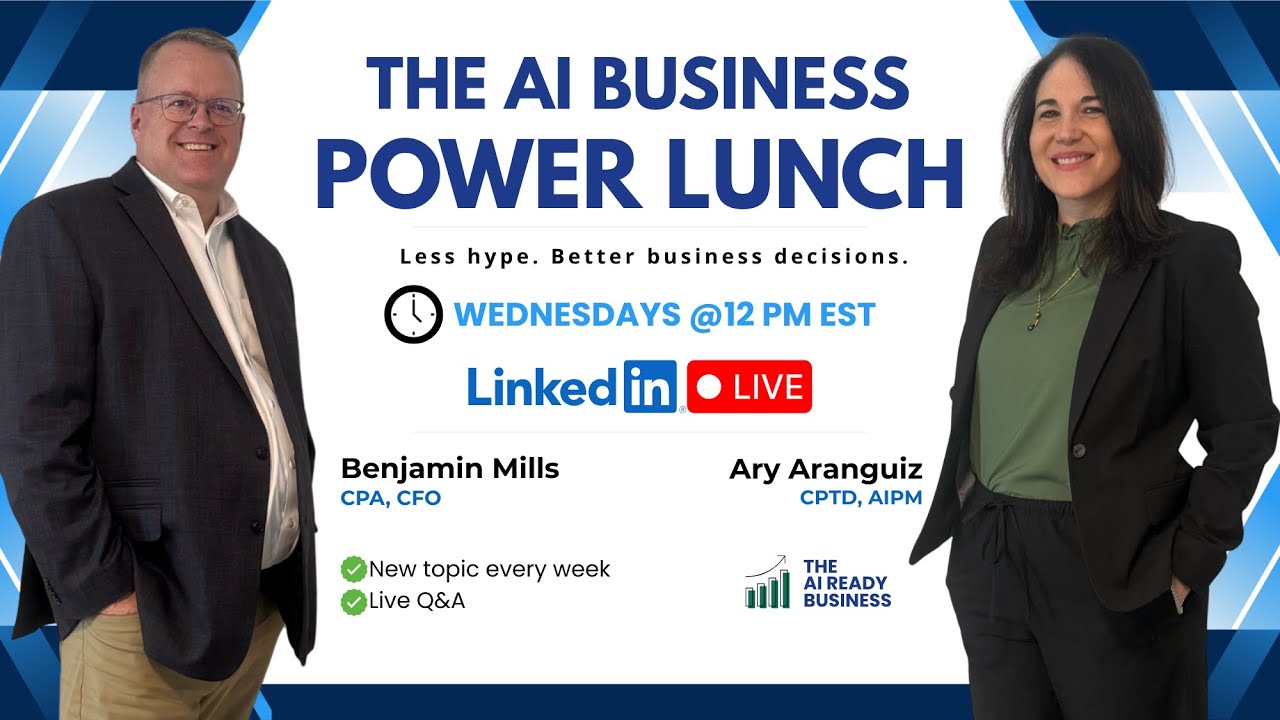
Welcome, everybody. Thanks for joining us today. And if you're in the Northeast, you're— I know you're enjoying the nice warm weather we're having. My name is Ben Mills, and I'm one of the co-founders of the AI Ready Business, where we're committed to bringing you breaking topics in AI, show you how AI can be used efficiently and effectively in your business and in your personal life. Before we get started, though, I'd like to introduce my partner and co-founder, Ary Aranguiz.
Hey everybody, welcome, welcome! Hello, please let us know where you're calling from in the chat, and we are going to put a link in the chat so that you can join our community and network with other professionals and small business owners. And we are very excited to bring you a fun episode today, 4 AI giants, one question, who thinks best? So first thing we're going to do is we're going to take care of some housekeeping. Our disclaimer: this presentation is for informational purposes only, and participants are responsible for conducting their own independent assessment before adopting or relying on any AI tools or recommendations discussed. Attendees should carefully review each AI provider's confidentiality, data security, and privacy policies to ensure compliance with their organization's legal and regulatory requirements. All right, so now that we have that out of the way, please say hello in the chat. Tell us where you're calling from. We are very excited here in the Northeast, in New York, that spring is here. It is a beautiful, beautiful day here in New York, about 70 degrees. Let us know where you're calling from, and let's go ahead and get started. So today we are going to pull— put all of these AI giants to the test. Claude, Gemini, ChatGPT. Perplexity kind of stands out on its own. It's in its own league. And we'll talk about Perplexity. We'll also talk about NotebookLM. But first, what are these tools? So not all of these AI tools are the same. We are going to dig a little deep, but we want to remind you this is only a 30-minute show. This is just to give you a taste of our community. We encourage you to join the AI Ready Business Community where we take a deep dive. We help you set up these different tools and walk away with an action plan, an implementation plan for your business or for you at your job, in your industry, for you as a professional. First, we're going to talk about LLMs. What are LLMs? Claude, Gemini, ChatGPT are LLMs, and Ben is going to take you for a little bit of a deep dive there and define LLMs for you. Perplexity is a hybrid. It's a combination LLM answer engine. It's not really an LLM, it's more of an answer engine, and we'll talk about that in just a second. Then there's NotebookLM. NotebookLM is really a research assistant. It is not an LLM. It is basically an opportunity for you to interrogate and talk to your sources. I'm going to turn it over to Ben now, who's going to dive a little deeper into what these all are.
LLMs, large language model, sounds like a very techie thing that I need to go to school to study, but we're going to break it down. It's just a writing partner that learns from billions and millions and billions of pages of text all over the internet. Uh, it's, it's a computer-driven program that learns and understands and generates human language. The way I like to summarize it, Ari, is it's a super advanced autocomplete system. You ask it to do something, it'll generate the response. It can write, it can brainstorm, it can summarize things, it can answer questions, all from billions of billions of pages of different documents. And then Perplexity is a little different. Perplexity is much more of what we would consider an answer engine, where Perplexity immediately goes out and does real-time research on the, on the internet, gets real-time information, can fact-check, provides the sources, provides current events, compares options. It's not as strong to write things, though it can. It's just not as strong. Its strength is doing the research, up-to-date research instantly from the internet. It's not guessing based on documents that have been uploaded or learned. It's going right out there and getting the current information today. And then the last is NotebookLM. And NotebookLM is much more of a personal study guide, or a study buddy, I should say. It's more you upload what you want to focus on. If you upload a 100-page legal document, you upload a textbook for school, you upload the information. And it uses that information to provide results, summarizes the information based on what you're uploading to it and what it has access to. It's not pulling from the internet, it's more pulling from what you provided, though it does have some other options that you can add. The core is relying on what you upload and what you provided.
Yep, that's right, that's right. And before we continue, just want to say hello to Nicholas. Very nice to see you there calling from upstate New York. And Mervis, great to see you from Seattle. And Andrew, hello from Texas. Please let us know where you're calling from. And then also feel free to add your LinkedIn in the chat or add your email and your name, your industry in our sheet so that you can network with other business owners, other professionals. All right, so coming back to all of these tools, LLMs, and the perplexity, which is a hybrid answer engine and NotebookLM. We have something called arena.ai that we want to show, we want to demo for you today. Basically what arena.ai does for you is it's going to allow you to compare all of these models. Now, you won't be able to compare Perplexity or NotebookLM, but you will be able to see how these different models, these different LLMs like ChatGPT and Gemini and Claude perform, because that really is the biggest challenge— knowing which model performs best for your needs. And that's where the real power of these tools come in and the power of Arena AI, because it allows you to experiment. And AI really isn't just one tool. It's an ecosystem, and a tool like Arena AI allows you to experiment, to improve your prompting skills, to even do it as a team, as a group, and experiment with different prompts and evaluate the output. And I'll demo that for you in just a second. Hello, Navshar from Toronto. Welcome, welcome, welcome. Please let us know in the chat where you're calling from and say hello. Alrighty, so now let's get to the battle. So we're gonna do 3 different rounds. The first round is going to be a text prompt. So we're going to take a look at ChatGPT and Claude and see who writes it best. Then we're going to do an image round with ChatGPT and Gemini, and then a research round. So we'd love for this to be interactive. We'll show you the response. We're going to do it live, so fingers crossed that we don't have any outages or anything like that. And then just vote in the chat what you think, which tool does it best. All right, so let's get, uh, into that. Let me switch screens here, and I'm gonna go right into Arena AI. So this is arena.ai. That's how you can get to it. And if you come in here, you can go up here to the top. And we'll do this battle mode, the anonymous models. We'll test that in a little bit. But we're going to start with the side-by-side. So I'm going to select side-by-side, comparing 2 models of our choice. And then I'm going to select— I've selected Claude Opus 4.6, which is its latest model. And ChatGPT 5 point— I believe we're at 5.2, 5.4 now. Let's see. Here we are, 5.4. So that is also the latest model. So I'm going to grab my prompt. And my prompt is very simple. And I'm keeping it simple because this is a demo in the interest of time. And we want you to see the output live. I'm going to close this up and, uh, let's run it and see. So the nice thing about a platform like this— uh, we're already experiencing— let's see what is happening. Clear. Let's try it again. This is what happens when you do things live. Let me just give it a minute. We do have a backup here just in case. Ah, what is going on? Come on. We do have a backup.
One of the takeaways that we're hoping that everyone takes away from this is before selecting your AI tool, select what your task is that you're trying to accomplish. Because what you're going to see with a lot of that we show you today is that different AI tools, different AI modules respond differently depending on the task. I think you're going to see today that some work better if you're creating an image, some work better if you're doing research, some work better if you're writing stuff. So the first thing is deciding on what your task is and then finding the right AI tool for it.
Yep. And it's just our luck, it's not working, and I don't want to waste any more time. We're already 11 minutes into our session. So I'm going to show you how we did this earlier. We were testing it and it worked out great. And please test it at home and come back to us and let us know how it worked for you. Don't know what's going on. I was having some issues with my Wi-Fi, so I don't know if that has anything to do with it. But here is the response. It's— the prompt was write a 3-sentence LinkedIn post on why small to medium-sized businesses should use AI today. So notice here, this is Claude, this is GPT, ChatGPT, OpenAI, and notice the, the difference. They're pretty much— the, the outputs are very similar, but if you were to add additional parameters here, additional criteria, maybe you're looking to see which model is better at keeping your brand voice, keeping your writing style, or maybe the formatting or other things that you might be looking for. This is great, especially for people who are new to using AI and new to prompting. This will get you used to evaluating prompts because evaluating prompts and evaluating— not prompts, but evaluating outputs is just as important as learning how to write a prompt. So prompt engineering, part of prompt engineering is that ability to evaluate the effectiveness of that answer. So I'm, in the interest of time, I'm not going to read the whole thing. But notice that for Claude, it knew that it was a LinkedIn post. And so it also generated some hashtags that can be used on LinkedIn. So I'm gonna say for this one, both are good. In the chat, just let me know. What do you guys think? Let's see if this actually worked now. It looked like it's working, so let me try it again. I'm going to try one more time. Keeps asking me for that security. No, for some reason it's not working there. All right, so what do we see? Let's see. Andrew, I was going to try Claude this morning, couldn't even log in as a new beginner. Claude has been down this morning. Same. Oh, so maybe that's what's happening. Thank you for letting us know. Um, we, uh, that's, that's probably what's happening and why we can't get a response. So, um, it's a good thing we have a backup. We've done this before here. So this one we went into, and let me, let me just try it again. This one we are testing, um, GPT, ChatGPT, and another model called QWEN. And let me see if it works. Let me grab the prompt. So this prompt is create an image of a friendly robot serving coffee to a small business owner in a cozy cafe. Let's see if that works. And again, comparing models is a great way to help you identify any risk, improve. And there we go, it's working. So it is Claude. So we'll switch it now. Um, so this is interesting how it added some text there. And many times in the past, uh, if an image had text, there were misspellings and you had to go into Canva and edit that. But now these models are getting better and better at Uh, at spelling. They're becoming good spellers and adding good copy on an image. So, uh, Gemini here— I'm sorry, ChatGPT is getting— it took a little longer, but the image is pretty good. What do you guys think? Put it in the chat. Which one do you like better, uh, ChatGPT or this one here, QWEN? What do you guys think? Let's see. And while you're adding your, your comments there, I've told my AIs to gut-check their responses and ensure it removes things that are telltale signs That things are written by AI. Excellent. Love that. Love. That's a great tip. Awesome. Thank you, Zach, for joining. All right. So what do you guys think? Which one do you like best? ChatGPT A or Quen Q W E N? All right. So I'm actually going to go back here and I am going to do another chat. I'm gonna do, um, Gemini. Gemini, let's do— oh, oh, so here's something to show you. Um, when you go to new, new chat here, you can select image to generate images. You can also build apps and websites so you can compare them. I haven't had much luck. I tried Comparing Claude to Gemini because they're both great at building dashboards and apps and websites. But for some reason, it's been a little glitchy. But do try it, report back to us, let us know what you're able to build. But if you click that, you can create all these other different outputs. And then you can add files as well. And do the web search, which is what we what we're going to do next. So let's do the web search now, and I'm going to select. So Claude's been down, so let's just do ChatGPT, and let's do GPT 5.4, and let's do Gemini, and let's do this one. All right, and then my prompt is going to be a research prompt. What are the three biggest AI announcements for the week? Of March 9th. There we go. And let's, let's let that run. So I like the look of Quen yet. I can see the theme Chat went for. And that's a, that's a great point because you will start to notice that all of these models have their own visual personality. So ChatGPT has its own visual kind of voice and visual style, and the models can then shape your visual style. If you're using, uh, these models to generate images for your business or for you as a, as a content creator, you'll notice that it has a particular style. Um, yeah, so A, the ChatGPT one. Yep, I, I like that one as well, uh, Andrew. All right, so this is taking a little bit. Let's just give it another minute there. I'm gonna jump— while that's working, I'm gonna jump into Perplexity. And as, uh, Ben was telling us about Perplexity, Perplexity is a hybrid. So it is an answer engine, but do you want to use it for writing your LinkedIn posts or for creating content? You can. And you can again compare it. You can't use it in the arena, but you can compare the outputs of Perplexity to the outputs of the other LLMs. But Perplexity is excellent for doing all different kinds of research. You can select the topics that interest you, and then you'll get a dashboard with articles and news of interest to you. You'll also get like the top news. So you can come into Perplexity. And by the way, this is the, the free version here. You can get a dashboard with the latest news for the day. You can select different topics, uh, for your interest. You can also create, um, different spaces here. So if you wanted to create a space and add and basically build a knowledge base, um, for a particular group, you can. And, um, you could do more research. Um, there's even a finance, uh, research Um, feature here. There's so many things that you could do. There's also a new feature called Computer, which is that, that is for premium users, and that is very similar to Claude Cowork. So in our, um, community, the AI Ready Business courses and community, we cover all of these different topics and we help you set it up, we help you learn it, we help you create and identify use cases for for your business. So let me jump back to the arena. Let's see what it did. Okay, so one of the things that we notice is that sometimes with the research, um, for example, Claude will reference more Claude updates, and ChatGPT is kind of— it gives a little bit of everything. So let's see, we have ChatGPT here is telling us about Microsoft. Look at the formatting also, and it And it's asking me to identify what week, and it gave me the top 3 items. So not bad. And it mentioned Anthropic, so it's not biased with just OpenAI news. And then Gemini, also look at the formatting. So this is a great way for someone to identify, to do a combination, learn from both models, or to see which formatting they prefer. Let's see, what do you think? Which one? Identify in the chat which one you think performed best. I know it's hard to read here quickly. Let's see. Hi, Ary, have you identified business areas or sectors for which each model works best when you compared side-by-side? responses from these models? Example for healthcare or telecom or mathematics or drawing statistical graphs, etc.? Excellent question. I think that all of the models work well. It depends on the specific task. ChatGPT can be just as effective at doing deep research as NotebookLM and as Perplexity. And even Gemini, as far— and Claude Cowork, for example. So it's really about your specific prompt, your specific end goal, or the output. And I find that I stack them, I use a combination. So I might start doing deep research in NotebookLM, and then jump to ChatGPT, and then jump to Claude. So that is my— how I use them. They're all my assistants and they provide different perspectives. Um, Ben, do you have any thoughts on that?
No, I, I would just add that the important thing is to think about what you want to do. I know I've often had ChatGPT or Claude produce something and then went somewhere else to get the image. Um, so it's more thinking about the task and matching it to the right AI tool. Um, but they all have their strengths and some are just better than others.
That's right, that's right. And there's another question, Zach, great question. So he's saying, uh, are you not supposed to prompt AIs by telling them you are a fill in the blank before prompting it in order to get back the best replies? No, absolutely you should do that. These are just quick examples just to do this, to show the capability of Arena AI, but you should definitely do that. As a matter of fact, there are different frameworks for prompting to get better results. That is one of those frameworks where you tell it what its role is, what the context is, what the format is. So you should definitely continue to do that. But sometimes if you're doing something quick, it's okay to also just ask a question and tell it what you need. And something else, in ChatGPT, Claude, all of these LLMs, there are personalization features so that it gets to know you, it gets to know the way that you think, the way that you speak, the way that you write, your brand voice. And that way it makes it easier so you don't always have to have, um, these lengthy prompts. But of course, prompt engineering is something that you need to develop that skill so that you're, you're, you're spending less time, uh, talking to it to get the results that you, that, that you need. So the better you are with your prompt, the more detailed you are without, you know, giving it an entire, uh, you know, essay, that then it gets very confused as to its instructions. The better your prompt is, the better your results are going to be.
Nicholas raises a good point that the definition of best and what best means, and that goes to who's your target audience, what are your output? You're exactly spot on on who you're trying to reach and what style you want and what's the message you're trying to create. Best could be different depending on the ultimate goal of whatever you're doing.
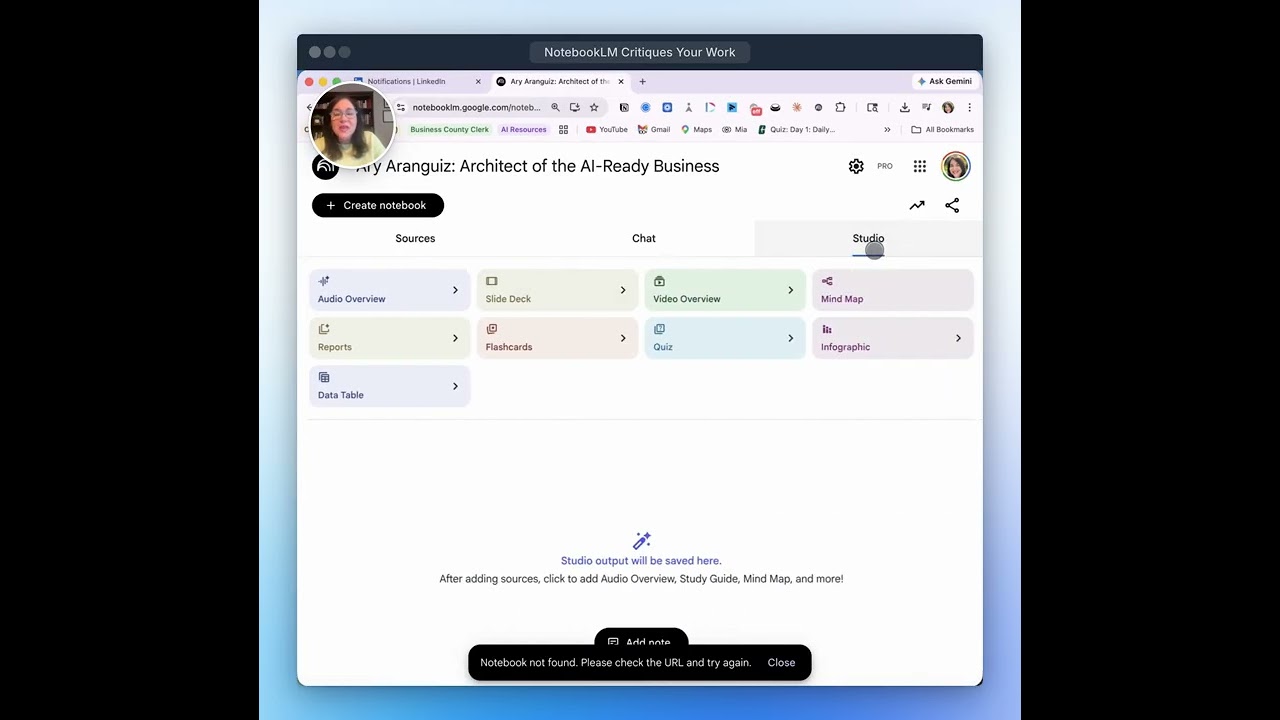
That's right. Thank you for these questions. These are amazing questions. Let me jump into NotebookLM to show you you can do deep research as well. Back to your question, Raveen, about different sectors. Let's say you wanted to do some research in healthcare or telecom or mathematics, you could start here. You could go into the deep research and select deep research or fast research and actually ask NotebookLM to go out to the web, search for the sources, and it will upload them here. This is an example— what you're looking at is an example of research that it did in the hospitality and tourism industry. And so it was able to search and find 41 different sources. Then you are able to basically have a conversation, interrogate it, uh, based on these resources, and then you can uncheck them here and just pinpoint your specific sources that you want to ask it questions about. It also gives you suggested prompts or questions, and then you can generate all different kinds of outputs, a data table. It's always good after it does its research to ask it to generate for you a data table of what it found. So this is an example of all of the sources it found, the publication year to make sure that the sources that it found are not out of date. The use case— this was specifically the prompt was AI and hospitality. So I had it identify the use case for AI, the business function, documented impact. So based on your prompt for your deep research, it'll come back and do the research for you. And then you can take this information and generate a report and then go into another LLM and do whatever it is that you need to do and come back and forth. That's, that's usually the way that, that I work. So, um, let's now go back to, um, one more thing that we want to show you here is, uh, videos. You can also do a comparison of videos. Let me Find the video here. You might have seen on our LinkedIn page, you might have seen some videos. Uh, having trouble. Here it is. Um, so very simple prompt: generate a video that promotes the AI Ready Business AI Power Lunch. It airs Wednesday. Um, and this first one, this one was Veo, this one was Grok. You might have seen this one on our LinkedIn page. This one's excellent.
You can't hear it, Ary.
Can't hear it? Okay. The narration is excellent. The spelling is a little off. But one thing to remember is that if I were to continue iterating, you eventually get to what you need. That's something to remember. So we have just 2 minutes left. So I want to come back and—
So the key here is just making sure you have the right tool for whatever job. You'll find writing's good with Claude, Gemini, and ChatGPT. Images are good with ChatGPT. Research, Perplexity is probably the better tool. NotebookLM is analyzing your own docs. And Arena AI is good for just finding out which one is the best right now because it's constantly changing. And the best AI tool depends on the task that you're trying to accomplish. That's what you have to remember. And with any of these tools, always make sure you're checking the security, the compliance, the confidentiality. Every tool is different. Don't assume they all have the same level of security. Don't assume they all don't have the same level of confidentiality. And privacy, you should always evaluate the policies of the AI tool that you're selecting. Last, I just want to let you know that we've developed an AI newsletter, comes out twice a month, that's giving you updates every issue on the current trends in the industry. It gives you tutorials, it gives you quick wins on things you can learn and implement immediately within AI. It also has an AI community where resources are shared, best practices, ideas, and questions. And there'll also be links to tutorial videos and seminars and different things like that. And it all comes with one AI subscription. And the last that I'd like to everybody is we're developing an AI roundtable, which will be a 2.5-hour deep dive into— the first one's gonna be Claude Cowork. It'll cover Claude Skills. It's gonna cover Claude Tasks. And I know we did a brief one on it. Before, and, uh, uh, one of our Lunch and Learns. But this will be a 2.5-hour presentation just on Claude Cowork, and it'll be free with an annual subscription to the newsletter. So you get all these resources, all these seminars, all these tutorials. And the roundtable is going to be limited to only a handful of people, so it's going to be a hands-on, uh, it's going to be involved. It's not going to be 100 people on a call, it's going to probably be less than 10. And you're going to walk away with information that you can instantly implement and use in your daily life as well as your businesses. And that'll be in April. Drop your email into the Google Sheet so you can get on the distribution list and know when it comes out because it'll be on a first-come, first-served basis. But we wanted to thank you guys for joining us, and next week is going to be NotebookLM. We're going to be doing a lot more work on showing you how you can use NotebookLM. Uh, for different tools and different things in your business and personal life. And we want to thank you all for joining us once again, and enjoy the nice spring day if you're in the Northeast.
Thank you so much, everyone. We'll see you next week.
More from Ary




Create and Automate a Scheduled Task in Claude that Scans for YouTube Videos about AI for SMBs