Stop Prompting. Start Building with Claude Skills.
In this 2026‑02‑19 AI Ready Business webinar, co‑founders Ben Mills and Ary Aranguiz introduce Claude Skills, a new feature of Claude Cowork that lets users encapsulate repeatable business tasks in folder‑based, guard‑railed “skills.” After a brief housekeeping disclaimer and community‑building prompts, they explain how skills replace ad‑hoc prompting with reusable SOP‑like templates that pull data from a dedicated folder, employ progressive disclosure to conserve usage, and are SOC‑2 compliant. The presenters walk through pre‑built skill examples for marketing, sales, and finance—showing how Claude can generate PowerPoints, complex spreadsheets, dashboards, social media assets, and email campaigns. They then demonstrate building a custom “AI vendor risk review” skill without any coding, using a guided questionnaire, keyword triggers, and output specifications (a 10‑page report and a scorecard). Throughout, they stress the shift from prompt engineering to context engineering, the operationalization of AI for small businesses, and best‑practice security measures (dedicated folders, review before sending, enterprise plans). The session ends with calls to action: join the community spreadsheet, attend weekly power‑lunches, access recordings and guides, and subscribe to a bimonthly newsletter for ongoing AI tips and courses.
Chapters
I started with Bob a little bit. Welcome, everybody.
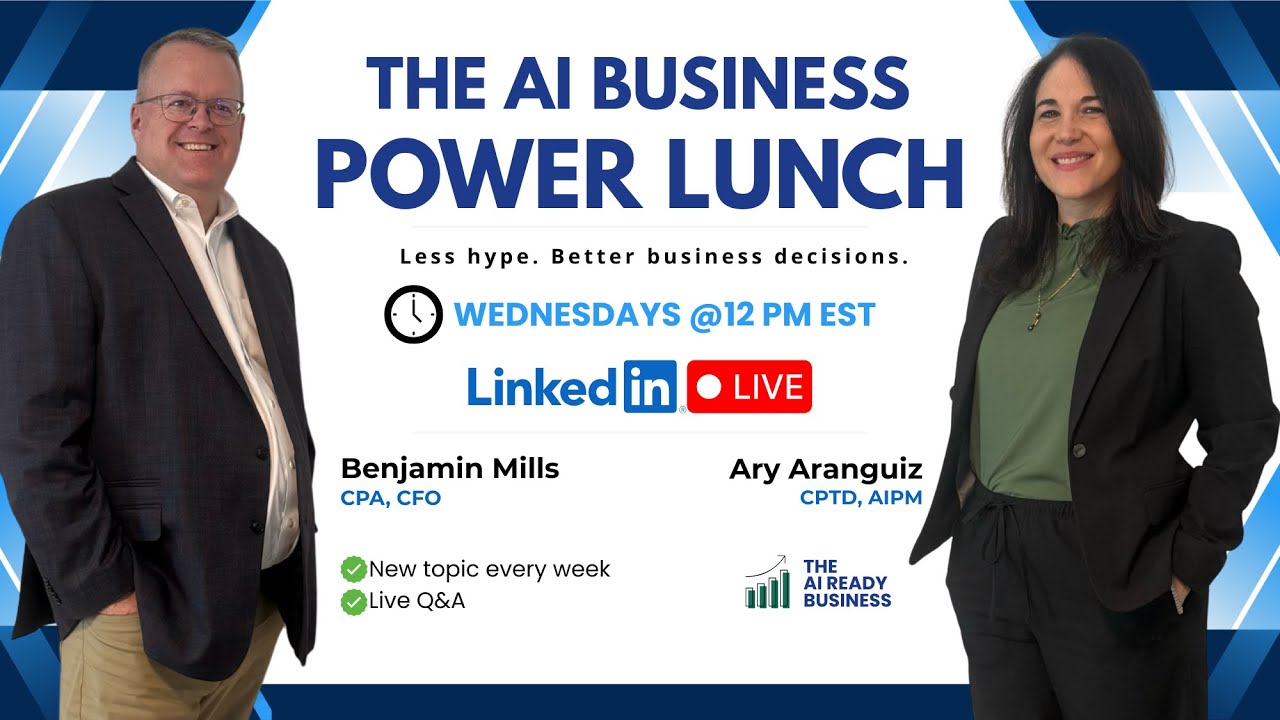
So glad you could join us. I know everyone's busy, so we're going to jump right into it. My name is Ben Mills, and I'm one of the co-founders of the AI Ready Business, where we're committed to breaking down topics on AI and show you how AI can be used efficiently, effectively in both your personal and your business life. I'd like to now introduce my partner and co-founder, Ary Aranguiz.
Hey everybody, welcome. And I am Ary Aranguiz. I am so happy to be here with you today. Please let us know where you are dialing in from. Put your name in the chat, your industry, say hello. We want to be able to see you. Remember, we can't see you, so it really helps us when we see your name and just a hello in the chat. I've also put a spreadsheet, a link to our spreadsheet where we're building a community, so add your business details so we can network with one another and get to know each other. And yes, this is weekly, and we'll be back next week. Last week we put out a poll and all of you voted on sales and marketing, so we will be back with more Claude Cowork and Claude Skills focused on sales and marketing skills. Uh, but for now, we are going to go ahead and get started with Claude Skills. I'm going to read A little disclaimer first. As always, this presentation is for informational purposes only, and participants are responsible for conducting their own independent assessment before adopting or relying on any AI tools or recommendations discussed. Attendees should carefully review each AI provider's confidentiality, data security, and privacy policies to ensure compliance with their organization's legal and regulatory requirements. So now that we got that housekeeping item out of the way, I see the chat coming alive. Awesome. Welcome Bruce from Utah, and welcome Tim and Jerry and Jeff from Rhode Island and Allison. Hello from Washington, DC. Hello everybody. Feel free to keep adding your hellos and where you're calling from in the chat, and we're going to go ahead and get started now.
I just wanted to say, hey, Jeff from Rhode Island, I'm glad you're able to join us. But so today's topic is Claude Skills, relatively new, launched in October of 2025. But like all AI tools, it's constantly being enhanced, constantly being improved, and constantly changing. It was recently enhanced in December of '25, expanding the skills with organizational-wide management tools. Ari, has Claude finally created an AI tool that can give me the skills to play for the Yankees?
I don't know, they're probably working on it.
Unfortunately, I don't think the AI will ever be powerful enough for that. So what are skills? What are these Claude skills? It's a folder and instructions that you tell Claude how to perform a specific task. You set the guardrails, you set the terms, you set how you would like stuff done. An example is a step-by-step guide to create PowerPoint presentations, or proposals or, um, financial analysis, forecasting. You set the guardrails, you set the terms on how you want to be prepared, and then once you set it up once, it's there going forward and you just constantly can reuse it. If you don't like the output, you constantly can change the guardrails. It's a very powerful tool to create all kinds of sales, uh, sales proposals, PowerPoints, everything that you need for your business that can be done in minutes.
Okay, awesome.
And with like any AI tools, there's always security and privacies. But with, uh, with Claude Skills, you're linking it to one folder on your computer or on your network. It doesn't look at anything else in your, your system, just the one folder. So whatever you put in the folder is where the skills task is going to pull the information. It's not used to train AI. It's SOC 2 compliant. But like with any AI tool, you should make sure you consult your IT team, company AI policies, and be aware of the data that you're sharing. So let's jump in and see how it actually works. And this is where Ari can show off her skills.
Awesome. Thank you so much, Ben. All right. I just want to say hello to Mervis. Hola, ¿cómo estás? And V from Battle Creek. Awesome. And I just want to remind everybody, I just put the link to that networking sheet. Please add your business details so that we can network. Awesome. All right, so let's get into how skills work. So let's say that you wanted to create a proposal for a client, and this proposal includes your brand voice, your company information, your branding. You can actually create a skill that draws from your brand voice, your company information, your branding skills. And what Claude does is it's going to scan through all of the different skills that you have taught it, and it will automatically load the right skills and then deliver on your exact guidelines. So if you look at the bottom here of the, of the slide, it says there's a key concept to understand, which is progressive disclosure. So it doesn't use up all of your usage, all of your usage points. What it does, it knows specifically what skills to pull from. So think of in terms of when you're working on a project, you are using and applying a variety of skills, your presentation skills, your communication skills, and you know exactly, your brain knows when to focus and call on those particular skills. This is exactly what Claude is doing and we're going to see it on the backend in just a second. Last week we showed you Claude Cowork and we showed you some of the outputs. Again, these are the outputs. Claude Cowork is powered by Claude Skills. The commands that you saw are powered by those skills. And these are the pre-built or outputs that you can generate. You can generate PowerPoints because Claude can be trained on creating PowerPoint skills, its ability to create PowerPoints or Word documents, reports, letters, proposals with very specific formatting. And you'll see that in just a second. It's able to create very complex spreadsheets. With formulas and charts, PDFs, and even dashboards. So you can take a spreadsheet that Claude Skills creates and then create a dashboard. And then last week we also showed you how it can create social media assets and email campaigns and blog posts and LinkedIn posts. So the sky's the limit. It's all about how you train it and what you need for your business. Okay, so I am going to go ahead and jump into Claude Skills. So let's take a look. So this is Claude Cowork, and again, this has been downloaded, uh, on my desktop. And you're going to go here to Claude Cowork, and I want to show you— I'm going to click on the plus sign here. I'm going to go to Plugins, and I'm going to go to Manage Plugins. So you could see on the back end what this looks like. So if you remember, if you joined us last week, and if you haven't, we have the recording. You can watch the recording on our profile. You can go to our profile page and look at last week's Quad Cowork webinar. These are, these are all different, uh, business functions that are powered by different skills. So for example, for marketing you have marketing skills. So I want you to think in terms of a team. If you have a marketing team, each member of that marketing team has a unique set of skills. So imagine this is your marketing team that has expertise in generating a brand voice, in creating a marketing campaign, in generating a competitive analysis, In content creation, performance analytics. So what are the implications for a small business owner? A small business owner will probably not have a marketing team, so they can now create their own marketing team using Claude Skills. The other thing that ha— and we talked about this last week— is that this is really gaining the attention of investors in software companies and the subscription-based model, because rather than having all these different apps that don't always connect to each other, now you have one platform that does it all and has these outputs. So you can define the input, you define the workflow, you define the constraints, the evaluation criteria, the output that you want, whether it's a PowerPoint, PDF, a dashboard, whatever it is, and it's operationalizing your business. You're no longer using AI, you're operationalizing your AI. Okay, so let me show you, for example, the, uh, marketing skills. So here, this particular one will apply and enforce brand voice style guide messaging pillars across content. You could use it when reviewing content for brand consistency, documenting a brand voice, adapting tone for different audiences, or checking terminology and style guide compliance. So it is here in just natural language. Look at the formatting, how clean it is, easy to understand. If you needed to edit this, you can also edit it. You can go here to edit I don't know if you could see that or if it's blocked by the QR code, but on the top right you can edit it and make any changes as the needs evolve. You can change the particular skill. So another thing that you could do is all of, all of these different business functions are powered by skills. So everything that you saw last week These are the skills behind them. So under sales, we have the skill of account research. Again, think of you have a sales team, they all have a unique set of skills. Here they are now in agent form. So I'm going to stop right there to take a look at some of the comments. Um, let's see, is this similar to creating a GPT agent but more workflow and skill-based? Yes, this is the next level. GPTs are 2024, 2025. This is the next level. Now we are moving away from prompting to actual operationalizing. Before we were prompting and chatting, now we are actually giving AI hands and eyes because this will also scan the web for us. It's going to search the web for us. Okay, welcome Brian, nice to see you. And, um, now what I'd like to show you here is the finance skills, which can also be a game changer for a small business owner. And Ben, did you want to go ahead and—
Yeah, so in the finance area there's a lot of different tools you can use. You can automate your forecasting, you can automate your income statement analysis, you can automate a dashboard, benchmarks, however often you want them generated, you can do that. And by setting up the skill and the information, you could have it in the format, the color, the paragraphs, the whole presentation you can set up. And I must keep reiterating that once you set it up one time, you don't have to keep doing it every time you want the report. It stayed within Claude, and now they know. So they just— Claude will just pull the information from the folder and generate the report every week, every month, or however often that you want to have done. Um, but like with all the tools, just like if you had a junior person working for you, you should still review it and check it, uh, to make sure it's, it's correct.
Thank you, Ben. Yes, and also, uh, we need to think in terms of, you know, our, our expectations. This is still in research preview, and it is pretty amazing. It's pretty robust. And the outputs are pretty accurate. Always verify the output, of course. But think in terms of if this is in beta right now, imagine where it'll be 6 months from now, a year from now. This is just the beginning. And this is an example of agentic AI, which is where we're moving from, moving away from prompt engineering into context engineering. And operationalizing our AI. So I wanna show you what I did is I created an AI vendor risk review. I wanted to create an agent that was not part of the defaults that were provided by Claude. And what I did very simply is I'm gonna show you how I started. I went into, I just, selected New Task. And then I said, very simply, help me create a new cowork skill. It's that simple, right? With a series of questions, it starts asking you questions. Well, what should this skill help Claude do? What's the main task or workflow you want to turn into a skill? It started asking me a series of questions. And then I remembered that I wanted this to be multiple AI vendors, not one. So I kind of ignored some of these questions at the beginning. And then I said, let's pause. Can the AI vendor risk review review multiple vendors at the same time and provide a risk analysis for each vendor? So in the interest of time, I am gonna go through this very quickly, but please reach out if you have questions. We want to hear back. We're doing this so that you join the community, learn from us. The best way to learn is to keep experimenting and learn in community. So reach out to us, report back on what your experience is, and we can help one another. And so, um, through a series of questions, it asked me, when reviewing multiple vendors, what's most useful for you? Uh, it gave me several multiple choice, um, several choices. How would you typically Give Claude the vendor info to review. And then I, and I said, just type the vendor names and what kind of output. And so I'm going to fast forward here. And basically what it did is it created the skill. Okay, it created the skill. This is what it looks like. This is the technical piece. But again, there's no coding. Even if you have no technical, no coding background, you can do this. And use Claude to help you as well when you don't understand something. So it created the skill of an AI vendor risk review. And so then now that the skill was created, what I did was I added it to my plugins because the plugins— I added it here because this type of skill was not included in the default. So this is an example of Whatever's not in the default and you need something else, you can build it that is customized for your business, for your context. So what it does now is if I were to come in here and ask it to compare, for example, uh, Microsoft Copilot versus Claude Skills and generate an AI vendor risk review, The minute it sees this word assess, that's a trigger. It's a keyword trigger. And so it pulled the skill that it needed, right? And so it generated the review. And let me show you what it did. It gave me the 2 deliverables that I asked for, because that would— those were the parameters and the criteria in the skill. And it generated this 10-page vendor review. Now, for those of you who have done vendor risk reviews before, you know that this could take hours or days. This is the 10-page report. It gave an executive summary. It scored Copilot, and it gave information about the risk level, gave a verdict. It also flagged different certifications. That it doesn't meet, vendor overview. If you're interested, if you want me to share it, just DM me or DM Ben and we'll share it with you so that you could take a look at this. But it gave a very comprehensive report that then I could take and share it with a stakeholder that wanted this information. There's no hallucinating because it also cites its sources. Now, of course, you always want to verify. but it does cite its sources. Another thing that it did, the second deliverable that I specified in the skill was to give me a scorecard. I could take this, let's say I had multiple vendors, I could create a dashboard as well with this information. It gave me a scorecard. It identified the different areas, security and privacy, business risk, AI-specific risk, detailed findings. Again, There's not enough time in this presentation to go over all this, but feel free to reach out. These are the kinds of things that we go into in our community courses if you join our community. Then of course, the recommendations here. Microsoft Copilot got a higher score than Claude because of security. Then it gave some conditions and caveats here. It's best. Microsoft Copilot is best because it's already on Microsoft 365. And however, Claude is the best for financial quality and financial services tool. Must use enterprise tier, monitor company financial stability. So again, this is hours, days worth of work Done in minutes.
The thing I'd also like to reiterate also is once you've built that skill that I already showed you at the beginning, it's there now going forward, so you don't have to rebuild it. You can just keep using it, or you can go in and change it, or you can add another guardrail or add some other parameter to that skill as things evolve. But once you set it up, it, it just works into, uh, the future. Every time you want to do the risk assessment.
Yep, absolutely. So we are going to come back here. So again, as I mentioned, why is this a game changer for a small business? It's going to save you hours every week instead of re-explaining and prompting all the time. We're moving away from that. That's going to become old school. We are moving toward operationalizing AI so that you can upload your judgment, your frameworks, your domain expertise, your policies, your workflows, your decision frameworks once and one and done, and it's there. Not one and done, but you can always iterate, but you understand what I'm saying. It's going to help you stretch your budget. A small business doesn't have a marketing team or a finance team. This allows you to hire a group of specialists basically that is trained on your institutional knowledge. It's going to provide quality in terms of the results, the outputs, and I'll turn it over to Ben.
The other thing that it does is it's going to provide your sales team, your finance team, the owner with more information more timely, sooner, Which often in most cases leads to better decisions for the business, better alignment with the strategic plan, and often has a lot more information than you would do on your own at your fingertips within a couple of minutes. Instead of spending hours and hours and days and days collecting the information, it can be done quickly. And you can get it updated as frequently as you want. If you need some of this risk assessment updated every month, you can update it every month. every quarter, uh, with just a quick little, uh, uh, connection with your skills and the folder that the information's in.
Yep, that's right. So again, um, it's important to follow best practices for your business. You can use a dedicated folder that, uh, you give access to Claude, uh, on that particular folder Always review before sending anything. Sending— it could generate emails in your brand voice, but always review, always verify. Uh, you could use the Team and Enterprise plan. Uh, we have the Enterprise— we have the Team plan, and that gives us an extra level of security. Uh, always, um, make sure that you don't, uh, share passwords or API keys or bank information. That's something you definitely don't want to put in a And you could still put your proprietary business information, but again, treat it like you would when you use OneDrive or Google Drive. Same best practices apply. And of course, most importantly, experiment. Stay curious. There are so many updates happening. All the time, so joining our weekly power lunch is a good way to stay connected and stay updated. Join our community. We have classes that go into more depth. You have an opportunity to network with other business owners, and with that again, I've shared the link to our our spreadsheet where we'd love you to share your. your business details so that you can connect with other, uh, business owners. And someone asked if, uh, Kayla, uh, will there be a recording for this or a guide? There will be a recording. If you registered, this recording will appear on your, on your feed. And a guide, uh, reach out to us and we will share the guide from last week and all of the, the, uh, materials, all of the resource guides that we shared last week. Reach out to us and we'll share that with you. And let's see, so if someone already has a repeatable process, this is basically turning that process into a reusable SOP inside Claude. You got it. We can't see the name there, it just says LinkedIn user, but whoever wrote that comment, that's it in a nutshell. So that's a great way to close here.
And I'd also add that keep in mind AI is always evolving every month. AI is taking steps forward. It's not the type of where you just learn it one day and then you don't have to keep up with it. That's one of the reasons we developed, uh, this, our, our community, and that's why we're developing it, because it's an AI journey for everybody.
That's right, that's right. And what's your action plan for this week? What would be a first skill? Think about one task that you repeat often and you'd like to create those, that set of instructions, or Maybe it's a set of instructions for a new hire. Write those down. What are those repetitive tasks, your judgment, your frameworks? Try one of the prebuilt skills first. Go on the backend and take a look at what those skills and how they're built. And remember, you don't have to write all that out. It does it for you. And then try building your own custom skill. And we'd love it if you report back. Let us know how it goes. Ask any questions. If you get stuck, we would love to work with you and help you. One more comment here from Jason, and thank you. So glad that you could make it, Jason. So Jason says, a Mervis Lopez comp, think of it as a, uh, think of a skill as a repetitive task template on steroids. Absolutely. It's a, a CLAWD project is a job function for your marketing project. It needs SOPs and meta docs. Skills are the repetitive things that someone leveraging the marketing project might pre-perform. Templated outmail, social posts, blogs. Exactly. Um, podcast show notes is my favorite. Also, this is an example of the experience that you'll have when you join our community, where people will be able to share their use cases, their best practices. So we hope that you will join our community.
So I just want to thank everybody for joining today, taking your time. I know everyone's busy. If you're interested and want to stay on top of AI, sign up for our bimonthly newsletter, which will also give you access to an AI community where people will be sharing best practices. They'll be asking questions. They'll be sharing everything that they're finding in AI and what works and doesn't work. And it'll also give you access to AI courses with tutorials. And we're looking for a lot of the feedback because we're gearing a lot of this to what people are looking for and the challenges that they're having. That's what got Ary and I together to start this, is we're trying to demystify it. We're trying to get people off the sidelines with AI and start seeing the benefits of it. We're trying to show you how it works and tackle some of the misconceptions I think that are out there for AI. There'll be a bimonthly newsletter. The newsletter is going to include all the new things that are coming out. It's going to give you quick tips and tricks that you can instantly install. and, and start using in your day-to-day life. Um, the biggest thing that holds AI back is the implementation and the usage. It's not always the tool, and that's what we're trying to do is give you real-life tools that you can use that'll help you every day in the business. Um, so I want to thank everybody again, and we'll be doing another course next Wednesday as well, so please keep on the lookout for it as well.
Yes, thank you so much everyone, and next week you guys voted for sales and marketing, so we're gonna dig in with Claude Cowork, Claude Skills, focus on sales and marketing. And please reach out and let us know what do you want to see next. So again, thank you so much, and we'll see you next Wednesday.
More from Ary




Create and Automate a Scheduled Task in Claude that Scans for YouTube Videos about AI for SMBs