We Stopped Paying $1,200/Mo for Marketing. Here's What We Use Instead.
Ben Mills and Ary Aranguiz show how Claude's plugins replace expensive marketing and sales tools. They demo generating prospect research, a 90-day marketing roadmap, and industry reports that match $1,200-per-month paid services, plus automatic CRM updates through HubSpot integration.
Chapters
Turn down the volume, guys.
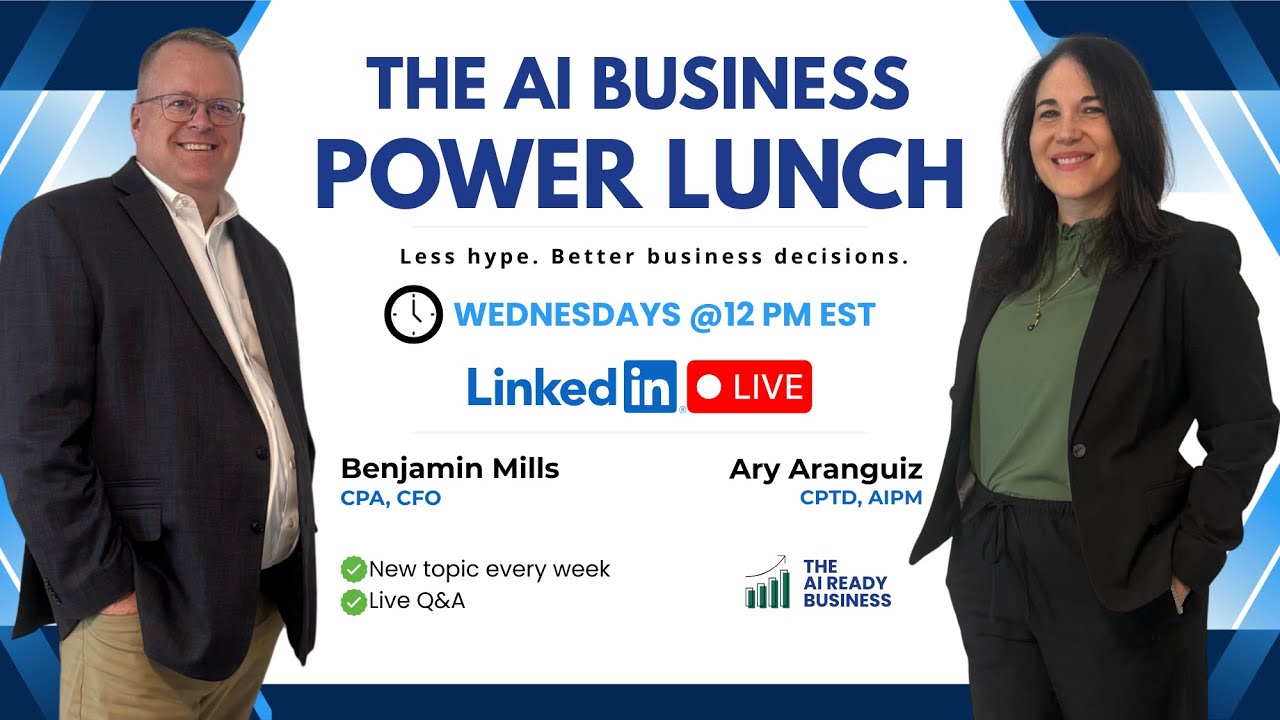
Welcome. So glad everybody can join us today as we continue to develop our learning of Claude and all the different tools that Claude offers. My name is Ben Mills and I'm one of the co-founders of the AI Ready Business, where we're committed to breaking down AI topics to show you how you can use them efficiently, effectively, and actually implement them in your day-to-day life as well in your— as well as in your business. Today's topic is Supercharge Your Sales and Marketing with Claude Plugins. Uh, before we get started, I'd like to also introduce my partner and co-founder, Ary Aranguiz.
Hey everybody, welcome, welcome. So nice to see you. Please let us know where you're calling from in the chat. Say hello so we know you are there. We would love to hear from you. Tell us where you're calling from, and I'm gonna put that sheet in the chat, our networking sheet. Feel free to add your name, your email, your business, so that you can connect with others. Would love to see where you're calling from.
We're very excited that you're all here today. Like Ary said, we're working, we're building an AI community. Please drop your information and drop it in the Excel spreadsheet because we're working together to uncover the AI mystery and all the different tools and how we can demystify it and work together.
Awesome. Just want to remind everybody that we as the AI Ready Business have saved a lot of money. We have saved over $1,200 a month using sales and marketing plugins, and that's what we're going to be demoing today. Would love to see in the chat where you're calling from. Say hello so we could see who is here, see some old friends, make some new ones. Let us know who is there. All right, so I'm going to take care of some housekeeping items here. Just a disclaimer, this presentation is for informational purposes only, and participants are responsible for conducting their own independent assessment before adopting or relying on any AI tools or recommendations discussed. Attendees should carefully review each, each AI provider's confidentiality, data security, and privacy policies to ensure compliance with their organization's legal and regulatory requirements. So we have a special announcement today. We are going to be selecting five of you. You don't have to be an SMB, but we want to hear your questions. We want to hear your AI implementation questions so that we can either address them live or we'll follow up with you and then share them with the broader community. But Make sure you put those AI implementation questions, whether they're about Claude or ChatGPT or anything. And whoever has the best questions, we are giving away one free month to our newsletter, our community, our courses. So we see the hellos coming in. Thank you. Good morning, Bobby from Fort Mill, South Carolina. Good morning, Priyanka. Hello. And Ian from Spain. Hello. Thank you so much. All right, so let's get started. So just to recap, for those of you who are joining us for the first time, this is our 3rd AI Power Lunch. The last 2 have been about Claude Cowork and Claude Skills. So Claude Cowork is your AI desktop assistant. It can help you organizing your files, doing research, task automations. It is incredible. It has different types of plugins. We're going to focus today on just 2 of those plugins, sales and marketing. Last week we focused on what powers those plugins and basically what the domain expertise that powers those plugins are, and that was Claude Skills. You can access those recordings if you go to our profiles. You could see those recordings there. They're 30 minutes. If you want a deeper dive, join our community where we can help you set it up, set up Claude Cowork, set up Claude Skills, and even go deeper into Claude Code. So we encourage you to join our community. And like I said, we are giving away 5 1-month memberships to our community, our newsletter, our courses today. Based on your implementation questions. Good morning, Karen, nice to see you again. All right, take it.
So let's just jump right into it. So what are Claude plugins? They're pre-built add-ons to your Claude Connect that connects all your different tools like your CRMs, your calendars, your Gmails, and they help do tasks on your behalf. It also can connect to the internet, it can provide you a wealth of information instantly It can streamline a lot of your processes. It can check your schedule. It does a lot more than just answering a question that you might type into other AI tools. The plugins for sales. There's a number of different plugins that come in with Claude. What you can do is you can use the ones that are pre-built or you can always build your own as well. With the sales plugins, it enables you to do account research, draft outreach. It enables you to do call summaries, forecast information, pipeline reviews. It helps you prepare for a phone call that you might have with a customer by giving you questions to ask, answers to those questions, and where to go with it from there. And then you also have a marketing plugin. Again, these plugins come preset within Claude, but you can always create your own. You could always establish your own if you don't see one that fits your specific need. The marketing plugin can give you a campaign on how to market your business, whether you're a 2-man business or a 25-man business or 100-person business. It can give you competitive advantages, competitive analysis. It can give you performance analysis on your different approaches and your different marketing plans. It can give you an audit of your website, an audit of your LinkedIn, or any other social media that you use. It'll give you a detailed analysis of what's working and what's not working And on top of that, what you can do to improve it. So as with everything, there's security and privacy with Claude. And if you've been in the classes before, Claude does— goes through great efforts to secure the information. They have SOC 2 compliant, they have encryption software, and they work very hard. But with like any AI tool, you should consult your IT team. And you should be aware of the AI policies for the tool that you're using. So from— with that said, let's jump into how plugins actually work. And we have some— one thing that we try to do is not just talk to you about theory, we try to show you practicality on how it actually works. So I'm going to turn it over to Ary because we have a couple case studies so you can see firsthand how quick and easy it is to use these tools.
All right, thank you so much, Ben. All right, so what we are going to take a look at today is how to install a plugin, and it's basically a one-click setup. Now I'm going to show you a couple of plugins. Those are the defaults. And as a matter of fact, just yesterday Claude announced new plugins for human resources, product management, engineering, go-to-market, Copilot. So there's a lot of new stuff in just one week. They have released new skills, new plugins that you can try. And really the key is for you to explore. Go in there, explore, experiment, see what types of use cases, uh, you can, uh, develop for yourself, for your business, for your team. And come back, share, share your experience, come back with your questions. And again, just want to remind you We are selecting 5 SMBs today, or anyone who has implementation questions, and we are selecting them to win 1 month free access to the newsletter and our community. So we are going to demo how to research a prospect and pull company intel and draft talking points for a conversation. I'm also gonna demo a marketing plan. I'm gonna show you also, if we have time, a human resources example, that's a new plugin, and, uh, just creating some social posts and even updating your HubSpot if you have it linked to your HubSpot. So with that, I am going to go ahead and jump into Claude. Okay, so here we are. First thing I'm going to do is I'm going to show you how to access those plugins. So when you are here in Claude Cowork, you're going to click the plus sign, you're going to go to plugins, and you're going to scroll down. Whoops, it's giving me some trouble here. You're going to scroll down to manage plugins. And here on this page, you can connect your tools. So you can connect Slack, Canva, Monday, Asana, Figma, Gamma, and manage all of these different connectors— your Gmail, Notion, your Google Calendar, etc. So we will have another webinar on connectors, uh, in the near future. We talked about skills last week. You can also add new skills here. Okay, and then the plugins, you can browse plugins. So if you go here to personal plugins, these are all the defaults, and then if you click the plus sign, you can browse their library of plugins. So there are all these new ones. Common Room, here's your go-to-market copilot. Brand voice, customer support, data, design, finance, which we talked about last week, legal, marketing. Here's the human resources one. And all of these plugins are powered by the different skills. And you can add some for your organization and connect them to your knowledge base and your third-party tools. Here's a personal one that I shared last week, that AI vendor risk review where We compare different AI vendors and that's powered by a skill. That's where the plugins are and we'll come back to that in a little bit. The first example that we want to show you that is a sales example is we used a plugin, the sales plugin, to do some research, some prospecting and researching a company. The first thing that we did was we researched just as an, uh, hypothetically speaking, the company Stripe, and it gave us a very comprehensive review. So imagine if this is a company that you're researching and it's been giving me some trouble here. So we will jump into— there we go. So it provided an account research brief. It is 12 pages. It provided the company profile, recent news, key people, hiring signals, if they are in my CRM or not, industry overview. So even acronyms of that particular industry. So imagine creating this kind of report for yourself prospecting, um, a client. Okay. Even a call prep questionnaire. What are some questions that you can ask and suggested answers, discovery questions for your call, et cetera, pain points, things that you might be overlooking, recommended approaches when contacting this company. And then it provides the resources, the sources of where it gathered this information. So the next thing we wanted to do is we actually wanted to compare an industry report that we were paying $1,200 a month for, and— I'm sorry, $1,200 a year, in addition to other sales and marketing expenses that we had. And we wanted to compare, is this just as good? So we asked it to do an industry analysis report. For the HVAC and plumbing contractors, and it asked us a series of questions, and it came back with that report. However, when we compared it to our existing report that we had paid a lot of money for, we noticed that there were some sections that it overlooked, even though we provided it with. The, the original that, that we paid for. So what I did is I went back and I told it I want to see all of these different areas covered, and it went back and it provided information section by section matching exactly what we wanted. Hopefully it comes up here. If not, I may have to, I may have to bring it up this way. Give me one second.
So what this does is this instantly will give you a tremendous amount of information on an industry instantly at your fingertips, and it's all part of, uh, of Claude and the skills. The NAICS code you put in and it'll instantly break down all the information you want to know about the industry. This is helpful if you're pitching a new client or a prospect, or you're dealing with current clients and you want to find out what is going on in their industry, and it's all at your fingertips.
Right. And this is something that we were paying a lot of money for, and now with just the Claude subscription, we were able to gather this type of intel on a company. So as you can see, it's 22 pages. And provided market snapshots, current conditions, macroeconomic impact, key challenges right now in this industry. So think about your own context, your own use case. How would you use something like this? Provided the industry structure, major operators in the area, industry fragmentation. You could then take something like this, use it, put it into into Claude and, uh, use a different skill for, um, a different approach, like how to follow up with them and use the sales prospecting skill. Um, so I'm just going to go through this very quickly. Notice the geographic breakdown, regional analysis. Let me go through it rather quickly here. Profits and operations. Profitability, organizational structure, so you can reach out to particular stakeholders, industry trends. So lots and lots of data here to follow up on, to act on, and inform your sales strategy and your marketing strategy. So I see some questions in the chat. Are you willing to share the skill you use for this? Absolutely. This was actually not a skill that we created, but one of the defaults. So I will come back to it in just one second. Just give me a second here to switch my screen.
The other thing that this— that tool will do is give you a list of 15 to 20 questions to ask if you're meeting with a prospect. And it also gives you the answers to the questions from an industry basis. So it can bring you up to speed real quick. On almost any industry that you put in. And the example that I already was showing you is we just randomly picked the car wash industry, but you could pick any, any industry you want and it'll pull the information. You could even put in if you want specific for New York State, or you want it specific for a geographic region of the country, or an individual country. You can break it down by many different components.
That's right. That's right. Thank you, Ben. So here is the particular skill or plugin that we use. We use the sales plugin, and this was the command. And just, I wanted to make sure that it's understood. The command is like the shortcut. It's like the question, and then the skill is what powers that command. So in this case, the command was research a Prospect before outreach. That's the one that we used, and then the skill behind that. See, so this is what it did. This is the command here, but the skill that it used was the competitive intelligence skill here. So if we click on that, notice that here. Here is the, the actual prompt, uh, research your competitors and build an interactive battle card outputs, uh, as an HTML, um, trigger with competitive intel. This is the information that we got. So this is available to anyone who wants to use it. So thank you so much, uh, Matthew there. Welcome, nice to see you. And please feel free to add those implementation questions so that you can be selected to our community and get that 1 month free. Feel free to share your LinkedIn, and I will put that sheet again in the comments so that you can also network with others. Let me put that there. Moving right along, the next one that I want to show you is we want to show you how behind the scenes of our own company. and how we're using these skills as a 2-person company, um, to build up our sales and our marketing. So we basically provided our context here. We're a 2-person company that helps SMBs with AI implementation. Our business is the AI Ready, uh, business. And then it goes through a series of questions. The skill or the plugin that I selected for this was the marketing campaign plugin. So I will share that on the backend in just a second. It asked us some questions like what timeframe do we want this roadmap? So we asked for a 90-day growth roadmap. Uh, where are we in the journey? Early stage. Primary revenue model, it gave us some choices. We said a mix. And the roadmap, how do we want it? What is the output? We want it in a row, in a Word doc. So in the interest of time, we don't have time to get into all of that, but it built it in a few minutes. And again, let me show you what that looks like. Hopefully it comes up. Okay. I may have to open it in Word. Oh, there it is. There it is. Okay. So take a look at this very comprehensive 11-page growth roadmap. This is for a marketing camp— we chose the marketing campaign plugin. It even, based on our prompt where we described our areas of expertise, it split our roles and described how we can play to our strengths. It also provided us for the first 30 days how we can build an engine using LinkedIn Lives, for example, daily LinkedIn posts. It even gave us recommendation for our platform, Kajabi, where we, um, house our community and deliver our courses. It provided us with different deliverables that we can work on. And again, the conversion, how to do that through our LinkedIn Lives, our newsletter, again, more deliverables, uh, and then scaling it 61 to 90 days into the future. So again, we are showing you this to share as an example how you as a small business owner or an entrepreneur, solopreneur, or even on your team, you can use Claude to really optimize your workflow and, um, multiply your productivity. Um, and just be able to explore all of the different, um, business functions that exist. So—
And at the same time, save money from having to pay external third-party people to review your website or to prevent— give you the analytics on how you're performing on LinkedIn or how you're performing with your website in the market. And it not just tells you your performance, but it tells you things that will help you, or you should do to help improve, and what you should do to make changes so you get more of what you were looking for. You can tell it what you're looking for. Um, and you have to remember, AI is always changing. So a lot of these plugins, just this week alone, they've added how many more? Like 7 or 8 more plugins. Um, so AI and Claude, they're not just learn it Monday and I can— I don't have to learn it anymore on Tuesday. It's constantly evolving. There was an interesting new plugin that came out on human resources and how you can instantly create all sorts of onboarding documentation that you can share with new employees instantly at your fingertips. So there's a lot going on with these plugins, and they're constantly evolving and growing and expanding.
That's right. And as a matter of fact, I'm going to show you the human resources one right now. Um, again, just with just selecting the Human Resource plugin, I selected Generate an Onboarding Plan. It asked me a series of questions, and again, in the interest of time, I'm going to jump to it so you could see it. Give it a second to come up. And let's see, we have some questions while that's coming up there. Let's see, can you say, can you say more about the security aspect of using the desktop plot and how can we mitigate it. Um, so it is SOC 2 compliant. You need to consult, of course, with your IT department, uh, if you're using this at work. Uh, you need to ensure that it goes through vendor, uh, security reviews, follow those, uh, policies and procedures. And check out all of the different security information that is available on clod.com or anthropic.com. We can, you know, email us and we will share that information, or you can gather that information yourself at anthropic.com. Coming back to the onboarding plan, take a look at this onboarding plan that was created literally in minutes. A checklist for the pre-start activities that need to be done. And I just created this based on a hypothetical employee, a start date of March 16th. And based on that start date, it planned out all of the different activities, the timelines. The person— I said that this was somebody that would be working with Ben and myself. And it even set 30, 60, 90-day goals, key contacts from the team, tools, access. So I could have, you know, this was just to show you as an example. This could be more comprehensive based, and it could also, you can connect it to your database. So you can connect it to your Drive or to OneDrive and then pull from your knowledge source. But of course, check with your IT department for security. Um, all right, so I did want to show you one more. Um, the prep sales call. Uh, this again was from the sales plugin. I was able to take my notes from a sales call. This was a call that Ben and I had about our strategy. It asked me a series of questions, and what I want to jump to is that it also provided me with a follow-up, and it added— here's the call prep that it created, and it added all of these notes to HubSpot on its own. And, uh, let me just give that a second to come up. It is being a little finicky today. But while we're waiting for that to come up, um, here we go. Here's a call brief. So Based on a conversation that Ben and I had, it created some recap and open items and a suggested agenda for a future call, as well as discovery and planning questions that we should cover in our next call, any potential concerns and how to address them. And then it mentioned the CRM housekeeping, how I needed to add Ben to my HubSpot, and then it added Ben to my HubSpot and included these notes. So we have 3 minutes left. We want to make sure that we don't go over time, so I am going to jump back to our deck here. So why, why does Claude co-work and plugins matter for you, for your business? It's going to save you tons of time per week, whether it's sales, marketing, human resources, productivity, you name it. Explore all of the plugins available to you. Like Ben said, I said at the beginning, there are tons of new ones that just were released yesterday. You're going to be able to create your content 3 times faster if you're active on LinkedIn or any of the socials. There's no extra tools needed, so just your subscription to Claude, and it's 100% in your voice. Uh, it has access— you can connect it to your database and, uh, your company tools. But again, check with your IT, your AI governance policy regarding doing any connection.
Our last slide is we're building an AI community, the bimonthly newsletter with premium courses, tutorials on how to use different AI tools. Please sign up, take a look at it. AI is an ongoing education. It's not just one day. We're going to be bringing the latest and greatest of the different tools every month. with quick wins, quick things you can use all the time. I strongly encourage you to take a look at it. There'll also be a community where you can ask your AI questions and share best practices. Thank you so much for attending today.
Sorry, Ben. I wanted to give a quick preview of that newsletter. We have lots of different sections here. We focus on a monthly tool. Quick wins that you can apply.
Can't see it right now.
Oh, sorry. Sorry about that. There we go. There we go. So we focus every month. We will focus on one particular tool, a quick win for you, and of course Ben's insight on. how this, this particular tool or this particular strategy can bring about ROI or any risk. And we provide you with playbooks. So we hope you'll check it out. If you didn't get a chance to share your questions today, feel free to reach out to us. And, uh, we would love to invite you to our newsletter and give you 1 month free access. So thank you so much for joining us today. And we hope you have an amazing rest of your week. Thanks so much, everybody.
More from Ary




Create and Automate a Scheduled Task in Claude that Scans for YouTube Videos about AI for SMBs