What Most People Don’t Know NotebookLM Can Do

In this bilingual AI Power Lunch webinar, co‑founders Ben Mills and Ary Aranguiz introduce Google’s NotebookLM as a private, knowledge‑base AI assistant tailored for small and mid‑sized businesses. They contrast NotebookLM with generic LLMs, emphasizing its ability to ingest only user‑provided files (Google Docs, PDFs, videos, Sheets, etc.) and act as a searchable, hallucination‑free “digital brain.” The presenters walk through the UI – the three‑panel layout (Sources, Chat, Studio) – and demonstrate uploading sources, using power prompts for deep or fast web research, analyzing and curating source tables, and generating diverse outputs such as slide decks, infographics, audio overviews, podcasts, and cinematic videos. Real‑world use cases are highlighted (onboarding videos, tax‑season document Q&A, construction code lookup, marketing content, etc.). Security and privacy best practices are stressed, with links to Google Cloud videos. The session also promotes a community newsletter, a networking sheet, and a repository of 100+ role‑specific use cases and prompts, encouraging attendees to join the AI Ready Business community for ongoing support and tutorials.
Chapters
Welcome everybody. Thank you for joining us today. I am so excited. We're going to be discussing one of my favorite AI tools. Notebook LM for businesses. My name is Ben Mills and I'm one of the co-founders of the AI Ready Business, where we're committed to breaking down AI topics, AI tools, AI research resources, and showing how you can use them efficiently and effectively in your day-to-day lives as well as in your businesses. Before we get started, I want to also introduce my partner and co-founder, Ary Aranguiz.
Hey everybody, welcome, welcome. How are you all doing today? Please say hello in the chat. Let us know that you're here. Tell us where you're calling from. We want to have fun today and show you all the amazing features of NotebookLM. And as Ben said, it's also one of my favorite tools. We want to make this engaging. We want to hear your questions. So drop your questions in the chat. And also, we have our networking sheet that we've dropped the link to. Please share your LinkedIn profile, your contact information, so that you can connect and network with other business professionals. So we're going to take some, uh, a minute for some housekeeping here and a short disclaimer. This presentation is for informational purposes only, and participants are responsible for conducting their own independent assessment Before adopting or relying on any AI tools or recommendations discussed, attendees should carefully review each AI provider's confidentiality, data security, and privacy policies to ensure compliance with their organization's legal and regulatory requirements. All right, now that that's taken care of, again, drop your questions in the chat. Say hello, tell us where you're calling from. We have some regulars that attend every week. This is our sixth AI Power Lunch, so we're super excited. Share your LinkedIn profiles, other ad contact details. If we can't get to your question, we will reply back in the comments. So sure to check back. So without further ado, I am. to turn it over to Ben.
So what is NotebookLM? Uh, the simplest way that I like to think of it is it's a digital brain, and it only works on the information that you tell it. While most AI tools like ChatGPT and some of the others are built on everything on the internet and large, vast quantities of data, NotebookLM is designed to become an expert on your specific files, your specific information, your specific resources. It's like having a private researcher who's read everything that you— every page of every document you have and can provide instant feedback whenever you have a question. And why does it matter for small and mid-sized businesses? It's a massive deal for smaller operations because it acts like a high-level executive assistant you don't have to put on your payroll. It, it's, it's great for big companies, solo entrepreneurs, It solves the information overload. It's a game changer. It has instant access to all your data. You can upload into your own notebook all your Google Docs, your PDFs, your notes, your meeting transcripts, uh, videos, anything you need, and it's all at your fingertips when you have a question. It can create marketing content and keep you up to date with social media marketing. You can upload all your technical white papers and transcripts of speeches you gave. It's great for training and onboarding new employees. If you have an employee handbook or your operations guide on how to do things, instead of them asking you, they can ask NotebookLM and it'll give you the information. It's also professional audio, audio overviews. You can turn documents into videos and instantly send the video to someone so they don't actually have to read the document. They can listen to a video explaining the document that you're sending. So there's a lot of wide variety of uses for it. And how does it work? Its image is messy. Imagine a messy stack of 50 different PDFs, written notes, long YouTube videos. It organizes everything into one notebook, into a notebook that ignores the rest of the internet and only focuses on the files that you give it access to. You can ask it, what are 3 main risks mentioned in these reports? And instantly it'll summarize and provide you the feedback that you need to know.
That's right. All right.
So, and like with all of our tools, like any AI tool, you should always be aware of the security and the privacy around it. You should always recognize that there is some— you should always follow your— consult your IT team, your company IT policies, and be aware of using it with like you do with any AI tool. So with that, let's jump into it and learn more about NotebookLM.
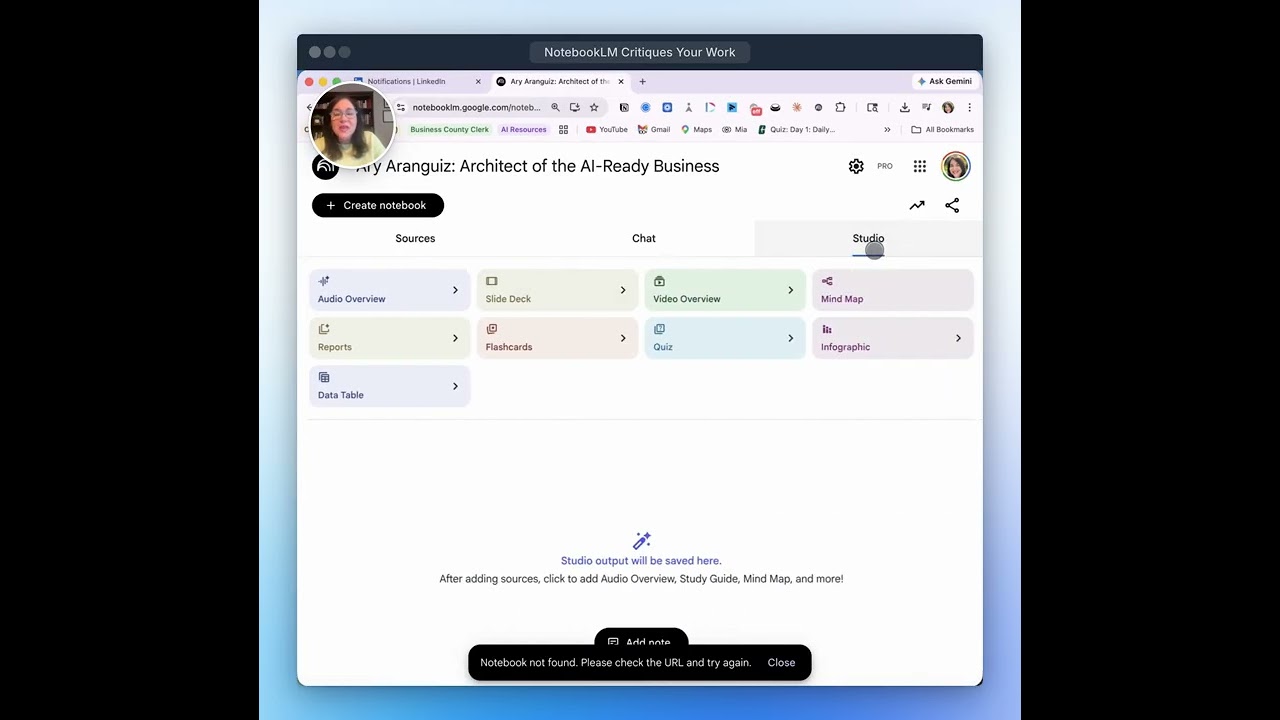
Yep, let's do it. So I want to say hello to Amervis. Thanks for joining. Please say hello in the chat. Let us know where you're calling from. And I do want to add one thing. If you share your information with us, we'll send you the deck. This deck has a lot of different links. For example, you see the 2 links there for security. These are YouTube videos directly from Google Cloud. NotebookLM is a Google product. that explain all of the different types of the level of security and privacy. They're great information to understand how that works. We see someone from New York, Susan. Welcome. Please say hello in the chat and let us know that you're here. We're going to go ahead and dive in. We'll come back to this because I know you're probably going to wonder, well, how is NotebookLM different from GPTs and Claude Cowork. NotebookLM, as the name says, says it, it's a notebook, a container, a space grounded on your knowledge, your docs only. It reduces the opportunity for hallucinations. The personality and the tone and style is more neutral. A GPT, you can still add your sources, But it's more command-based. You're going to provide GPT instructions. It's more for execution level. And it's not the UI, the user experience and the UI. And we're going to jump into it in just a second. You will see that you're basically creating a space, a notebook for you to interpret. Your, your sources, analyze, evaluate, do all kinds of synthesizing and Q&A with your sources. So we are going to jump in in one second there. All right. Hello, Kathy from New York. Yes, uh, please put in your LinkedIn, um, profiles there so that you can network. All right, so let's jump in. I am going to share my screen here, remove this. Okay, so what you're gonna do is you're gonna go to notebooklm.google, and it's gonna bring you to this page here, and you're just gonna click Try NotebookLM. And this is loading here, so just give it a second there to load. Um, let's see if I have one. Just give it a few seconds, and while While that's loading there, hello, Ida from Ashburn, Virginia. Welcome, welcome. All right, so as you notice, I just clicked Try NotebookLM. It brought me to this page. Now, if you've never used NotebookLM before, your landing page is obviously going to be blank and it'll just say create a new notebook. These are other notebooks that I've created in the past. I highly encourage you, even if you've used it before, but especially if you've never used it, to go into the featured notebooks here and explore these samples. These are sample notebooks just so that you get a feel for what this tool does. You have all notebooks on all a range of subjects from health to literature to economics. You could just click on these. For example, there's even one on how to use NotebookLM. We'll click on this one so you could see. I'm just going to use this to talk about the layout, the lay of the land, and how it's structured and how you can use it. NotebookLM is divided into 3 sections. On the left panel, you have 3 panels basically. On the left panel, this is where you upload the brain, the knowledge, the volume of information. That information can be either information that you ask NotebookLM to search for you, and we're going to do that in just a second, or you have existing information, existing knowledge, and whether it's PDFs, Google Sheets, videos, whatever output it is, and you can upload it yourself. That would go under the sources section. Once the sources or the brain, the information or knowledge base has been uploaded, then you can chat with all of that. So in the middle, you have the chat panel, and that's where the back and forth Q&A happens, and you even get suggested questions. So it'll suggest questions for you that you can select, and you can copy the information. You can then turn some of the responses into sources. So, and I'll demo that in just a second. Then you have the studio, and the studio allows you to create all different kinds of outputs: slide decks, infographics, videos, podcasts, and a podcast that you can actually interrupt the audience, reports. And now, as of a week ago, they even have cinematic videos. So we'll talk about that in just a second. This was just a sample. I highly recommend that if you're using this for the first time, go into the featured notebooks, go into the notebook of how to use NotebookLM and explore some of the other ones. What I'm going to do is I'm actually going to create a new notebook. I'm going to click Create a New Notebook and then this window appears here. What we're going to do is we're going to do a web search. a deep, deep research. Now, what we have done is we have actually created— we used our assistant Claude Cowork, who is our amazing assistant, and we took all— we had over 135 people that registered for this event, for this learning event, which is amazing. And thank you so much. Even If you're watching on the recording, thank you so much for registering and showing your interest. What we did is we went to Claude Cowork and we asked Claude Cowork, this is the list of our registered professionals, these are the industries, and can you give us use cases for them? You can come in here. If you registered for this event, you can search by your role, your industry, your keyword, and you can get a use case for NotebookLM. In addition to that, and there are over 100 use cases, and if you share your info, we will share this landing page with you so you can use it. Even if you're watching on the recording, reach out to either Ben or myself. What we also created for you is power prompts. This is one of those deep research power prompts. Now feel free to take this power prompt, put it into ChatGPT, and adjust it as you see fit for your context. What this does is it will tell NotebookLM to search, to do the search for you. It will search for high-quality sources on whatever topic you fill in the blank. It will focus, for example, on how that particular area is evolving, real-world applications and use cases, measurable outcomes, common challenges, risks, or constraints, emerging trends or shifts. It will prioritize— we're, we're giving it instructions, NotebookLM, to prioritize sources that provide industry reports, government or regulatory publications, peer-reviewed articles, case studies, market data or benchmarks, etc., etc., and keeping it current, right, between 2024 and 2026. We are doing this to model for you the type of prompt that you could put into NotebookLM. I've copied it, then I'm going to go into NotebookLM and I'm going to paste that here. I'm going to put here under topic, I'm going to change this and I'm just going to put AI for SMBs. Small to medium-sized businesses, and then I'm going to select deep research, and then I'm just going to hit return there and it'll start doing the research. Now the power of this is if you are starting from scratch, you can have it do your research for you, but you might have a combination. You might have research already and you can upload your files as well and create that knowledge base, that brain, or, um, you know, that volume of knowledge, and then have it do additional research. Okay, so I am just gonna hit research. It's going to start, um, searching the web. You can also do fast research is another one. Now another one that you could do, let me jump into this example, is let's say that your research, uh, already exists or your documents already live in Drive whether they are videos or Google Sheets, whatever format. You can also have it research your Drive and give it a prompt as well. So either the web or Drive. Now this is one that was already created, and we'll keep an eye on the one— we'll keep an eye on this because it does take a few minutes. So we'll come back to it. So let's go over here. So this one, um, the prompt was a prompt on small business outlook and economic trends. And what it does is it came back with over 45 resources that I can explore and have a conversation with. Now, one thing here in this panel is you can select all your resources or you can select just a few. Now, here's another little hack that you could use. Because when, when it starts doing all of the research, it's going to come back with a lot of information, and some of it might be relevant, some of it might not. So what you can do is come here to the data table, and you can give it another prompt. And we have also generated that prompt for you here. Let me show you here. We have created a source table prompt. What this prompt does, and again, share your details with us and we'll send you this prompt and feel free to put it into your favorite LLM and adjust it. What this does is it analyzes all of your available resources in the notebook and it will identify every single source so that then you could go through it and say, yes, this was a good source, no, this wasn't, and delete it. So again, in the interest of time, I'm not going to read the whole prompt. But if I copy it, which I did here, I am going to show you what that looks like. So here is that table. Okay, so this was— this is the table that shows me all of the resources that it found on that subject, small business strategy. Now I can take this and I can export it to Sheets. I can show the prompt. This was the prompt that I just showed you, uh, analyze all the available sources. So you want to do this because this gives you an easy way to sort through, okay, what is the brain here? What is the knowledge base that it created for me. This is if you're doing— if you're having it do research for you, right? So I can have it exported as a sheet, and let me actually show you what that looks like. So this is what it looks like. So I can go through this, and it identified the source name, the publication year. So notice that it did a pretty good job. All of these are recent, from 2026. The course strategy, the tool or methods, primary domain. So I can go through this and then decide, you know, maybe this one is not good, and then I can come back here and find it and delete it. Okay, so that is setting up your, your sources so you have a really strong database or brain. And I just want to move over to the chat here. Hello, Venkata. Andrew, Jean, Monica, Navshare, and Don. Thank you so much for joining, and feel free to drop your questions in the chat and share your, your information on the— on our sheet. Reach out to us if you want these prompts. All right, so moving right along here in the middle here in the chat, this is where I get to ask questions. I can analyze, have it synthesize, have it ask me questions. I can do all of my Q&A here in the middle. And let's say, for example, if I wanted to save one of these responses, I could save it to a note. Notice it generates the note there. And then I can convert this to a source. So when it converts to a source, it'll be added here as well. So that's something else that you can do. I can also, for example, Um, come here and create all different kinds of outputs, an audio overview. You, you might have heard of the podcast that you can create. So now all of this is editable and customizable. So it could be a deep dive and you can interrupt the podcast host. Um, there was a funny, uh, prompt that was created where Um, the prompt hosts were told that they were AI, and there's a conversation that went viral last year where they discovered that they weren't real. So, uh, you can search for that and see how that is. And then there's the, the feature where you can actually interrupt the podcast and ask them questions, ask the podcast host questions. But you could create bite-sized overviews rather than long podcasts. You can create a critique, you can create a debate, you can choose the length, whether it's short or just like the default version is around 10 minutes, 5 to 10 minutes. You can also— it'll suggest based on the knowledge that it's been trained on other options here and you just click the tab, for example, and it'll generate the prompt for you. But you can also use these power prompts that we've created. Here's one that we created for videos and just copy this and put it into the customization. Just paste it and there you go and generate what you need. Okay, so let me show you here. Let's go back to the one that we started and notice here the 47 prompts. So I would just hit input here, import, and it will start adding it. And then I could decide what the outputs are. I can decide, you know, what is the purpose, what's the goal of creating this notebook. As Ben mentioned earlier, There are so many use cases and we have generated over 100 different use cases for all 100 different roles and industries. So share your info with us and we'll share this with you. All right, so one more thing. Um, again, if you join our community, obviously in our community we have live sessions, we work with you with your context, you get to ask questions, you get to talk to other professionals. And share best practices, ask for support with different challenges. We help you set all these things up. So we hope that you will join our network and our community. So now let me show you here one last thing. I wanted to show you the outputs. You can also create slide decks. These slide decks are now editable. You can revise them. So if, if there are any updates that you need to make, you can come in here and revise them. You can share them with others. You can share the link, make it public. Um, you can also get analytics. So if you've shared a notebook with others, let's say a new hire onboarding notebook, you can check on the analytics as well and on the chats. That's a great thing. Then the infographics, we didn't get a chance here to show you. Let me just quickly show you some. The infographics now are all customizable. There are different styles that you can choose one. This is just one style. And then if you want to make it less busy, you can also provide in your prompt, you can ensure that it is customizable to your particular style. All right. So with that—
And you can also turn it into a video so it reads the whole document to you and you can stop the video and ask questions if there's things that you don't understand in a legal document or in whatever documents you've uploaded. It's very interactive.
Yep. I'm just going to show you, we do have a couple minutes, so I'm just going to quickly show you. It created this video based on those 45 sources. Again, I used the prompt, the power prompt, so that it could identify exactly what I wanted it to cover. Welcome to The Explainer.
Today we're unpacking the strange paradox at the heart of small business in 2026. Check this out. A record 94% of small business owners are projecting growth. That's an all-time high, and yet they're facing a laundry list of economic threats that tell a totally different story.
So how can both be true?
What is really going on?
So I'm just sharing this with you so you could see that particular style, but there are many different styles that you could choose from, and, um, it hasn't been rolled out, uh, to everyone yet, but There will be the cinematic version. You can look that up as well, and it truly looks like a movie. So there will be the option for cinematic videos, explainers, and brief. That one was a brief. And then you have the visual styles here, all different kinds of styles. The one that you just saw was the papercraft one. All right. So—
You can take your, you can take your onboarding new hire manuals and create videos for your employees that you just hired to watch. And you can set them at certain lengths. They don't have to be hours and hours, but you could have it as a 15-20 minute video on particular topics. And I think they're created instantly. And if your policies change, you just upload the new policy and create the new video very quickly.
Yes, absolutely. There's just so many different use cases. For example, you can go— one of the use cases Is now it's tax season. You can go on the IRS website, download all of that tax information that's thousands of pages long, upload it, and then ask your questions that you need to have addressed. So that's another use case there. So I am going to once again share this with you. 100 over 100 professionals signed up. We have over 100 different use cases. Reach out to us and we'll give you. access to this amazing landing page that Claude Cowork created.
Another example that we, we had someone as a construction company was uploading the building codes in all different towns, and whenever they wanted to know specific codes for a particular town, it was right at their fingertips that they could just open the notebook, ask their questions, and know what the code is for that town.
That's right.
So there's a lot of different opportunities, um, to have instant access and you know where it's pulling it from because you're the one that sets up the notebook. It's not just a random hallucination from ChatGPT or any AI tool, it's coming right from the information you put in the notebook.
That's right. One thing I forgot to mention also is that Gemini Gems, you can connect your notebooks and create gems. We also have a power prompt for you where you can turn that research into decisions. You can copy the description, connect your notebooks to a gem, and give it these instructions. They're adaptable, of course. Copy the instructions and create a gem. These are the kinds of things that we do in our community. We hope that you'll join so that we can go deeper and you can see all of the different possibilities. I am now going to Um, turn it back over to Ben. But one more thing, so sales, we have sales examples here. We have more, over 100 marketing, finance, operations, all different kinds of examples there. So I'm going to turn it back over to Ben.
So what we have is we have a monthly newsletter that comes out twice a month with new and the latest best practices, AI tips, tools, AI industry information that just brings you useful information, but more importantly, useful information that you can implement right away. There's tips and tricks. The newsletter also incorporates videos on how to do things, how to set your account up, gives you information on what tool, what AI tool is best for whatever task you're trying to accomplish. Also, as part of being a member of the newsletter is there's an AI community where people are sharing their resources, sharing their successes, asking questions on their challenges, looking for answers, best practices. And the third thing that comes with the newsletter is there's an ongoing updated tutorial system on all the different latest tools. One thing I've learned is if you learned ChatGPT 6 months ago, there's a lot of different things and new things in it today than there were 6 months ago. Same with Claude, same with Gemini. It's constantly changing. So what this newsletter tries to do is bring it to you right away. And it keeps you up to date. And it's interactive newsletter. And what we have is some of our subscribers will email us concerns or questions they have. And so we often will tailor it because we figure if someone has a question, many other people probably have the question as well. So we also try to make it interactive to our subscribers and answer their questions along the way. Well, both Ary and I want to thank you for joining us today. And real quick, Ary, share with them what's coming next week.
Yes, we are very excited. We have our first guest on our AI Power Lunch. His name is Sam Ballou. He is a Chief People Officer, and he is going to be speaking to us about AI in human resources. He's going to tell us about how we can use AI, but how AI is being used in recruiting. Lots of great insights that he will share with us. So Don't miss it. And, uh, we appreciate you taking the time to join our session today. Please reach out if you'd like the link to the 100 use cases for your industry, and we hope to see you again next week. Thank you so much, everybody.
More from Ary




Create and Automate a Scheduled Task in Claude that Scans for YouTube Videos about AI for SMBs