Ads Management Tutorial | HubSpot Marketing Hub
9 Jan 2024 · 6 min
6:04
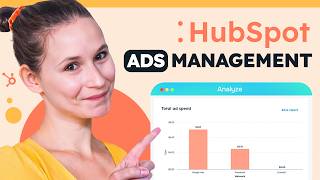
Jory from HubSpot walks through the ads management tool, showing how to connect Google Ads accounts, set up tracking, and use your CRM data to run better campaigns.
Jory from HubSpot walks through the ads management tool, showing how to connect Google Ads accounts, set up tracking, and use your CRM data to run better campaigns.
Traditionally, marketers have struggled to capture people's attention with ads because they're interruptive. They're not the content that your audience is truly interested in. But there's a better way to connect with your target audience without being disruptive. These ads blend harmoniously with the content, ensuring a higher engagement and a better return on investment. So how does it work in HubSpot? I'm so glad you asked. To get started with the HubSpot ads tool, start by navigating to the Marketing dropdown menu and then selecting Ads. This will redirect you directly into your ad stool. But if you haven't connected an ad account to HubSpot yet, it's going to take you into a connection flow like this one. So we'll start by clicking Connect Accounts and then in this case we're going to select to create and connect a Google Ads account. But just know that if you're connecting a Facebook or LinkedIn ads account, the setup flow is the exact same. The reason that I bring up Google Ads, though, is because I have a secret. Google and HubSpot have teamed up and when you create a new Google account using the Create Ad Account option here, you actually get a $500 credit applied automatically to your new Google Ad account. This is going to be really game changing if you're just getting started in that channel and you want to make sure that your advertising budget is going that extra mile in today's competitive landscape. At the same time as you're vetting, if this is a channel that your audience is really engaging with you in. To get started, click Create Ad Account and this is going to redirect you into Google. You're going to enter your contact information, your credit card information, and then it's going to redirect you back to HubSpot, and then steps are going to be the exact same as we'll cover in this video. I already have a Google Ad account though, so I'm going to start by clicking Connect Accounts and then Google Ads. This is going to take us to an authentication screen where we're going to select the email address that's associated with our Google Ad account and then it's going to take you into a permissions screen where essentially you're allowing the creation of Google Ads to happen in HubSpot as well as reporting and tracking on any of the Google Ads that you're creating outside of HubSpot. Once you've read these terms and conditions, just click Allow. And this is going to take you into HubSpot. Now any of the ads accounts that are associated with the email that you authenticated with will be shown here. Just select the checkbox next to the Google Ads accounts that you do want to connect to HubSpot and you'll see that auto tracking is automatically enabled. Highly recommend that you keep this setting on because this is going to be the setting that allows you to keep track of the ads that your contacts are clicking and engaging with. So just make sure that this is on if that aligns with your nurturing strategies. Once you're done making your selection, click Connect and then this will allow us to proceed in the setup flow. So in the bottom right we'll click Next and this will take us to the installation of the Pixel screen here. If you have multiple Google Pixels, you'll see a selection of options. You'll just want to make sure that you're selecting the Google Pixel that is aligned with the Google Ads accounts that you want connected to HubSpot for tracking purposes. Once you're done making your selection, click Next. And this is going to take us to the ROI screen. Now this is going to be a really important screen because it helps HubSpot determine how your ROI is ultimately calculated. So on the left hand side we see the option to use the revenue directly from your deal record. So that amount value that your sales team is tracking, that's going to be pulled in through the associated contact directly to your ad stool. So you can get a sense of how these contacts that are engaging with your ads are directly turning into closed 1 revenue for your business. If your sales team doesn't work in HubSpot, no big deal, you can click this, estimate revenue and use approximations to get that calculation into your reporting. It ultimately depends on how your sales team and your business process works in HubSpot and outside of HubSpot. Once you're done making your selection, click Go to Ads Dashboards. So a successful redirect means a successful connection and we can actually already see here that some of our existing campaigns and their data are being pulled into HubSpot, which is great, but how do we really make sure that our ad strategy is really brought to Life in our HubSpot ads account? Well, it all starts with this Create button at the top, right. So we can start automatically creating ad campaigns for our Google Ads or if We've connected our LinkedIn or Facebook ads. But I do want to direct your attention to this audience option because one of the biggest benefits of connecting your ads accounts to HubSpot is leveraging your CRM data for nurturing. So so here you can create website visitor audiences to really start to re engage the people that are landing successfully on your website or even contactless audiences, which can help you nurture specific segments of your contact database with specific offers or messaging, tone, ads, et cetera. It allows you to get a more specifically nurturing strategy in place with your ads. This is particularly important because while people think about ads as awareness campaigns, they can be really effective in the consideration or decision stages of the buyer's journey journey as well. So definitely important to consider as you are thinking about your advertising strategy holistically. Additional settings that I think are really important here are the Analyze tab Of course the Manage tab is going to give you that overview, but the Analyze tab is going to keep you data driven. So here you're going to see key metrics like impressions like engagement rate, like cost per contact, or cost per click. And these are going to be really important because like all inbound marketing, you want to make sure that your advertising strategy remains data driven. So you can really lean into what's working, but also optimize what's not. So if you notice that certain ad campaigns aren't getting you the expected results, you can start to optimize and figure out why that might be. Is it the targeting? Is it the copywriting? What is it about those ads that aren't really resonating with your audiences? So that is like a whole bunch of tools, but they're all available to you in HubSpot's marketing hub and it's so easy to just get started. Just head to HubSpot.com to sign up for your free account or to click the link in the description below. And to see more videos like this one, be sure to hit that subscribe button. I'm Jory from HubSpot, and thanks for watching.









