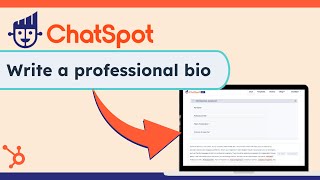
Short instructional video demonstrating how to use HubSpot's ChatSpot AI to create professional biographies. It walks users through selecting the Professional Biography template, filling fields (name, title, experience, expertise, milestones, strengths, interests), submitting for AI-generated copy, editing the result, and adjusting profile/settings to align tone and target audience.
Chapters
Need a professional bio that stands out chatspot makes it easy Even if you're not a professional writer, you can easily craft a compelling bio using AI perfect for showcasing your professional journey, whether it's for LinkedIn or your own website. To start, navigate to the Templates tab in Chat Spot, select Marketing and then choose Professional Biography from the options available. Getting set up here is a bit of a fill in the blank. We're going to use and sample data here to demonstrate. Add your name, title and years of experience to outline your professional identity. Then detail your industry expertise and key career milestones. Add personal strengths and interests for a unique humanizing touch to your biography. Remember to elaborate on these areas so it will give the Chatspot AI more to work with. Once you submit your information, chatspot will take these points and write a unique bio using the facts provided and that's it. Make edits or improvements as needed and publish your new bio. Now. What if you want the bio to match your writing style? More if you click your profile in the top right and click Chat Spot Settings, you'll see options to add your information and target audience. Adding this info will help you get the results you need faster. Level up your bio and document your Expertise@ChatSpot AI.