Custom Quoting Tool w/ ERP Integration
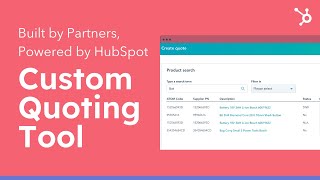
A HubSpot partner, Engaging IO (presented by Jeff Harper) describes a custom quoting tool integrated with a self-built ERP (‘Motherload’) for a large industrial-retailer customer. The solution embeds a CRM card on HubSpot deal records to build, validate, approve, and send quotes with two-way sync to the ERP, improving quoting speed, accuracy, visibility, and profitability.
Chapters
Hey there, I'm Jeff Harper, one of four directors at Engaging IO and head of UX and Design. In this video I'm going to share a really great example of a custom quoting tool with an ERP integration that we designed and built for a large HubSpot customer. For a quick background on us, Engaging IO is a multi award winning elite HubSpot partner. We have over 12 years experience in CRM migrations, designing and building websites of all sizes, custom platforms and complex systems integrations. We've been recognized with an Integrations Innovation Award, Platform Excellent Award and are accredited by HubSpot in three important areas which demonstrate our expertise in delivering quality implementations and solutions for HubSpot customers of all sizes. We specialize in large complex implementation and integration projects with with mid to large organizations and oftentimes these organizations require custom solutions built on the HubSpot CRM platform. And this is where we come in. Because of our experience with these types of complex projects, we often get introduced to companies that believe HubSpot presents insurmountable challenges for their business and which are holding them back from going all in with HubSpot. Some of the objections we often hear include it won't integrate with our current systems, it isn't customizable enough to meet our needs, it doesn't scale. But we are yet to come across a customer whose systems we couldn't integrate and whose processes couldn't be set up in HubSpot. This is especially true now that HubSpot has become such a powerful platform that can rival almost any system in the market across CRM marketing, sales and Service operations For this video I'm going to specifically focus on a use case where a company is seeking a custom built quoting tool integrating directly with their ERP system and is built right into their CRM experience. This is a use case we come across frequently with larger organizations who are considering HubSpot as an alternative to their integrated systems and something that works really well is HubSpot. HubSpot as the platform of choice. This customer is a large retailer of industrial hardware and safety equipment. They have over 1 million SKUs for sale and turn over more than $1 billion annually via online and direct sales. They have a self built and self managed ERP called Motherload which drives a Magento website for online sales. Motherload is very clunky and developer driven. The interface is terrible to use and information is hard to find requiring multiple interactions. And before HubSpot, somehow Motherload also doubled as their CRM. While online sales worked really well, direct sales were A very manual undertaking. Finding product information in motherload was very complex and slow. Pricing and discount information was difficult to understand and quoting was really prone to errors. There was no platform for managing customers because motherload was built as an erp. All orders were quoted and processed by a motherload with no relevant reporting or oversight of the sales team. Salespeople had direct control over product margins, which directly affected business profitability. And there was no unified method of quoting and processing order requests. HubSpot was the front runner for the CRM. They really loved how it is intuitive and easy to use. But they needed a solution for the sales team to manage order quoting and processing. They were convinced they would need an additional platform and started looking at other providers. We devised a solution to allow the sales team to not only manage customers, but process quotes directly inside HubSpot via a CRM card on the deal record. The client was still uneasy about committing to HubSpot with this level of customization. So we undertook a proof of concept by creating an end to end working prototype that mapped out the whole quoting process, including business rule validation. After seeing how simply and easily a salesperson would be able to create quotes, they signed up on the spot for HubSpot. The prototype is an almost exact replica of the final solution and I'm going to quickly run through it to show you how it works and integrates with HubSpot. So here we have a prototype of the CRM card integration that we've provided for our customer. As you can see here, we've got the starting point as a deal. So all of the new sales will get logged into HubSpot as a deal and the salesperson can then from the deal open a CRM card to complete the quote. You can see here we've added a CRM card in the right hand column of the deal. I click on this, it will open the card. Once we get to the card, there's three steps to finalize the quote. You can see here. The first step is the customer details. Majority of these details are completed automatically by pulling through information from the HubSpot deal itself. But there are other interactions that we're pulling through also from motherload, including things such as NVAC code, anzip code, address delivery, address details and other a few other details Here we can update any of these details and they will send it back to the contact or company record in HubSpot. Along with updating the contact and company record in Motherload, the user can add an address or copy and add the address, modify that, add customer reference Details Additional Notes Update these details as they need to. From there we can go through to the quote details page. On this tab you can see that the salesperson can add individual products or can also do a bulk upload. Sometimes their customers will provide a spreadsheet of products that they want on larger orders and they'll be able to format that spreadsheet and upload it directly into the system here. If we take a look here, we'll start with adding individual products. So I can click on this button. I'll get an automated search function here. As I start typing, products will automatically start pre filling into the screen. From here I can click on some of these elements. These links will be linked to the details of the product on the website and I can choose look at other interactive details like the stock on hand numbers here tells me how much stock there is at the various different outlets and I can also add if I find the right one, I can add this product to my quote by clicking here. You can see now that has been added. I get a few other options here as well. I can view what has been added and see that's been added to my quote. I can remove it if I need to. I can also add a temporary item if I can't find the item in the motherload database by clicking here here. Once I've completed these details I can add that as a temporary SKU and you can see it automatically adds it to my quote. I can now save these two items and go back to my quote and you can see that those items have been automatically added to my quote here. Once I have these items in my quote, I can then start interacting with the various pieces of the details here in you can see that there is a frequency item. I can click here to change whether the order for this particular product is a one off order or if it's an ongoing order. If it's ongoing then I can adjust the price. You can see after I've updated it the icon changes here also got other elements like a negotiated cost. So if I've negotiated a direct cost with the supplier I can update the cost here, add those details here and then add and you can see that that's now been filled quantity again. There's being a flag here automatically sent through from motherload to say that actually this doesn't meet the minimum order requirements. I can click on here to update the quantity and see here it tells me exactly what the minimum order is and if I have the confirmation from the client I can then go and update the quantity Here as well. Once that's updated, you can see the flag has now been removed. If I go through here to the sell price, there's been another flag here that's telling me there's an issue. It's telling me that the pricing is actually needs to be adjusted because it might be too high or too low. This gives me a bracket of where I can put the pricing to make sure that there's profitability in the sale. Once I've updated that, I can then see actually here motherload has given me some other options based on some business rules that they have sitting in there. If I've got this particular item and there might be a more profitable item, I can look at this one and if the client agrees, I can swap that in. So now that these two have been swapped around, so I'm now quoting on this particular item instead. And I can also add notes to to each particular line item which we have here. So these are the notes that the salesperson will write and these are the notes that automatically get pulled through from the motherload system. After I've done that, I can save these notes and you can see here, I can now view the summary. So once I have reviewed the summary, just confirming all the details, I can use some of the notes that have been added. I can see things like substitutes or things that have been substituted. I can confirm all the details. I can confirm the freight details and edit those if I need to. And once I'm happy, so long as there's no real breaks being made here, I can send that automatically to the customer. However, something that does happen here is that once there could be some broken rules for a particular product and if that happens, then the items will get flagged like this. And I will need to send this quote to get approved by a manager before I can send it to the customer. This is really helpful to make sure that all of the quoting that gets done is profitable and meeting standard requirements for the business. So if I was to click here, I can send this for approval to a manager, I can write some notes specifically about what needs to happen. Also I can see that the specific manager who this is getting sent to and the broken rules you can see are listed here. Once I send this for approval, this is logged as a HubSpot ticket. The manager will get an alert and our ticket will be logged for him. He will then be able to click on the ticket and review the quote. He can make any changes that he needs thinks might need to be made, or he can send it back to the salesperson to make changes or send it as is. Once the quote is actually sent, the customer will receive a digital quote which is interactive. So here is a copy of the quote here you can see that I can add the customer can add delivery notes, maybe that needs to be goes to the back dock. I can confirm or reject the particular quotes on the line items. I can confirm a substituted line item here and once I'm happy I can get back down to the bottom, there's additional details like unlike items included here, once I'm happy I can add my purchase order number and upload my purchase order and then I can accept a quote. Once that quote's been accepted, the details of the quote will be sent to the customer and it will be updated in the motherload system and will automatically be produced. It will also move the deal in HubSpot from quoting to accepted and the deal pipeline will move automatically. As you can see from that quick run through of the prototype, our solution provides a unified CRM and quote tool within HubSpot, a two way integration with Motherload, a refined and singular quoting process validated by business rules to ensure profitability, a fallback manager approval process and a fully digital quote output with interactive elements for their customers. All of this has led to considerable business improvements for the company including full visibility on the sales process and its effectiveness, improved product fulfillment and reops conciliation and visibility. On average 73% faster to work up a quote and quotes are now error free and much more profitable. We've used similar methodology to integrate external systems and customize use cases for many large organizations including large mortgage broking chains, large accounting software providers, large educational providers and multi business unit organizations. We believe there is a way to implement HubSpot for almost any organization of any size or complexity. If you're ever considering a HubSpot as a way to transform your business for the modern era but have complex requirements such as integrations or custom tools, feel free to reach out to US at Engaging IO as a HubSpot Elite Partner. We're here to help you grow better. Thanks for your time.









