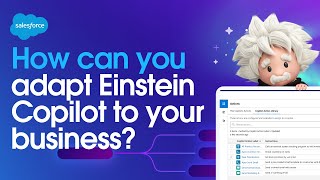
Three ways to customize Einstein Copilot for your business: use your existing Salesforce custom fields so Copilot understands your data, expose your Flows and Apex classes as custom actions, and build prompt templates with grounding to pull CRM data into responses. A demo shows adding a flow as an action and using grounded prompts to recommend eligible products for specific accounts.
Chapters
How can you adapt Einstein Copilot to your business? Einstein Copilot is a conversational AI assistant that allows you to express a natural language instruction like summarize the ACME account and get a relevant generative AI response that is grounded in your business data. But every business is unique. And if I reply with what products should I sell this account? We'll see that Einstein Copilot does not yet have this capability. But thankfully, Einstein Copilot can be adapted to any business. Because behind every Einstein Copilot response is a library of actions that give Einstein Copilot its capabilities, like answering questions, drafting emails, or summarizing records. And there are three ways to use these actions to adapt Einstein Copilot to your business. And the first one is already done, because inside Salesforce, you've already always have the ability to add custom data or fields to store data that is unique to your business. In fact, this is one of the primary ways that every company adapts Salesforce to their business. For example, inside my Salesforce. Org, I've created this next products to sell field and our sales reps can use this custom field to manually track the best products to sell customers. And if I return to the Einstein Copilot actions library, you'll see there is already a query records action included with Einstein Copilot that can retrieve Salesforce data, which because Einstein Copilot is aware of the metadata in my Salesforce. Org includes custom data. Which means without doing anything, I can instantly ask Einstein Copilot for product recommendations based on this custom data that is unique to my Salesforce instance. But the bigger point is you can too, which means out of the box. Einstein Copilot is already adapted to your business based on the customizations you've already made to Salesforce. But we're just getting started. Let's explore the second way you can adapt Einstein Copilot to your business. What you're looking at here is a flow which Salesforce admins and developers use every day to create workflows and automations in Salesforce. And I built this flow years ago, before I was even thinking about conversational AI. It accepts an account, checks that account's details, and returns eligible products for that account. And I can give Einstein Copilot the ability to use this flow by returning to the action library, adding a custom action, and simply referencing it. And Einstein Copilot will instantly inherit this flow's capabilities. Well, almost, because there is one more step. I also need to describe this flow to Einstein Copilot. Now, these descriptions are typically just for us. By us, I mean humans. But Einstein Copilot is using large language models to not only understand the user's intent, but also understand its library of actions based on these descriptions. Which means by writing a good description here, we're helping Einstein Copilot understand the purpose of this action. And just like that, I'm done. But let's test it here inside Copilot Builder. I can inspect how my Einstein Copilot works. So let's ask it for the eligible products for the ACME account. And what we'll see is that Einstein Copilot was able to automatically classify my intent and execute a plan for responding. A plan that involved my custom action, which was mapped to my flow, and the output of that flow was then used to compose a generative AI response to my instruction. And this is how you can adapt Einstein Copilot to your business, using the flows and apex classes you already have. But there is still a third way to adapt Einstein Copilot to your business. But it's going to require that we talk about prompts, because behind every generative AI response is a prompt which is just a question or instruction we give to AI. And here, inside Prompt Builder, we can design a great question using our business data. Now, I could start with something basic like recommend products for acme, but if I send this prompt directly to the large language model, you'll see I'm not going to get a good answer. And that's because these public large language models know nothing about my business or customers. Now, thankfully, I can fix this with a technique called grounding, where I add the missing business context into the prompt. So I'm going to do this. I'm going to paste a new prompt where I'm describing what I want AI to accomplish, then giving it information about my customer using my CRM data. And then I'll include results from that old flow I built, which returns the product recommendations. Finally, I'm providing an example of what a good response might look like. And what you'll see is now I get a truly next level generative AI response that is deeply adapted to my business. So there you have it. Three ways that you can adapt generative AI to your business. First, with the data customizations you've already made in Salesforce. Second, with the flows or apex classes you've already created in Salesforce. And third, with prompt templates that allow you to deeply adapt generative AI to your business. And we cannot wait to see what you create. Thanks for watching.