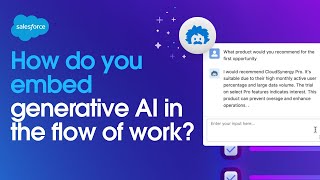
Salesforce shows how to build generative AI into your workflows using prompts as invocable actions. A demo shows a prompt that drafts product recommendations by pulling contact and product data. Einstein Copilot, a conversational AI assistant, answers natural-language questions grounded in your business data.
Chapters
How do we embed generative AI in the flow of work? The underlying technology that powers generative AI experiences is a prompt. And prompts can be extended in all sorts of ways throughout Salesforce to augment every business task, like generating a record summary of a case or auto generating a field. The magic of prompts is that they can streamline these controlled repetitive tasks where we can anticipate our users needs so they don't need to initiate the LLM every time on their own. But where else can we extend the power of prompts? For example, what if we have an existing process where generative AI would be useful? Fortunately, prompts can be called as invocable actions, allowing them to be extended throughout the Salesforce platform and solve all kinds of use cases. For instance, here we've built a prompt that drafts a product recommendation for any given customer. And here's a flow we've created. We can add an action and select the prompt template where we pass the necessary information from the flow into the prompt. Now, when we take a look at the screenflow, we can draft a tailored product recommendation based on the contact and the product you'd like to specify, giving us a good result and assisting our rep. Prompts are powerful because they can provide an embedded Salesforce AI experience placed in such a way that anticipates what the end user will need within their flow of work. But what happens when there's an unanticipated.
Moment where generative AI would be useful?
This is where Einstein Copilot comes in, our conversational AI assistant that allows our teams to express natural language questions and get useful generative AI answers that are grounded in our business data. But how does Copilot leverage the prompts we've built?
Well, this is Einstein Copilot Studio, and this is where we can create and customize our Copilot. And the key way we'll do that is through this library of actions which give Einstein Copilot its abilities. An action is just the work that Copilot has within its knowledge to go and get done. And as you can see, an action can be based on Apex flows and prompt templates. So let's take the prompt we've already created and added as a custom action, and then assign it to our copilot. And what you'll see is that when we ask Copilot, it now has the ability to make use of the prompts we've built and assigned it. This is how we deploy generative AI across your CRM, by customizing prompts, adding them to flows and pages or extending them with copilot.