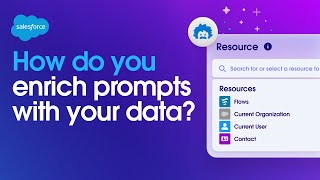
A short transcript excerpt of a Salesforce demo discussing Prompt Builder: creating prompt templates for tasks (example: email about contract renewal), then enriching those prompts with company CRM and external data. The speakers introduce the idea of 'grounding'—hydrating prompts with business and customer context via merge fields and selecting Salesforce CRM as a secure resource (Einstein Trust masks sensitive data).
Chapters
How do we enrich prompts with your data? Well, this all starts within Prompt Builder, where we can enhance prompts with our CRM and external data. So let's start by creating a new prompt from scratch and give the prompt instructions to Write an email to my customer about an upcoming contract renewal and what you'll see is an impressive output, but one that's not very usable because of how generic it is. It's missing a lot of context about me, my company, my products, and my customer. So let's add that information in and regenerate the response. This prompt looks much better.
However, this draft is hard coded for.
Only one specific sender and recipient. That would be okay if the prompt was only going to be used once, but the concept of a prompt template is that it can be used for any sender and recipient. That's why Salesforce makes it easy to give the LLM automatic access to our.
Company CRM data by selecting it as a resource.
This concept of hydrating the prompt with your specific business context and customer data is what we call grounding.
Meanwhile, your prompts are secure because the Einstein Trust layer masks sensitive data and is never stored outside of Salesforce.
So let's add in some merge fields.
From Salesforce and what you'll see is we're just scratching the surface towards creating.
A grounded prompt, but Salesforce fields are just the start.
You can also add flows to create a dynamic prompt that goes way beyond linking record fields. Flows let you add logic to a prompt that help you include exactly the data you need that may make the prompts different depending on the customer, like referencing a flow I've built that suggests one of our products based on their specific interests. And now with Data Cloud we have so much more data that is available to us within the CRM, which allows me to include in my prompts prompt references to the huge value that my customer receives from our products along with their login rates. Now when we send this to the LLM, you receive rich personalized results through grounding the prompt on all of your business data. And when I test this with a different sender and recipient, you'll notice our response is populated with the updated data we just grounded our prompt on. Grounding is so important and because it allows us to get better results without needing to fine tune or train a model which requires a specialized team, takes lots of time and costs money. So this is how you use the data from Salesforce to enhance your prompts and deliver truly personalized AI results.