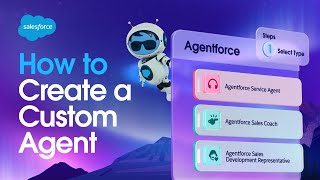
Salesforce's Agent Builder lets you create AI agents by describing what you want in plain language. The demo shows building an agent that reviews travel expenses, automatically connects to your existing flows and Apex code, and can run in Slack or trigger from a record update.
Chapters
Foreign AgentForce helps you extend your workforce by building AI agents that work together with humans to drive customer success. You can get started with one of many pre built agents, but you can also create your own custom agents because if you can describe it, Agent Force can do it. Which means you'll start by describing in natural language the job you want this agent to do. Like an agent that reviews new travel expenses. But then watch what happens next. AgentForce is searching for semantically similar resources in your customer 360's metadata. And based on this awareness of how your business works, AgentForce Auto suggests topics and actions for doing this job. And if we click into one of these topics, we'll see that Agent Force is using your existing business logic like flows, Apex classes and mulesoft integrations to enable your agents to take action. This then agentforce will auto suggest instructions based on that business logic that become the rules and guardrails your agent will adhere to while doing this job across one or more channels. Like this travel expense agent, which I want to work not only in Slack but also in the background when it's triggered from a flow. And the final step is to equip this agent with the data from your customer360 that it needs to do this job. Which means this agent now has a role and the actions and knowledge it needs to do that role. So let's create it. And now we have a new travel expense agent that we're ready to test and refine here inside Agent Builder. But remember how I added a flow as one of the channels for this agent? I did that because I want this agent to work autonomously in the background each time a new travel expense record like this is created. Which means I need to create a record triggered flow. Each time a new travel expense record is created, this flow will be automatically triggered. But here's something new. I want to invoke this new agent from inside this flow by passing it the ID of the travel expense record that needs reviewed. And then I just need to switch back over to Agent Builder and teach this agent how to interact with this new channel. And when I activate this agent, anytime a new travel expense record is submitted, the agent will autonomously review it in the background and and then notify the employee in Slack of the outcome of this review. And this is how AgentForce helps you extend your workforce by turning the business logic you've already created in your customer360 into AI agents that you can trust to reliably do jobs in your company. Thanks for watching.