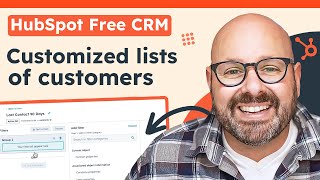
Mark from HubSpot walks through creating customized active lists of customers in HubSpot CRM. The tutorial shows how to set up automated lists that update in real time, making it easy to segment and manage your customer base without manual work.
Chapters
As your business grows and your marketing efforts evolve, you're going to want to create custom lists of people to market to, or just lists of customers for your sales team to reach out to. Let me show you how easy it is to create customized lists in HubSpot. To get started, you're going to need a HubSpot account. It's totally free for life. Head on over to HubSpot.com and sign up for your free account. Today we're going to build an active list to see which customers I've interacted with more than 90 days ago. To get started, we're going to give our list a name. Last contact 90 daysSelect active list and click Next. Here we'll start to add some filters to see who's going to make it on our list. The first filter is I want to make sure the contact's job title is either CEO or coo. So I'll go ahead and add in CEO coo or I'll even add in Chief Operating Officer. Here you can start to see the list is already previewing on the right hand side. Next I want to add another filter to see which contacts have not been contacted in over 90 days. So I'll select the property. Last contacted is down here is more than 90 days ago and I'll go ahead and click Enter. And again this is now showing on the left that this group title will have anybody whose job title is CEO, COO or Chief Operating Officer and they they were last contacted more than 90 days ago. Once I'm ready, I'll go ahead and click Save list. Now that we've created an active list for prospects that we have not contacted for more than 90 days, as soon as they reply to an email or email you, they will automatically be moved off of this active list. This makes list maintenance easy. It happens while you sleep. It happens while you eat lunch or even drop the kids off at soccer practice. Your CRM is working for you while you sleep. HubSpot's CRM is built so that it's easy to use and adopt for your team. It's easy for your sales, marketing and service team to align on customer data in one simple platform, and it's grown to customize and adapt with you as your business grows. To learn more about how to use HubSpot's free CRM, click the link in the description below to get started today, I'm Mark from HubSpot. Thanks for watching.