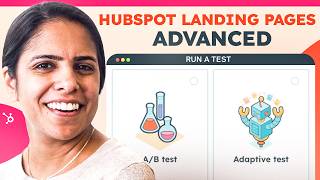
Adrithe walks through HubSpot's advanced landing page tools for Pro and Enterprise users. Learn to build custom templates, use personalization tokens to target segments like MQLs, and run A/B tests or adaptive experiments with up to five variations.
Chapters
Hi there, it's Adrithe from HubSpot. Now, if you're looking for a basic overview of landing pages, check out this video. If you're looking for more advanced features and trying to see what your pro and enterprise subscriptions can get you, you're at the right spot. Come, I'll give you a tour. All right, so three of the most common and exciting advanced features that people really like with our landing pages tools are the ability to create custom templates, smart content, and a B testing. So let's talk about custom templates. First, to create a custom template, navigate to marketing files and templates and select design tools. In the top left, click file and click New file. We're building a template and we're going to give it a name. And once I upload the information, I'm going to click create and I'll be able to create my custom template here. Once I have created that template, it will live in this area where I can choose it for whatever landing page I want to make. Now let's actually get to building out a landing page. I'm going to choose a template and I really want to take advantage of smart content. For those who might not be as familiar, smart content is dynamic content that changes based on who's on your website. So something could be different for a net new visitor versus someone who has already given me some of their information in the past. Let's say instead of just saying communicate your way. For folks that have already been to my website, I want to give it a more personal touch. So what I'm going to do is click this rich text button and on the left hand side you can see smart rules. Under it I'm going to click Add, select a category. And for this I want all of my MQLs to see a different version of this landing page. So I'm going to click save. And as you can see, I am editing this for my marketing qualified leads. I'm going to say welcome back and I can insert a personalization token so I can put in their name for any reason. If I don't have their first name, it'll just say welcome back. So it's not going to look that odd if that first name isn' there. And now if I'm done viewing it as a marketing qualified lead, I'm just going to click done and it'll go back to the landing page that most visitors will see. Now let's say you're really happy with this landing page, but you're still unsure if there's Anything that could be better? Well, this is where a B testing comes into play. In order to a B test, click into a landing page that you have created, select more and click Run a Test. You have two options. We're just going to do an A B test with two page variations. So I'm going to click next and as you notice, another variation has already been created. This is version B and I'm going to click Create. So here I can toggle between version A and version B and change the things that I want to change. Whether that be a cta, some copy, whatever that might be. So I can tell which landing page is performing better. When I create this, I can see the results on this page. If I click Analyze View Landing Page Analytics, I can compare the two landing pages side by side with the number of views, submissions, contacts, etc. One of my favorite things about the enterprise version of the tool is the ability to run an adaptive test. Now if you're not familiar, no worries. An adaptive test is is a way to test tiny changes throughout your page to understand what converts at the best rate. So if I click into Run Adaptive Test and select Adaptive Test, I am able to add up to five variations of this landing page. And on each landing page I can then create tiny changes. Maybe I want to change the copy of of the beginning part right here. Maybe I want to change the form just so I know what converts at the best rate. So on the top left I can sit and edit all the different versions here. All right. Now you guys know that I love HubSpot, but don't just take it from me. G2 has recently crowned us the leading software for marketing, hub and CMS in the small business, enterprise and mid market space. So what are you waiting for?