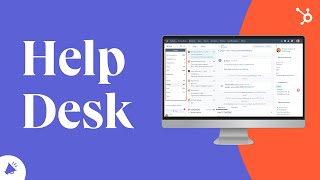
HubSpot's Help Desk centralizes customer requests through Tickets and an Inbox that pull from live chat, email, Facebook Messenger, and forms. It routes tickets automatically, tracks SLAs, and connects to the CRM so support teams see the full customer history.
Chapters
A help desk is a unified system where you can keep track of customer requests in one place. It's where you collect, intake, automate, triage, troubleshoot with your customers, solve issues and improve experiences. HubSpot's help desk consists of tickets and an inbox. The combination of these two tools helps you record, organize and track all of your customers issues in one dashboard that's accessible to your entire customer support team. Your Help Desk will enable your support reps to work with a greater efficiency within conversations. You have access to live chat, your team email, Facebook messenger integrations, your chatbots, form submissions, and more. You also have a customizable sidebar that gives you the context you need to have personalized conversations with your customers. Furthermore, the Inbox tool makes emailing and chatting a breeze through email templates, snippets, documents, knowledge base, articles, etc. Even if a customer starts a conversation on chat and moves to email, you won't skip a beat as you're able to switch communication modes with a click of a button or while keeping the conversation open on the same thread. No more providing inconsistent help or asking customers to repeat themselves. Have a team that doesn't work out of HubSpot no problem with our Conversations API. You can retrieve information about customer communications as well as post new messages to those conversations without ever having to log into HubSpot. Tickets are your way of having a record of each customer issue. You can create and route tickets manually or our favorite way automatically. Additionally, you can automate how ticket statuses are updated, customize and organize the properties that show up on your tickets, and mark certain properties as mandatory so your customer support staff know what's required from them before closing out a ticket. Set tasks, reminders and SLAs to ensure your customers are getting exceptional service. A Help desk that's deeply integrated with your CRM ensures alignment between marketing, sales and service and therefore ensures you're solving for your customer. If you'd like to learn more about Help Desk, take our Service Hub software certification in the Academy app.