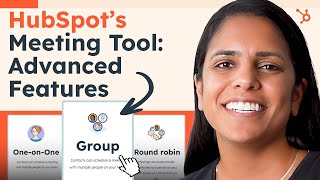
Adrithi from HubSpot presents an advanced-features tutorial for the HubSpot Meetings tool. She highlights the ability to create multiple meeting links (one-on-one, group, round robin), explains when to use each (consultations, manager-included calls, team booking/landing pages), and notes paid features such as removal of HubSpot branding and extending the booking window up to 11 weeks.
Chapters
I'll be honest. In my opinion, one of HubSpot's greatest tools is the Meetings Link. Hi there, It's Adrithi from HubSpot and I'm here to talk to you about the advanced features that you might not know about in our Meetings tool. If you're brand new to HubSpot and don't even know what that tool is, I encourage you to check out our first video about the Meetings tool. But if you're a little more well seasoned and want to know some of those advanced features, that's what I'm here for today. So come join. One of my favorite things about the Meetings tool is the fact that you can have multiple meetings links. So I use my one on one meeting link all the time. I use this for just those consultations that I have with my customers. I use my group meeting link less, but I still use it. I use it for when I need my manager on the call with me. So the group meeting link will look at my calendar and it'll also look at my manager's calendar and, and make sure that our customer can only book a time that's suitable for both of us. And then the round robin link is great for landing pages. So let's say you have a book some time with a rep landing page. A round robin link will let your customer or prospect book with anyone who's part of that team. This is also great for support reps. So with round robin of course there's going to be more availability because it looks at more folks can calendars. So for support it's perfect because your customer won't have to wait around that long. Another great thing about the paid feature of this tool is the fact that there's no HubSpot branding. Now you guys know I love the Sprocket, I love the HubSpot Orange, but if that's not your vibe, that's okay. And then the last thing that I want to talk about is the date range that people can book in your calendar. So, so of course they can book for this week and next week, but with the paid features you can book up to 11 weeks out. Now this is really useful if you want to get some time on the books weekly for the next six weeks or eight weeks. It's probably not the best if you're trying to encourage folks to book right away. So for sales calls maybe just keep it for this week and next week. But for consultations, for onboarding, booking multiple weeks out could be really useful. And there you have it. The Meetings tool in all its glory. Now, if this looked interesting to you, sign up for our free HubSpot CRM today.