Inside Data Hub: Democratizing Data in the AI Era | INBOUND 2025
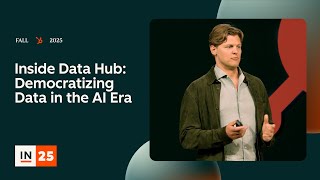
Conference talk (product announcement + demo) by Matt Sorenson, GM of Data Hub at HubSpot, introducing the all-new Data Hub (evolution of Operations Hub). Describes two core use cases—combining external data (Data Studio) and enhancing data quality (deduplication, enrichment)—and demonstrates spreadsheet and data warehouse integrations, data enrichment (formerly Clearbit dataset included), deduplication/custom rules, DataSync connectors, and programmable automation. Emphasizes importance of clean, accurate, up-to-date data for go-to-market teams and AI, and outlines near-term roadmap priorities (event data, more connectors/types, deeper AI enrichment). Includes audience Q&A on security, sync directionality, credits/pricing, custom deduplication rules, record IDs, and roadmap items.
Questions this video answers
Matt Sorenson, General Manager (GM) of Data Hub at HubSpot.
1) Combine external data (Data Studio). 2) Enhance data (deduplication, formatting, enrichment).
Google Sheets, Office365 (spreadsheets); Snowflake, BigQuery, S3 (data warehouses).
HubSpot’s dataset (formerly Clearbit). It is included for free with every core tier (included with Data Hub Pro features for data quality).
Data Hub costs the same entry price point as Operations Hub and includes credit packs for syncs; each sync consumes credits.
Chapters
Hello. Hello. Who's ready to talk? Data to me or data with me? Data to me. I like that. Hopefully you all just saw and heard Karen and Yamini's keynotes. This will be a nice transition into Data Hub, our all new hub, the evolution of operations Hub. I'm Matt Sorenson. I'm the general manager, the GM of Data Hub. So for today, I'm going to use this metaphor. Throughout our session, we have about 30 minutes. Going to spend 10 minutes on setup, like why we built Data Hub, what it is. Then we'll spend 10 minutes on some demos and going through the features, and then 10 minutes at the end for what's coming, what the future looks like, and maybe some time for questions. All right, so data is like a puzzle, a jigsaw puzzle. And when you're a small company, you've got a small puzzle, right? You've got 50 pieces, 150 pieces, nothing too crazy. But as you get bigger and as like tech stacks continue to grow, there are more and more and more pieces in that puzzle. I don't know about you guys, I like a 500 piece jigsaw puzzle. I hate a 10,000 piece jigsaw puzzle. And so that's really what we're trying to solve with Data Hub is to help you solve that giant data jigsaw puzzle, that giant problem, in an easy and simple way. Believe it or not, I have spent almost 15 years on this type of problem. Before HubSpot, I was at a company called Clearbit. We were acquired by HubSpot about a year and a half ago and my job there was helping companies with their data puzzle. Our mission was to deliver clean, accurate and up to date B2B data to every one of our customers. And my mission here at HubSpot is largely the same. How can we deliver clean, accurate and up to date data for your go to market teams and then today also for your hybrid teams, for your AI agents and assistants that you're starting to use to go to market with. The truth is, AI needs clean and accurate data even more than your sales team or your marketing team does. Your humans, their neural networks are a little bit more flexible, right? Those agents, less so. If they have bad data, they deliver bad results. And you'll hear this from me probably 10 times today and like 100 times this week. Your AI is only as good as the data that it's built on. We all have messy data. HubSpot has messy data. Talk to any one of our like, go to market teams. Data quality, data cleanliness, are things that we struggle with every single day. And I am sure that is true for the vast majority of you. There might be a couple people that have perfect data. Sales team never complains. Marketing has perfect campaigns. If that's you, come talk to me afterwards. I want to learn from you. But in this world today, your teams need great data and your AI needs great data. And that's why we built Data Hub. One interesting thing that I learned this last year is we ran a new survey of HubSpot customers and then compared it to 2015. So, so we took all of our enterprise customers, we asked them how many tools they used in their in their marketing and sales stack. Want to guess how many tools it was in 2015? 5. Yeah. Were you part of that survey? In 2015, our average enterprise customer, Enterprise at HubSpot used five different go to market tools. Today that average number is 15. So the data is scaling, the parts of the Jigsaw puzzle are scaling and data management has continued to get like harder and harder. And in the past we kind of let it slide, right? There wasn't as much data and we relied on our sales team and our marketing team to like be flexible when the data wasn't perfect. But today we don't have that. We can't do that anymore. First, our AI team, our hybrid team, really need that clean, accurate and up to date data. And two, we have less leads. We got less leads from inbound. And so we can't afford to mess it up. We can't afford to have bad personalization, we can't afford to send that person that does make it to your website or does make it into your funnel away with bad data, bad personalization, et cetera. So the impact, the real negative impact of bad data, wasted marketing spend, missed sales quotas, leadership being reactive and slow instead of proactive, and then AI blind spots. Your AI agents, your AI assistants, your AI initiatives, like not landing. The vast majority of AI initiatives in the Fortune 500 right now are not being successful. That's largely because the data sucks. If you don't have good data, you're not going to have accurate and predictable AI outcomes. All right, I promise this is the last time I'll say this, but you'll hear it a few more times this week. Your AI is only as good as the data that powers it. Okay, let's talk about Operations Hub. Raise your hand if you feel like you really understand what Operations Hub was and could succinctly pitch it to someone else. I see one and a half hands, three Great. A couple hands. Operations Hub is awesome. We launched it four years ago. It was actually our fastest Hub to hit 100 million in revenue. It was super powerful for, you guessed it, operations people, for your data analysts, your data scientists, your data ops, your super admins. And there's a lot in a name. To quote Shakespeare, what's in a name in this case, a lot. With our evolution to DataHub, we're putting data at the front and center, making it accessible to everyone, not just operations professionals. We want your average sales manager, marketing manager, demand gen service to be able to access the data that they need and have clean, accurate and up to date data. No longer having to go through an operations professional or through someone in ops, but being able to self serve and solve their own problems. Because the magic really happens when people can self serve, when they don't have to go to the specialist, when they can be that generalist and that generalist that the vast majority of HubSpot customers are becoming. We see this trend across the customer base. More and more generalists taking on wider and wider roles by leveraging and using AI. So we asked ourselves how could we take Operations Hub, build a bunch of new features on top of it, but make it super approachable, make it so you didn't need to be an operations expert to use it and powerful enough to give you that complete, accurate and up to date picture of your data. And so that's our vision was how could we take this really powerful but complex product, add some really interesting features and make data management as easy as adding a new column. We designed DataHub to do just that and we can think of it in two buckets. Use case number one is combining your data, combining your external data. Bucket number two and use case number two is enhancing that data. So that's cleanliness, deduplication, enrichment, all of the things you need for accurate and up to date data. Combine is really where complete lives and enhance is where you have accurate and up to date. And I've been at HubSpot for almost two years. It'll be two years in December. Since I've been here, we've talked about unified data being one of the biggest value props that we have for our customers. I can honestly say that the all new data hub is the largest step forward towards having truly unified data that I've seen in the last two years. It's really exciting. In a minute here I'm going to jump into some demos and some product videos, but as we go in, I want you to put your go to market hats on your marketing hat or your sales hat, whichever one is more comfortable. And I want you to think about the data that you use in your everyday process as a marketer or a sales rep. Like what tools do you log into? What spreadsheets do you check? Do you have to ask someone on your analytics team for information about product usage, financial data? Are you logging in somewhere to look up something on a customer? And just keep that in your head as we go through these demos because I really want you to think about use cases that will apply to your business. And this is a very wide tool. All right, so I'm going to give you a pretty full demo of Data Studio and data quality here. There's a lot of other features that we'll breeze through, but those are the two I want you to spend a lot of time thinking about. Data Studio is our all new flagship product that allows you to combine data from all of your external data sources. Join it, combine it, run formulas on it, enrich it, enhance it. Super, super powerful. It's the coolest data product I've ever built. So we'll start there. It's all about combining your data, like I said, breaking down those silos between your different tools. And one place that we spent a lot of energy and resources this year was nailing spreadsheets. Because again, we did some research and it turns out that every single one of you uses spreadsheets in your data stack. Even our most sophisticated enterprise customers have that one spreadsheet. That power is like half their reporting, half their lead routing. Like spreadsheets are just used everywhere. So we've really nailed spreadsheet integrations on Data Studio and that's Google Sheets Office365. We've also nailed data warehouses. So think Snowflake BigQuery S3. Those are the three big ones that we nailed because our upmarket customers really, really care about data warehouses. And that's a big part of their go to market data strategy. All right, so here is the all new Data Studio, your data playground for external data. And just because we just talked about Google Sheets, we'll start with the Google Sheet. In this example, I am a marketer. I have a master conference attendees like spreadsheet. After we go to every conference, I dump in all the conference attendees and details about them. So I just load up that external data source, the entire thing gets ingested into HubSpot and now I can add new columns to my contacts. And here this is all happening in a data playground where it's not directly Impacting the CRM sales isn't seeing it. We're not like rerouting leads. It's a safe place to play with your data as much as you want. So easily we pull in all the people that visited our booth and then I'm like, you know what, I want to personalize my email campaign here based on whether or not they've raised funding. So I used the data agent to go out and do custom research on every single company. And that contact that I just added, did they recently raise funding? Because that I found is like the most important thing to personalize or to increase my conversion rates with startups. At the end of that, I have this new set of contacts, all the ones that have visited my booth and have recently raised funding. Now I can go activate that across the entire CRM. So I can write it directly to the CRM, but I also can use it in a report, in a workflow, in a list, without writing it to the CRM, which is really important because there's often marketers need to be able to send campaigns without muddying up the data that's in the CRM. If I write directly to the CRM, I might trigger new sales routing, change my reports, things that are just a little bit messy. So we wanted to give a safe place to bring that data together and then activate it. And here's an example of doing so in a welcome email workflow, personalizing with that fundraising data. Super simple example, but I urge you, like, put your sales and marketing hats on and think through all the different ways that you could use external data across reporting workflows, segmentation or directly into the CRM. All right, that's it for Data Studio. There's going to be a demo right after this that you should go check out. That will be a much more in depth demo. All right, so we talked about combine bringing in all of that siloed external data. The next is enhancing. And this is all about deduplication, formatting, fixes, standardization and then enrichment. And enrichment is a big part of the story here as well. So let's go right into the demo. So in our all new data quality app, you will see all of your duplicates. You know duplicates will be flagged, you'll receive email alerts. When you have duplicates, you can turn on your automatic auto merge and your custom deduplication rules. This is really important because you might have contacts coming from four or five different sources, all with the same email, but different events or different properties that you want to merge together in a Custom way. As your tech stack grows, this problem grows exponentially. And the team has done a really, really cool job of solving a problem. Now we're seeing data enrichment. So this is looking across your entire database, identifying where you're missing data. So you're missing job titles, you're missing locations, you have out of date data and it will suggest ways to enrich it and complete that data, all using the HubSpot data set, formerly the Clearpit data set, which as of today is free and included with every core scene. So this is the all new data quality experience. Everyone, including starter customers, can now go run a data quality check. This is still part of the Data Hub Pro package, however. Okay. On top of that, I'm going to breeze through a couple of the other features. DataSync. These are our enterprise grade data connectors. So we have all the different integrations, but datasync are the ones where we can ingest everything that's in that SaaS app. These are built and maintained by the HubSpot team. Data warehouse integrations. We've touched on this briefly, but the big news here is we've added BigQuery and S3 and then programmable automation. This is an old goodie that's part of Operations Hub. Still there, super powerful. It allows you to write your own custom code inside of workflows. Okay, so we talked about the features, now we're going to talk about the value that they deliver. This might feel repetitive, but it's really important. External data and quality data are a requirement for an enterprise or even like a moderately upmarket company today, if you have 15 different tools in your stack, you need a way to bring that all together. And the main reason you need that is for segmentation. It's for list building. Almost everything in marketing comes down to segmentation. Almost everything in sales comes down to segmentation, especially at a certain size and complexity. So with Data Studio and Data Hub, you have better segmentation and targeting. You can segment based on all that external data. We make it dead simple and easy to pull in data from every single SaaS tool that you use, from your spreadsheets, from your data warehouses and create complete, accurate and up to date segmentation. This is important for targeting marketing, targeting for sales, segmentation for sales, lead routing. I don't have to tell all my go to market experts in here how important segmentation is, but that's the key way that this ends up as value in the CRM. The next is personalization. You heard Karen and Yamini talk about personalization today as Part of the tailor step in the loop. And in this world where we have less leads hitting our websites and every lead is more valuable, you really need to maximize the conversion rates of every interaction. The only way you can do that is with personalization and you can only personalize with data. So with data, you're able to pull in all that data, you're able to answer these custom questions with the data agent, and you have the very best shot at personalizing every single message and interaction with your customer. Advanced campaign attribution. So the flip side of or the next part of the loop, I guess is the iterate part. And in iteration you really need to understand what's working. And one of the Challenges Historically in HubSpot reporting is limited to the data that's in HubSpot. With Data Studio, you can report on data that's in any of those other tools as you bring it through Data Studio. So you connect to your external, your advertising platforms, your product analytics, whatever else, and then you can use that in custom reports directly inside of HubSpot. Super valuable, super compelling, better prospecting, choosing who to go after, right? That really comes down to data intent signals. And again, it's in your external, it's in your third party tools, it's in all those different SaaS, apps you use, it's in your spreadsheets that you're downloading from data vendors, it's in your data warehouse. We make it as easy as possible to bring that all together and help your sales team prioritize deal intelligence. Once we prioritize who to go after, how do we prioritize within the pipeline? How do we know what's happening at each stage? How do we see someone at the company who attended Inbound but wasn't on the deal in HubSpot already? Data Studio makes it possible to connect all those dots and build that full unified data picture of your customers and your deals revenue operations. We've talked about most of this. Handoff, sales, routing. An important thing here to think about though is also financial data. Because not everyone has their financial data inside of HubSpot. Might be in Stripe, it might be in Bill.com, it might be in dozens of different places. And having that Data inside of HubSpot historically has been quite challenging. With Data Studio, Rev Ops, analytics and accounting, we'll be able to pull all of that data in. Simply overlay it on deals, on companies, in customer reporting and you can have that full picture of, of the revenue pipeline. The long story short is in the age of AI data is how you win. Data has been how you win in B2B for a long time. But in this world if you don't have good data like you're going to lose. The companies that don't have a great data foundation, that don't have accurate, complete and up to date data are just going to be out competed. So as we think to the future, we're really excited to have Data Hub out. Like it's awesome. We've been working our asses off this year. The team has done has lifted some amazing boulders to get us here. It's a simple, easy to use data management tool. Feels like just configuring a spreadsheet. It's awesome. But we're nowhere near done. Next, we're leaning really hard into event data and really solving the marketers problems around like real time events, joining events across all of these different tools and platforms and giving marketers like that full unified profile that they need for event driven marketing, for segmentation, for personalization. We're also increasing the N in ways that you can connect to your customer data. So that's more integrations, it's deeper integrations and it's more types of structured and unstructured data. So think calls, emails, documents, et cetera. And finally continuing to lean into AI for more and more ways to enhance and enrich your data. Today we have company Enrichment, Contact Enrichment and the new data agent which allows you to do custom enrichment, answering custom questions. And we're going to continue to invest in all three of those, adding new ways to find data, new intent signals, new ways to pull in external data from the web or from other parts of the Internet to enrich and enhance your data sets. Okay, that's the big vision, that's what we have today. I'm really excited for you guys to all use it. We have a demo, we have demo stations over there. There's a full demo happening right after this. I have eight minutes left and I can take a few questions if anyone has them. Mics are here and here. If you have a question, please just stand up and use the mic. Hello. Hi. Thank you for the great presentation. What does HubSpot with the data and the security about it? I mean if we connect our sources like bookkeeping, like customer data, what does HubSpot to protect that data that belongs to us and not to everyone else? I mean the data is treated in the same way that all of your HubSpot data is treated. It's fully unique to you, protected. We have some sensitive data features which I don't think you're specifically asking about. We can talk separately about that afterwards. But your data is secure, protected and safe.
Thank you.
Hey, quick question. Do you have it roadmapped in the actual data screen to not just do data sort of merging and deduplication, but also to do spot remediation? So if I spot a row or a property value within that row that is either incurred or needs updating, is that on your roadmap to include as part of the overall product? Yes. So two part answer within data quality. So the data that's already in your CRM, that exists today, you can do that within Data Studio. That is on the roadmap. The way the infrastructure works, it's a little bit hard to do that on a row by row basis today, but we're moving in that direction. Awesome. Thank you. Hey, with the changes to how information is coming From Snowflake into HubSpot, is there any directionality changes in the way that information goes to Snowflake?
Maybe filtering, something like that?
Yeah, absolutely. So when you create a data set in Data Studio, you can export that data set into Snowflake and that is a much better way than doing like a full data share, which I'm guessing is what you're asking about.
Exactly.
Allows you to filter down and have a specific data set that you export. And you can set your sync cadence as well. So that's happening at specific. Every 30 minutes, every hour or something like that. Awesome.
I was wondering how this will fit into the credit system of the existing services and the new. Will it cost the same?
Yeah. So Data Hub will cost the same as Operations Hub, Data Hub, same entry price point. And it comes with a ton of credits because the way that the data sync works as we create these data sets and then sync them into the CRM or other places that cost credits. Each sync costs credits. What? We've designed the credit packs to make it so the vast majority of people shouldn't have to worry about it too much, especially for the first year or two.
Thank you.
Yep.
Hi.
Sorry. Hi. I saw that under data quality there.
Was a custom rule.
Yeah.
What does that mean?
And could we customize our own definition of what is a duplicate?
Yes, exactly. Custom rules is like the big unsung hero here. You get to decide exactly what a duplicate looks like, which fields you want to merge, and what your logic is between them. Go back over here. Thanks, man. I love the new name. I think it adds a lot of clarity about a big component of Data Hub. Yeah. But I also love Programmable automation. So I'm wondering where you see custom workflow actions improving and growing in the roadmap as well. Great question. So we haven't made any large improvements or changes to them this year. We will be. Over the next year, we're putting a large investment into the future of automation and improving the overall automation product. Come see me one on one. I can give you some details, but it's exciting. All right, thanks, man. Hi. Hi. You mentioned some HubSpot new developments regarding integration with data warehouse systems. Yeah. You mentioned S3 and BigQuery. Are there plans for Azure? There are plans. We haven't started started work there yet. We're looking through other data lakes, data warehouses and prioritizing what the next few will be. Okay, great. Thanks. Hi.
So Ops Hub has been great for identifying issues with data.
Yep. Traditionally it's been very limited in what.
You can do with the data in terms of the actions available. I see that automation is coming, which is great. So the manual correction isn't there, but is there going to be any improvement.
In the API or integration with workflows.
To be able to say if we don't like the available option to fix that data, can we do something else with it?
Can you give me an example?
So, identifying duplicates or changing name formatting.
Something we might want to put into.
A custom coded workflow instead.
It's a really good question. I don't have a specific answer for you. Come find me or come to the demo booth and let's look at it together.
Cool.
Thank you. Yeah.
We would be using tools like this and I'm really excited that you've got like a merge functionality in the Data Studio. We run into the issue of removing unique IDs and we often have to go back and either update source data or add engagements and add files. And so we need those IDs present. Can you maintain unique IDs from source systems using Data Studio? What does that look like?
It's a really. It's a great question. So you get to choose which IDs you would match on or you would join on. You could do that off, you know, email or phone number or whatever other unique IDs that you use. Is your question like you need to maintain multiple IDs per. Yeah.
So like we would normally use email address to merge, let's say for contacts, but we need to hold the ID of that contact like 1, 2, 3, 4, so that we can go back.
And to the other system.
But if there are multiple, we need to combine it because that have multiple files and multiple engagements associated to it. So we need it to be joined.
Everything is possible in Data Studio. It's slightly complicated to do what you're saying, but it's definitely possible. Thank you.
Yeah, joining to that. I liked asking questions so much. I'm already back.
Right.
Wanted to talk about the record IDs and what happens to them when merging. Because the issue we ran into was that record ID A and B create a record IDC and that can be a problem when we're integrating with CPQ or whatever. So is there a plan to say the master record or the record that we merge into keeps its record record ID so that we don't have to like do something on the integration side.
Of things, come talk to us? I think there's two different ways to solve that problem, but I'd love to ask some follow up questions.
Okay, cool.
One, is there anything on the roadmap to unmerge merged duplicates? Because sometimes we have people that get trigger happy and push stuff together. And two, for the deduplication auto rules, is there any plans to expand those into different objects, say like the appointments specifically?
Come see us at the booth. Let's talk through both of those. I don't want to give you an imprecise answer. Thank you. Last one.
Yeah, sure. Thank you for that. Yeah, amazing presentation. Love that. So I have only one question for you and I just saw that after we connecting to any of the data sources with HubSpot, say company for example, and we are asking questions like did there is a new round of funding or something like that And I'm very curious to know how are we getting that information? What's the source for that? Is it AI or are we using any ABM tools to get that? Because there are two ways to look at it, right? Either I can use an external tool to pump that data in or use these. So how reliable is that?
In this example you're using the data agent which has web search as one of its skills or its tools. So it'll go out and search, search the web in real time and bring back that answer for you. But you totally could connect one of your ABM tools. If the data existed in that tool. You could bring it in that way as well. Thank you. Thank you everyone. Enjoy Inbound.









