Marketing Cloud – Release Readiness, Spring '18 | Salesforce
Salesforce Marketing Cloud Spring '18 adds Journey Builder templates, Distributed Marketing for local partners, Social Studio analytics, and integrated Facebook ads. New features include live image content blocks for event-based swaps and DMP frequency suppression with settings like minimum 5 impressions and 90-day recency windows.
Questions this video answers
January 26, 2018.
Sales Cloud, Service Cloud, Financial Services Cloud, and Partner Community Cloud.
Email only.
Facebook (desktop and mobile) only.
At least 20 people in the given point of a journey.
Chapters
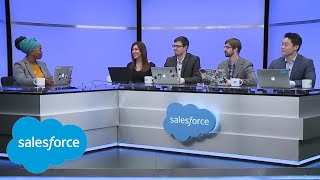
With all the amazing goodness in the Spring 18 release, we couldn't possibly cover it all live. So we've recorded the special bonus content featuring Marketing Cloud. Thanks so much for joining us. We'll be covering all the latest new features for Marketing Cloud and we'll touch on a little bit of roadmap. So in case if we make any forward looking statements, please make your purchasing decisions based on what's currently available. All right, with that, let's meet our product managers.
Hi, I'm Alicia Greer. I'll be covering Journey Templates and the Live Image content block.
And I'm Andy Simmons. I'll be covering Distributed Marketing.
Hello, I'm Zach Rhys Davis and I'll be talking about both Social Studio and Advertising Studio today.
And I'm David and I'm going to be talking about a new feature from Salesforce DMP called Global Delivery Management.
So something we hear really often from users is that they want more guidance and best practices when it comes to building out customer journeys. And that's exactly what we're giving them. With these new Journey templates, we're making it really easy for customers to get started with some of the most common use cases in Journey Builder, providing not only the recommended layout of the journey, but also setup, guidance and also content recommendations all based on known marketing best practices. So let's take a look. So customers who have Journey Builder are going to see these new templates right away when they log into the Marketing Cloud on the homepage and can get started in just a single click. Let's take a look at this abandoned cart template as an example. So right away we get some information about the template, including the benefits of doing an abandoned cart journey, what I'm going to need to be successful, and even some additional resource content that I can look at if I need to. What you'll also notice about this template is that the activities are all pre defined for me, but some are unconfigured. So I just need to make it my own with the content and data. Once we get started, we'll see this best practice guidance along the way. So for example, when I get to this reminder email, it'll give me content ideas for things that I can do to convert more customers. Each guidance window also includes relevant help documentation in case I need help with configuration. If I want to browse other templates, I can just go to the template gallery here in the navigation we can search and sort based on things like the customer life cycle stage or complexity level of the template. And this is where we'll be adding a lot more templates over time in future releases.
That is super awesome. You got me really excited to go out and build my own journeys. But I'm curious, if a user chooses to build a journey from a template, can they still go back and make modifications or how does that work?
Absolutely. The suggested setup of these templates is just that, a suggestion so users can add, delete, or modify the activities to make it their own based on their specific use cases.
Awesome.
So another feature I'm really excited to share about is the Live Image content block. This is really powerful because it gives marketers the ability to change content in an email after the email has actually been sent. So here's the new Live Image content block in the email editor. When I drag it in, you'll see I'm prompted to provide an A and a B image. The A image is what's going to be displayed by default, and the B image is going to be what's displayed after the trigger occurs that we define. So I'm going to choose this free shipping offer as the A image and fall back to this loyalty offer after the trigger that we define. So in the Delivery tab is where I'm going to define what's going to cause this content to change. Since our free shipping offer ends at the end of the month, I'm going to go with the date and time. But we could also have this switch after a certain number of clicks, impressions, or a number of days post sales send. So some of our users might recognize this is something they've been able to do in the past with things like ampscript or writing complex code. But we've really made it a lot easier for marketers to deliver relevant, time sensitive content without having to write all that complicated code.
That's super awesome. I can think of so many different ways that I'd be able to leverage that functionality. But how do you see users leveraging this?
Yeah, so one of the most common use cases is an offer expiration like I mentioned, but you can think of other ones too, like for example, events. So maybe a trade show or a webinar. You might want to change the register image to maybe an image that goes to a recording afterwards.
Awesome. Very cool. All right, Andy, what do you got? Can you top that?
I think I can. So I'm really excited to introduce distributed marketing from Salesforce. And what's super exciting about this is it is giving brands who are distributed organizations, they may have different franchisees or insurance agents or auto dealerships where they have a corporate marketing arm. And they also have these partners in their business who are helping them sell locally. And so distributed marketing gives the corporate marketers the ability to create these beautiful brand campaigns and journeys and keep compliance and consistency throughout while empowering their distributed partners, what we call distributed marketers, to be able to take those journeys and deliver them to those individuals and add their personal touch. So it's really incredible, really powerful, and everybody gets the analytics that they need, whether it's at the individual engagement level or at the corporate aggregate level, to see how those journeys are performing. So what does that kind of look like? Well, you think about the way this starts. You have the corporate marketer who is going to build that journey and they want to then ship that to the place where their local distributed marketers are going to be working from. So places like sales cloud or service cloud or partner community cloud. And then from there, those partners can pick up on those journeys that have been created and take them, personalize them if they want to, or send them out to their individual contacts who they have the relationships with and that they're managing that relationship with. This ensures that the end consumer, the end customer, gets that right experience for them, while corporate marketing can feel confident that they have a compliant journey and compliant marketing that fits with the overall brand messages that they're also sending out.
Great.
So let's take a look at what a demo of that would look like. Here we are in marketing cloud and you can see that we're in Journey Builder. Now, Journey Builder is the place where marketers, these corporate or brand marketers, are going to create these wonderful journeys that really engage their customers and they can define their entry source, they have all the different activities that they can use. You can see here that this journey in particular is focusing on email. All the different flow controls that we can use to test and create different splits, wait until some event happens, even connect to the sales and service cloud. And so we've set this journey up already. In this case, it's just a welcome series. But what we want to do from here is as a corporate marketer, empower our distributed marketers, take this journey and communicate with their own customers. And it's really simple. With distributed marketing from Salesforce, I simply pop in over to the sales cloud in this case and I'm in the campaign object. And you can see that I've created a welcome series campaign. I just need to connect the particular journey that I want to be able to empower my distributor marketers to send. And it's as simple as a Few clicks, I type in that welcome series. In this case, we're going to send this cumulus welcome series. We're pretending we're a banker or a financial advisor firm here so I can add that and save. And once I do that, now all of my distributed marketers in my organization, they're going to have access to this journey and all the messages that they can send within it. So now as a distributed marketer, I'm also here in sales cloud. This is where I work every day. And I can see that in this campaign object. I have that journey enabled here, the welcome series journey that we created. And it's got the three different messages, emails that were a part of that journey, three that I can send. If there was more, I would also see those here. What you can also do is preview right from this menu what this email would look like. So I know and I have confidence as a distributed marker what I'm going to be sending out and what my individual contacts are going to be receiving. So there you go, that persistent preview right there. But I can also see that I have some pending members and this is where I can go ahead and do some approval flow here and see if based on a relationship I have and the conversations I'm having with these individuals, are they right to go on this journey. For instance, Will here at the top, I actually have had a recent communication with him. I don't think this welcome series is great, so I could go ahead and set him to be rejected. But I know Joanna is actually perfect for this journey. I'll be seeing her shortly at the end of the week, but I want to be able to send this to her now so I can see her contact information there. I can also personalize this message to her because I have started to have a relationship and I know some more details about her. Like I said, I'm about to meet her at the end of the week, so I want to go ahead here and personalize this to say, hey, Joanna, looking forward to meeting on Friday. Great. And so now I can save that. And you'll see that this personalization is injected directly into the message. So it really fits within the context of the relationship that I'm having. And I can really personalize this to each of my individual contacts. Great. So I'll pop out of there. And this is also where I can submit all those members into the journey. So if I do that now, you can see that Joanna here we're looking at her contact record has become a part of that welcome series. Really simple, really Easy for both the corporate and distributed marketer to get this level of insight. And if I pop back over one more time, I put my corporate marketer hat back on. Within Journey Builder, I can see all the detail as well. I can understand how these individuals are moving through the overall journey, how my journey is doing overall. So really powerful stuff. Really excited to be seeing this come to available everyone later in February.
So that's really impressive and I noticed that it's working with Salesforce. If I'm a distributed marketer, what other Salesforce clouds will this feature work with?
Yeah, so this is going to work with. Well, first of all, you have to have marketing cloud and Journey Builder, but then you can use the sales cloud or the service cloud, financial services cloud or partner community cloud as well. Those are the four clouds right now that you can use distributed marketing along with. Yeah.
All right, so what other channels would I be able to use to send distributed marketing messages?
Yeah, so it's really exciting. And you kind of saw in Journey Builder we have a lot of different channels available there. Mobile for instance, you can connect to print. Right now, distributed marketing when it launches is only going to be supporting email. But we're really excited and looking forward to channels like printing, mobile push sms, group messaging as well as print and things like social to be added to distributed marketers playbook and how they can communicate with their customers. So really excited for those coming online.
Great. I'm looking forward to that as well and I'm sure trailblazers are also. Zach, what do you have for us?
Thank you very much, Andy. I'm really excited about the launch of distributed marketing. I think it's a huge opportunity for any customer that sells through channels. I'm going to be talking today about First Social Studio and some features that I'm really excited about because they let people get much deeper into understanding who's in their customer base, who's in their target markets and what are they doing. So it's all about how do I figure out not just what is being said about my brand, what's being said about my market, but who's saying it and what are their demographics and what are their identities and and really enhancing the reporting and enhancing the analytics around influencer marketing and around social listening as a whole to focus on the individual people that matter and what types of groups they're in. So let's take a look at what that looks like in the actual product. What we've done is we've added an actual new card to Social Studio's Analyze dashboards. That is now just saying influencers. We've of course always had the ability to look at a live stream of everyone who's talking about, in this case our national parks example, how many posts have come in in the last seven days. We could change that to be a 30 day look back window instead, see what keywords are being talked about, what media types are going on there. But the area that's pretty exciting and pretty new is we now have the ability to say who is what matters when it comes to national parks. In this case, you can say over the last 30 days, these are the channels that have had the most influence over national parks conversations and you can drill into them. For example, what has Gizmodo been saying about national parks? And say on topic post by Gizmodo and you can load in the real verbatim conversations going on by that brand or by that individual influencer, if it's a person and say, okay, so Gizmodo has been talking about beautiful waves in the Grand Canyon this month and I can star this for taking action. If I want to pull this into a summary or a campaign, or if this was an individual person and I want to send this as a customer support case or service case, I can focus on this specific group of people as the people that really matter. The other area that I'm going to be talking about within Social studio is, and that is pretty exciting is we also have new capabilities of our workbench functionality using the same national parks environment. We have all the functionality we've had before. What images are there, what countries are they coming through? What hashtags are people saying that we can drill into? So let's pull in. For example, the hashtags that have been said about national parks in the last seven days can come in right here and, and you can really see those topics. Apparently Joshua Tree has been having a bit of a moment this week, but what's new in the cards that are pretty exciting are we now have the ability to look at what are the ages of people that are having these conversations, what are their genders and where are they really physically based in a much more granular way than just the country. And it's really important to note that this is all done in a really privacy conscious and secure way. So we're talking on the aggregate level, not the individual level when it comes to this type of demographics. And we are really focusing on understanding the types of people having these conversations as a whole.
So that sounds really amazing, but is it just looking at the folks who have the most followers. Is it just looking at celebrities and Snoop Dogg and those kind of folks?
That's a great question. And it's something that I think we get all the time. Because in the history of influencer marketing, that's often what tech companies have done and that's very much not what we're doing. Instead, you saw some media brands at the top of that influencer list because we're talking about national parks. But for example, if I had done this exact same thing about Salesforce, you wouldn't expect to see Snoop Dogg talking about Salesforce and he's not influential about that topic. Instead, we're looking at our trailblazers. We're looking at our Salesforce MVPs really driving the conversation and being the people that people look back to, retweet, have conversations with on the topic of Salesforce. So this is going to be very specific to your brand and your brand influencers.
Okay, now you got me really excited. So is this only supported with Twitter or kind of what else is going.
On there right now? This is on Twitter only because we're really focused on partnering with destination platforms and building functionality that are part of their APIs and support trust and security as a key area. As other brands and other platforms look at expanding types of access to this type of data, we'll of course be one of the first companies to bring it to market as well.
Okay, cool. Clearly we're working on some really amazing stuff and spring 18 is going to be super exciting. But do you have anything else for us? Because I want this to keep going.
I do.
Indeed.
Indeed. And there's one other product that I'm pretty excited to show you today. The other thing I'm going to be talking about is the launch of Journey Builder advertising this release and I'm really excited about this. This is a product I've been working on getting into market for quite a while now. And it's about how do I add digital advertising in a really simple way to existing customer journeys and aligned to my email experience. So how do I take the great journeys that we are showing in the first two demos and say I want to make those cross channel and make adding an ad campaign to an email just as easy as adding mobile, adding a second email and do that just on my own as an email marketer or as a brand team without adding a third party agency, without grabbing my advertising folks and saying can you help me with this campaign? And that's something that we're bringing to bear in this launch, let's take a look at how easy it is in the product and you're looking at a very similar screen to the other demos we've seen. Journey Builder, you have your entry sources, your messages you can use and your channels we can do them in, but we have a new one. We have the advertising audiences activity that we've had before and that's we can say right after we send an email to this person or we can say I want to say everyone who's reached this point in a journey, I want to send them either to Salesforce DMP so that I can use them to target display advertising anywhere on the open web or I want to send them as a segment of people to reach see ads on Facebook, on Instagram, on Google search, YouTube, Gmail, Google shopping or Twitter. And you can still do that. But what we want to show today is the new activity ad campaigns. With advertising campaigns, I don't have to just say I want to reach this group of people with an ad. Instead I'm going to say this is my email ads campaign. That's not the best name for an audience, but doesn't really matter today. Decide which of my advertising accounts this is going to be aligned to and say I want to show this campaign for only one week. When you hit this point in a journey for the next week you're going to be seeing this ad in your Facebook news feed. Going to show it in Northern Trail Outfitters, our outdoor gear brand that we use a lot. Name it and I'm actually going to build my entire ad right here. And these are all the same variables that you'd see in other places. So you might just want to keep it a really simple campaign with a basic headline, a description of this link and I get to actually put my image in right here. We're going to use something from not really related to outdoor travel just for fun. We'll actually use the launch of our new Advertising 2020 research report as what we'll use as our creative. Wouldn't actually work well for an outdoor brand, but works great for Salesforce. Add a call to action like download now and you can see the entire ad campaign both on desktop and on mobile right here. From within Journey Builder. Once you've done that step, all you have left to do is to say I want to say what name this should have, decide how much budget you want to spend on it and how many days you want to run by how much budget it will have per day. And if I click next and finish right now as soon as people flow into this stage of the journey. And this is actually so as soon as the first twenty first hundred people flow in, you have a live ad campaign with the same messaging you would be having in your email, in your mobile push, in your mobile SMS communications right here within Journey Builder.
That's super cool. So does this work with Google Ads as well?
That's actually probably the next thing we want to add. And that's why we had a safe harbor slide at the start of this. Right now, we've brought this to market for Facebook ads only, both on Facebook desktop and mobile, so that we have the ability to really just reach people in their Facebook newsfeed with the same messages they might be getting from your brand in email, for example.
Well, I love Facebook ads, so I'm still happy. But what if I've already gone out and created some audiences? Does this affect my existing audiences?
Not at all. And that's a great question. If you've already built audiences in Advertising Studio or just in Journey Builder as a ad segment, that still works just like it ever did before. And also if you want to be building audiences in Facebook Power Editor as a thing with your digital ad agency for more complex interactions and for more complex ad targeting, you can run those just in parallel with this as an easy supplement to other types of digital advertising.
Awesome. And so how large does the audience need to be in order to leverage this?
We really want this to be a personalized experience. So it's not true one to one, because we have privacy restrictions that say you need at least 20 people to be in a given point of a journey before this will trigger. But it works with relatively small groups. If you have a couple hundred people entering that stage of a journey, that would be a good place to start.
All right, great. That's a lot of amazing enhancements. And David, what do you have for us around Salesforce dmp?
Yeah, absolutely. I'm here to talk to you guys today about a new feature from Salesforce DMP called Global Delivery Management. Now, when we focus on the power of dmp, we tend to focus on its ability to send the right message to the right person at the right time. But in contrast to that, we don't want to send the wrong message to the right person who you've been relentlessly pursuing in hopes to actually convert that to a repeat and loyal customer. So this is a very common and core use case for marketers today who use dmp. And mainly their question is, how can we reach consumers without invoking negative sentiment towards our brand, also to send those messages in a way where there is highly relevant and also to increase ROI for their business. And this feature exactly provides those benefits. And some of the benefits that it provides is first, the ability to reach the right customers by showing your ads to relevant audiences and valuable audiences who have most likely want to purchase your product and has interest in your services that your business has to offer. And secondly, ensures better one to one experiences with your consumers directly. Now, for example, if you're a retailer and you've been running a 2018 spring clothing catalog and you've been running this campaign, and you see consumers are being exposed to this campaign and see ads around your products from your catalog and they're acting on those ads and purchasing these products, as a marketer, you want to ensure that those purchased products are not re shown to those customers, but instead you want to show relevant products that may be relevant to the products that they have purchased, which gives the marketer opportunity for cross sell and upsell opportunities as well as in the flip side, the customers have a more relevant and discoverable experience with your products and your brand. Lastly, it also provides marketing roi. So let's say for example, as a marketer you're showing ads about 15 to 20 ads for a single consumer and this consumer has seen those ads, but yet they haven't made an action towards those ads. And then as a marketer you may want to think, should I continue showing those ads and wasting ad dollars on someone who is not obviously interested in our product, but instead should we shift those ad budgets and dollars to consumers who are most likely interested in purchasing your products? So all in all, global delivery management provides high roi, it reaches the right customers, ensures better one to one experiences, and we're super excited about that. Next, I want to dig in a little bit deeper on how the GDM feature, Global delivery management feature provides high ROI for your business. And it's illustrated in this chart here in this slide. So if I can ask you to focus on this chart we see in the light blue line represents the number of impressions per user per month. And if you look at the darker blue circle with the conversion label on it, we call this a sweet spot. And what this means is that users who've seen your ad between 4 to 20 impressions are most likely to convert. Now, as a marketer we need to ask a question to ourselves and say should we continue to show ads to users who've seen your ad specifically 21 or more times 21 times 22nd or even 23rd, instead should we move that budget to users or consumers who first seen your ad, or second or third up to 20? Because we know that the sweet spot of conversion is between 1 and 20, just like is shown here in the chart. As a marketer, Global Delivery Management helps you to specifically manage your budget dollars so that you don't waste your budget dollars and instead focus on the important valuable customers for your business and and thereafter increase ROI for your business. Now I'd like to show you a demo about the new Global Delivery Management feature. We're logged in here as Northern Trail Outfitters and as a Northern Trail Outfitters marketer, I have two goals that I would like to accomplish. The first goal is to suppress any users who've seen my promotion campaign for at least five times, because we know that the sweet spot for Northern Trail Outfitters is between two to four impressions. My second goal is to suppress any users who've actually converted and subscribed to the new Rewards program. So let's go ahead and see how we can accomplish these two goals. You see here on the screen a new Segment type page and you see the Global Delivery Segment type, which is a new segment type that's going to be launched in the new spring release. Let's go ahead and click Create and we're asked to set up our Campaign Frequency Suppression Rule. In order to accomplish our first goal of suppressing users who've seen our ad campaign for at least five times, we first need to select our double Rewards promotion campaign. Thereafter, set the frequency type to Impressions, and we'll also set the minimum frequency to be five, as well as the recency window to be 90 days. This setup here has already accomplished our first goal as Northern Trail Outfitters marketer, which is very easy and very quick to do. Now, in order to accomplish our second goal of suppressing users who have converted into our Rewards program, all we need to do is turn on the additional rules, toggle, navigate to events and select the sign up for Rewards Event. Click on Add Rule to add the rule to the subsequent rules from the campaign. Now, after adding all these rules and setup, we have already accomplished both our goals as a Northern Trail Outfitters marketer. Let's go ahead and click on Continue and Edit Details. Specify the segment name. We'll also set the segment type to be Global Delivery Management and thereafter we want to activate this Global Delivery Management segment to our DSP or activation partners. In order to do so, turn on the toggle for activation, select the DSP and activation partners you'd like to select your Global Delivery Management Segment to now click on save and view confirmation. And now we've created our first Global Delivery Segment type. Now that concludes the demo of Global Delivery Segment.
Okay, that's really cool and I love how you've got the rules so easy to set up. But what if you have different rules? Are there other rules that you can use with this feature?
Absolutely.
So.
So as you saw in the demo, there was the campaign frequency suppression rules. And if you don't have any suppression rules to add there, you can still add additional rules like events or using other segments to suppress from. And so the answer to that question is yes, you can use any additional rules along with the Global Delivery segment type.
Awesome. So what can I do with my segments to achieve the highest roi?
That's a great question. And this is a reason why we put the safe harbor in the beginning of the presentation. But what we would like to do in the future is infuse Einstein into Global Delivery Management segment. And as you saw through the demo, we were able to provide the frequency cap and recency. But as a marketer you may want to optimize on a certain KPI like increase my revenue or increase roi. And sometimes that's very hard to do manually. And so what we want to do in the future is at Einstein to give you recommendations when you provide a marketer goal so that we can optimize and provide you the best frequency cap and recency time window that will help you achieve your KPIs.
Excellent. Very cool. Thank you so much. Thank you all for joining us and sharing all these amazing demos and these new features for spring 18 and to our trailblazers out there. Thank you for joining us. Keep your questions coming through the community, keep engaging with us and we can't wait to see you right back here for summer 18.









