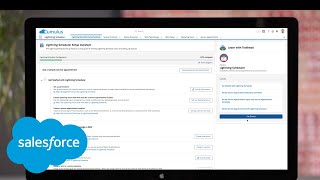
Salesforce Scheduler connects online booking to your CRM so customers can self-schedule appointments while you track them by location, resource, and status. Set it up through the Setup Assistant by configuring locations, hours, skills, and topics, then embed it on your website to auto-create leads and let staff manage their calendars with buffer times and multi-attendee bookings.
Chapters
Salesforce Scheduler helps you bring digital and in person experiences together to deepen relationships with your customers. With Setup Assistant, you can streamline the appointment scheduling experience by walking through, setting up important pieces like locations, hours and available resources, assigning skills to ensure more efficient appointments, and creating appointment topics to best serve customer or employee needs. With the help and training and trailhead links available to answer any questions, you can add Scheduler to your website. Letting customers easily schedule and manage their appointments while out of the box flows lets them search for resources and select their appointment topics. Then customers can meet through the channels they prefer. If a customer isn't already in Salesforce, Schedule A can capture new information and automatically create a lead. Once an appointment is scheduled, service resources see it reflected on their calendars with an option to have time blocked off before or after specific appointment types. When resources click into an appointment, they can view the customer's contact record to create personalized, efficient appointments and easily schedule subsequent meetings right from the contact record. Multiple attendees can be added to a single meeting to ensure all customer needs are met and assets can also be scheduled in like a conference room. Then managers can track the number of appointments across locations by type, resource and status. While using Salesforce survey tools to understand customer satisfaction, see how to bring digital and in person experiences together with Salesforce.