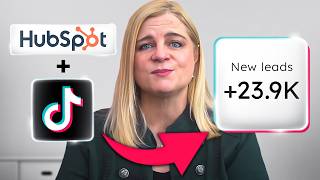
Step-by-step guide to connecting TikTok lead ads to HubSpot CRM. Real-time syncing pulls TikTok Instant Form leads directly into HubSpot, boosting engagement after submission. You'll need HubSpot access, TikTok Ads Manager admin rights, and an existing Instant Form.
Questions this video answers
January 17, 2025
"Two in five people follow a brand on TikTok after filling out a lead gen form, and one third will stay in touch with you."
1) A HubSpot account; 2) Admin access to a TikTok Ads Manager account; 3) At least one TikTok Instant Form.
Chapters
Are you tired of downloading spreadsheet after spreadsheet just to keep track of the leads you get from TikTok ads? Don't worry, HubSpot and TikTok totally have you covered. With our Easy Use integration, we'll make sure all of the leads you get from your TikTok lead ads sync instantly and automatically to your HubSpot CRM. Let me show you how the integration works and how easy it is to set up. If you haven't started advertising on TikTok yet, this is the place to be. TikTok lead ads make it super easy to connect with people who want to buy from you. They simply click a button to fill out a form on TikTok in seconds. Once you set up the integration, all of their data goes into your HubSpot Smart CRM instantly and automatically. And this is not a submit and forget experience. Two in five people follow a brand on TikTok after filling out a lead gen form, and one third will stay in touch with you. They leave comments, ask questions, and share your videos with others. Even if you've never made a video before, TikTok makes it really easy to do and with the HubSpot integration, you can make all those leads get synced to your Smart CRM in real time. To set it up, you need to have a few Items in place. First, you're going to need a HubSpot account. If you don't already use Marketing Hub, just go to HubSpot.com and sign up for your free account today. Second, you need to have admin access to a TikTok Ads Manager account. And third, you'll need to have at least one TikTok Instant Form. If you've never created a TikTok Instant form, it's really easy to do and there are super easy to follow Instructions right in TikTok's Help Center. Find tutorial links for all three of these items in the description below. Each one will take no more than a few minutes.
Now, to set up the integration, I'm going to start by logging into TikTok Ads Manager. Select Tools from the menu, then click Leads. Click the Connect CRM button at the top of the page, then select HubSpot as your CRM. Choose the first option where it says directly Connect, then click Confirm to manage leads from your TikTok account. Click apply for permission, then click Confirm on the next screen. Next I'm going to click on this second option to sign into HubSpot. Choose your HubSpot CRM account, click Connect app, then click Next. Now select the form you want to sync leads from and click Next. Take a few seconds to map the fields in your TikTok instant form to HubSpot and click Next. Again. You can select the Send Test Data button to do a quick check and make sure your integration is set up correctly.
And that's how easy it is to set up the HubSpot integration for TikTok lead ads. There's no need to download and track the data yourself. HubSpot and TikTok take care of all that for you, so you can say goodbye to those endless spreadsheets for good. Click the link in the description below to get started today.