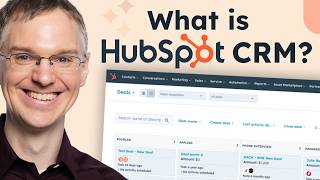
HubSpot CRM organizes your contacts, companies, deals, and tickets in one place that marketing, sales, and service teams all use. It works as a shared hub with table and pipeline views, connects to your email and other tools, and starts free.
Chapters
Here at HubSpot, we're obsessed with the idea of thinking of companies as flywheels. So your marketing and sales teams work together to attract people to you. And your sales team then engages with those people to figure out if you can meet their needs. And then you delight them with the solution you give them. And with your services, team service, so much so that they go out and attract more people to you. And it becomes this virtuous cycle where growth accelerates and becomes easier. In order to pull this off, you've got to have your teams delivering a seamless experience to your customers at every stage of that flywheel. And in order to do that, you need a crafted solution that works across all your teams. And that's where HubSpot comes in. We've built HubSpot to help you deliver these seamless experiences. And it all starts with our core CRM functionalities. So in HubSpot, you can track several things. You have contacts to keep track of the people that you're working with and companies for the organizations that they work at. And these are organized into tables. You can create different properties and filter and sort these records to keep track of whatever it is you need to track for your business to succeed. In addition to contacts and companies, which track these real entities out in the world, people and organizations, there are also deals and tickets, which are a little bit different. Deals are for your sales in progress, and you can move a deal through your pipeline visually from one stage to the next until it's closed. And same with tickets. So deals and tickets you can organize into the same kind of table that we saw contacts and companies in, but it's more fun to have them in a board view. So here's a deal pipeline keeping track of sales that are in a sales process, and you can drag and drop them as they move from one stage to the next. And these contacts, companies, deals and tickets will be used by all of your teams. You don't have separate databases for separate teams. They're all pulling from that same core CRM functionality. Built on top of this core CRM functionality are different hubs for each of your teams. So we have marketing hub with things like emails and social media, and we have sales hub to help you schedule meetings and make phone calls and deliver quotes. And we've got service hub with a unified inbox for your conversations and feedback, surveys and other things to help your service team grow. In the background, we've got CMS hub so you can build functional, beautiful websites to attract those people to you. And we've got Operations Hub to give you deeper analytics and automation, and each of these suites of tools has been built to work together. We have automation and reporting features that cut across all these hubs to give you unified data. So if you want to use a Marketing Hub email to send a Service Hub survey to your sales contacts after they've had a consultation or a demo, you can do that. And all that data will feed into the same location so you can report on how well your process is working. And as though that's not enough, we have hundreds of integrations available in our marketplace. So the other tools you're using in addition to HubSpot can share data with HubSpot. So if your sales team is using Sales Hub to book meetings with their contacts, you can add meeting links directly into the location of the calendar invite that gets sent. All of this works right inside of HubSpot, by design out of the box. It's free to get started, so sign up today and it's easy to start small. You can install our integration with Outlook or Gmail to start tracking your sales reps, emails and getting those records logged in. The CRM contact records and company records will get created automatically and your sales team can start sending out meeting links to book time with people. So find little ways to integrate HubSpot into your current process and see how it goes.