How to Add a Branded Welcome Screen | Wix.com
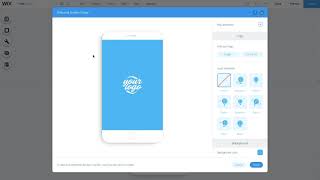
The video tutorial walks Wix users through creating a branded mobile welcome screen. Starting from the desktop editor, the presenter shows how to switch to Mobile view, open Mobile Tools, and select the Welcome Screen option. Users can then add a logo or other image from the Media Manager, apply animations, and choose a matching background color. The tutorial demonstrates previewing the screen with the Play Animation button, then saving and publishing the changes so the branded welcome screen appears for mobile visitors. The video emphasizes that the process is straightforward and can be revisited anytime for reference.
Chapters
More from Cardinal





Chef Noah was tired of dull tools - so he made his own #cooking #knives #chef #fyp #kitchen #shorts


every day Chef Noah wakes up and chooses violence... professionally🔪 @forgetotable #knives #chef

Mother Nature knew what it was doing with these color combos #graphicdesign #design #designinspo


Trying Modern Bread & Bagel for the first time 🥯 #nyc #glutenfree #food #shorts #foodreview
