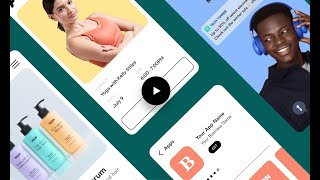
In this Wix webinar, presenter Kendyl explains why a native mobile app is a powerful growth channel for any business and demonstrates how to create a fully branded, no‑code app using Wix’s Branded App tool. The talk opens with market statistics showing that over half of customers browse on mobile, 70% of online sales occur on mobile, and adding a native app can increase sales by up to 160% compared to desktop. Benefits such as higher engagement, conversion, loyalty, and brand reinforcement are highlighted, followed by two real‑world case studies – a sportswear e‑commerce app and a yoga fitness app – showcasing product galleries, forums, bookings, memberships, and push notifications. The presentation then walks through the three‑step Branded App Dashboard: (1) designing the app’s look and feel (branding, launch screen, access mode), (2) customizing features via the Wix Owner app (header, navigation tabs, sections from a catalog including shop, booking, forum, blog, etc.), and (3) submitting the app to the Apple App Store and Google Play, where Wix handles the developer account setup, submission, and ongoing maintenance. Throughout, the speaker emphasizes the ease of previewing the app on a device, the instant sync of changes from the Wix site, and the revenue‑boosting potential of unlimited, free push notifications. The webinar concludes with a call to action for viewers to start building their own branded app.
Chapters
Hi, I'm Kendyl from Wix, and in a few minutes you'll learn how to grow your business with a fully branded mobile app, all without coding. But first, let's talk about mobile. Why do you need a mobile app and why is it such a big opportunity? Maybe your site's already making money and has steady traffic and that's great. But a mobile app gives you the chance to grow just about any type of business and even more. This could be a fitness business, restaurant, or any other services or products that you sell. More than half of your customers access your site on their mobile devices, and almost 70% of all online sales are made on mobile. Get the picture? Data shows that when you add a native mobile app to the mix, sales can jump over 160% compared to desktop. Mobile apps consistently beat mobile optimized websites for engagement and conversion, and it's easy to see why. Research shows that customers view almost three times as many items and add nearly twice as many to their carts. That can mean 130% higher conversion and five times more purchases and bookings for your business. On that note, I'd like to welcome you to our webinar on growing your business with the branded app by wix. This tool lets you create your own fully branded app for iOS and Android without having to code. By fully branded, I mean it's your logo and name that appears on Google Play, the App Store and your customers screens. It also integrates seamlessly with your WIX site and dashboard. That means every change you make on your site, like adding products or blog posts, also happens in your app. Today we're going to talk about what the app is like for customers, how it can boost your revenue, and building your own app with a step by step guide. Let's go. We're going to look at two mobile apps that have been created with the branded app and see what they're like for customers. The first is an E commerce app for sportswear. So this app was built completely with the branded app by wix. It's fully branded here in the store where customers download it and you also get to decide how your app is described here. Let's see how it looks on your home screen. It's fully branded here too. Now let's take a quick tour from a user perspective. Here's the loading screen. Nice. This is the app's homepage. You can see a product gallery up front here. Scroll down and there's a discussion section. Let's check out another tab. I can use Search to look for products here. Got it. I can select a size, a color, and add it to my cart. Okay, let's take a look at what I've added. The cart has the option to add a promo code here and I can add an order note right here. The last tab is for a forum where customers can engage with your business and each other. I can like this post right here and start a discussion or ask a question. There we go. And I can use chat if I want to contact the business. The ease of use you get from a mobile app can go a long way in improving customer loyalty. Research shows that just a 5% increase in loyalty can raise revenue by up to 95%. A mobile app encourages your customers to browse more often and for longer. By putting your business in their pockets on a mobile device, you make it easier for them to engage with you. A dedicated app can also strengthen your brand identity and give you a competitive edge. Compare two businesses side by side. One has its own app, the other doesn't. Which one looks like it offers a more complete service? Which one would you trust more? Here is what CEO of MTG Wolf members Miguel Nuno has to say about the branded app Customer Experience the branded app has allowed us to generate a greater relationship with our clients nationwide. Now they can access our online store anytime and make their purchases on the go and stay in the loop. Since launching our app, our average sales have increased by 150%. Now I'm just going to reiterate that 150%. Now let's take a look at a fitness app. This uses one of my favorite features, fully branded push notifications. I like to use them to remind me about weekly challenges. So this is a yoga app. I can see my challenge progress here and there's a step for each day. The interface is really clean and easy to understand. Let's take a look at services under the Practice tab. This is where your customers can book sessions. They can also sign up for plans here on the Membership tab. And let's come back to push notifications for a second and see what makes them so useful. These messages are free, unlimited and grab customers attention with sales, new products and appointments. They also get three times more opens than marketing emails and four times more interaction. This has been a game changer for some business owners like artist and entrepreneur Stina Aleya. Since building my branded app with wix, I've been able to gain stronger connections with my collectors and provide a unique and exclusive experience for them. The push notifications are one way to really stay in the forefront of their minds and I love having that option. This is such a game changer for an artist and I'm so excited to watch the growth continue for my business. This all adds up to stronger relationships with your customers and more revenue streams for your business. A Win Win the branded app is so flexible that it works for e commerce sites, restaurants, publications and blogs. You can even run subscription and booking based businesses like gyms, fitness studios, barbershops and beauty salons. So let's dive in and start creating. You can access the Branded App Dashboard from your sidebar menu, go to Channels and click on Branded App. This gets you to the welcome page. I'll click Start Now. We're going to look at this in three stages. From the Dashboard menu right through submitting your app, this is the branded App Dashboard. You can see that it's divided into three main steps. The first lets you design your app's look and feel. The second is for customizing your app's features. There's also management options in the Wix Owner app, but we'll talk about that later. And the third is where you submit your app to the App Store and Google Play. You can preview your app whenever you like. Right over here and under that. This is where you download a preview of your app to your own mobile device. Let's start by getting the app looking the way we want it. I want it to match with my brand, so I'll update the name here and add an app icon. Next, I'll set up the launch screen that customers see when they open the app. I'll set my app to be open to all users or just members. Members only means customers have to register and sign in to see the app. Visitor mode means that anyone can use your app without having to log in. Then set your titles, buttons, text and colors. Make sure they match your existing branding. For finishing touches, set your logo and main theme color. Okay, we're all set. Let's see what it looks like on a mobile device. I'll click Preview on your device to get a QR code and I'll share my mobile screen so you can see how it works. I just scan the QR and it checks if I'm ON Android or iOS. Then we follow the steps to install the app preview. If you're using an Apple device, your preview will be on the Spaces by Wix app. Now I want to customize the interface and features. I need the Wix Owner app for this part. The Wix Owner app, if you don't already know, lets you manage and grow Your business on the go. It has analytics, customer chat, order management, and you can customize the app interface that customers will see. I'll scan the QR code and it'll take me to the owner app's customize screen. This is the app's main editor. It's really intuitive and makes app creation simple and quick. Let's go over it from the top of the page. The first thing here is your header. Like the dashboard, I can change the look and feel the title, tagline and logo. Even the COVID photo and theme color. Next up are the navigation tabs. We can edit, update and remove tabs from the app menu here. This is where you start to guide your customers around your app. You can add sections to every tab. Sections are the widgets that you can add to your app for lots of extra features like product galleries and booking systems. Whatever you add to your app here is synced to your site dashboard so you don't have to create any new content. This is the most important part of building your app. It's important to remember that every edit you do and all of your changes on the WIX Owner app apply right away, even when your app is live on the App Store or Google Play. Let's check out some sections you can add to your app. I'll click on Add Section to open up the section catalog. There are a lot of options here, so let's go over a few. General is where you'll find the announcements, upcoming sessions, members and Contact Us sections. Under Elements you can customize the user experience even more. This is where you can add buttons, videos, images, dividers and titles. The other tabs are for sections based on features on your WIX site. Each one has a couple of display options. You can add a blog here, a member section, and list your pricing plans. You also have sections for groups and events and a forum for customers to post in. Customers can also schedule sessions on the go with the Booking section and programs here lets you set challenges. Shop is pretty self explanatory so I'll add a Shop carousel to my home screen and call it New Arrival. Click Add and we're done. When you're finished with your members view, click Done on the top right and that's it. You've updated and designed your own app. All of the changes are applied. Just open the preview to see them. Now you're all ready to submit your mobile app to the App Store and Google Play. You can do this from the branded App dashboard and it's pretty simple. Our expert team at Wix will submit your app on your behalf. All you have to do is create and connect the developer account on Apple and Google. You'll also need to enroll with both Apple and Google first, which includes some extra fees, but we'll take it from there and manage the whole submission process for you. This includes maintenance and updates so that you're always up to date with the native iOS and Android platforms. That means your customers get the best experience possible and you can rest assured knowing that your app is always up to date. So now that you know just about how important mobile apps can be for your business and how to create one yourself, I hope you feel ready to start using the branded app by Wix to grow your business today. I can't wait to see what you create. Good luck.