Wix | Live Webinar: Bring Automation and AI into Your Sales Funnel
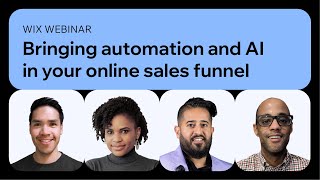
The webinar, hosted by Wix SEO Communications lead Crystal Carter, featured three experts—Menachem Mani (JXT Group), Duane Brown (automation specialist), and George Wynn (Wix SEO editorial director). The session explored how AI and automation can be embedded throughout a sales funnel to boost efficiency and performance. Menachem outlined AI‑driven market research, copy and creative generation, and the use of Google Ads AI products such as Performance Max, Demand Gen, and smart bidding, emphasizing the need for quality data and oversight. Duane demonstrated practical automation workflows, focusing on moving data from Wix to ad platforms via Zapier, building “recipes” that filter, reformat, and push leads, offline conversions, stock‑based campaign pausing, and reporting integrations. Crystal highlighted Wix‑specific AI tools (meta‑tag creator, product‑description generator, image creator, code assistant) and how they tie into Wix Automations and Zapier. The panel also discussed when to automate, avoiding sunk‑cost fallacy, partial automation strategies, and legal/quality concerns around AI‑generated content. The webinar concluded with resources (deck links, blog posts) and a Q&A invitation.
Chapters
So okay, wonderful. Now we've all got to another Nancy. Hi Nancy. Okay, so great. We are getting ready to go. You have met us, you have said hello to us and we are going to be chatting about some fantastic things. I'm so excited today to have two fantastic guests with us. So we have Manaha Mani who is the founder and CEO of the JXT Group and he's going to be talking to us about AI and, and lead generation and some fantastic things. He is a marketer with an immense amount of experience. He's a public speaker, he's a great all around guy and has has a collection of fantastic Google themed things in his setting that he will be talking to us about today. We are also joined by the fantastic Duane Brown who I've heard speak a few times. I was lucky enough to moderate him at one of his sessions and we were talking about automations. I said we've got to get Dwayne on. He's great. And so we are really, really pleased to have Dwayne joining us today. I am going to be here. I'm Crystal Carter, head of SEO Communications. If you've been to the webinars before, you know me. If you don't know, be welcome to the webinars and go see all of the other ones in the WIX SEO hub. And we're also joined today by George Wynn who is our director of SEO editorial here at wix. If you've been reading the SEO hub, he is the one who makes all that magic happen. How do you get hearts?
I don't, I don't, I don't know. I just put my hands here. It happens in real. Yeah, I can do it.
It's fine. Okay. So thank you all for getting involved with the chat. You can see that it's very active. We like a lot of engagement. So thank you for joining us. One of the FAQs that will happen in the chat, when people join late, they will say, is this webinar being recorded? I joined late. I'm so sorry. I had to put the kids to bed. Whatever it may be, guess what? Yes, it is being recorded. It will be on YouTube. If you loved this webinar, you can also watch the older ones on YouTube. The other thing that's great about that is if people are speaking really fast or if the concepts are a little bit tricky, don't worry, just take it all in because a lot of times it has a full flow. So take it all in, listen to everything. You can go back and watch the webinar on YouTube, you can stop, pause, look things up, follow along as you need to as well. We will send you the link when you get all of that information there. You can also ask questions in the Q and A panel. My colleague Sean, who will be answering the questions there, he's super friendly and knowledgeable. Chad, I know I speak fast. I'll slow down, I promise. Okay, so, and then also we can also get the the webinars@wixseo wix.com SEO forward slash, learn forward slash webinars, lots of slashes, but also lots of webinars with lots of great SEO and digital marketing experts. Ola from Mexico City there, Rocco. Okay, so our agenda today is going to be introductions. So I've sort of covered that and then we are going to get into a few more things. George, shall I hand it over to you?
Yeah, of course.
So I want you to all know before you start asking your questions, take the time to provide context with your questions. That really helps us select. And we're going to answer not in the necessarily in the order that things are received. We try to, but we're going to ask questions that appeal to the most people. If a lot of people are asking one question, we're going to prioritize that. So make sure you give the right details. Details. We have the context to choose the right questions. Okay, we're gonna get to Dwayne after Manakam. Manakum, let's get going on this AI and lead gen. You ready to kick us off?
Ready as I'll ever be. Let me share my screen here and get us going. Okay, thank you all for joining me today. I'm excited to be here. Excited to be here. As George and Crystal mentioned, I'm going to be talking about automation and AI in your sales funnel. But first, a little bit about me. As Crystal mentioned, my name is Menachem. I've been doing online marketing for about 20 years. And over the years I've seen a lot of change. And one thing we're seeing more than usual right now is the rate and pace has really accelerated over the past few years. I'd say that even before ChatGPT and Gemini and everything that's taken the world by storm, marketers have been getting more and more automated and leaning into machine learning. The cool thing is that there's less manual work for us to do, less button pushing. The downside is a lot of people are struggling to adapt. And this march towards automation and smart bidding and algorithmic campaigns has really been very evident over the past few Years. And so it seems like every day there's new functionality, there's new features, there's new ideas. And so my hope is, is to talk about a bit of this today. The digital marketing landscape is unrecognizable today from what it was even two years ago. And at this stage, if you haven't already implemented some form of AI, you're already behind. So this is our reality and let's figure out how to make the most of it. One thing I've learned years ago is to embrace change. You used to be able to get by without any automation, without any AI. Today you want to lean into it. And this can have many different approaches. It can help you when it comes to creating campaigns, building your ad copy, your landing pages, your systems that send for audience targeting options, and so on. So how can AI help you? I think that the way I look at it is it's another tool in the toolbox. It can make your work more impactful. The algorithms can help you get things done faster. It really does boost productivity across the board. But as you've seen over the past couple of weeks, AI needs oversight. You can't just set it and forget it. The algorithms could malfunctions, systems can disconnect without guardrails. The system can make bad decisions off of bad data. So you really need to make sure that you set it up right and, and utilize your, your data to guide the systems. I think that a lot of us as, as marketers or business owners or employees, working on, on different components of a marketing campaign, we all remember doing a lot of. Did you really enjoy doing such granular work before? Maybe. But wouldn't you rather impact the, the campaigns and strategy in a much more cohesive way? I think that a lot of the old ways are becoming obsolete and our focus needs to be more on helping to guide the algorithms, setting up rules, setting up automations that can really simplify the processes across the board. So I'm going to talk a little bit about how to use AI and automation in the sales funnel. For me, the way I start is how can you use AI to better understand, do your research and better understand who your customer is, who your competitors might be, using different tools like ChatGPT, Gemini and so on to understand the market while you're doing market research. A good example of this is asking ChatGPT or Gemini what a specific customer might look like. For example, if you're running a campaign for a mold remediation company, you can try to understand what the typical homeowner in a certain region might be worried about maybe how old the home might be in that neighborhood, what their life might be like, what they might be busy with on a day to day basis. And all of this can help inform your go to market strategy you're targeting and everything you do with it after that. But I think where a lot of the AI tools currently shine is around coming up with ideas and generating copy creative. And I'm going to walk you through some examples of this today. So for starters, if you're building out a landing page or a website and you need ideas to come up with landing, landing page copy, or if you're putting together a campaign on Google or Facebook or wherever, just coming up with ideas of how you should speak to your customer. Again running with that example of a mold remediation company. But you can do this for any company if you're selling appliances, you know, prompt the system, tell the system, you know, these are my typical customers. What's the best way of speaking to these customers in a way that's compelling to them? A lot of times the ideas that come out of of tools like ChatGPT or Gemini at this stage are not really usable as is. But it's really good to come up with ideas that you might not have thought of another way to speak to your customer, handle their objections and work through the data the system gives you to come up with copy that can help you achieve your goals inside of Google Ads. Specifically, they actually have a tool where you can build a campaign using a lot of these features and functionality. When you're creating a new campaign inside of Google Ads, you can chat with the system and tell it like, hey, here's what I'm trying to advertise. Can you come up with headlines and descriptions for the campaigns? And a lot of this stuff can be used outside of your campaigns as well. You have the option to generate images using AI and again you use this data to build out campaigns that speak to your customers and pull the same information and use it for your landing pages if it makes sense. Another cool tool that we've found inside of Google Ads is the ability to trim videos algorithmically. You can upload a 5 minute video, 2 minute video and create 15 second, 30 second versions of it where the system will algorithmically try to understand what's happening in your video and create shorter versions of it. There's another tool that allows you to create voiceovers similar to what you see on TikTok with the robot voices and so on. So there's, there's A lot of very cool AI tools that are kind of hidden, but you can use them and you don't have to use these videos for a Google Ads YouTube campaign. You can just create a Google Ads account, upload your video, edit it and then pull it down and use it for whatever you can post it on organic social media, post it on your, your website, and so on. Another cool tool that we've come across is Opus Clips where you can actually upload even like a 60 minute video and it will automatically find short snippets that can stand well on their own and add subtitles and clip them all and create multiple short form video clips to support you across your website, your different marketing efforts. So a lot of this is really just finding the tools that are available and figuring out how to, how to suit your needs and help achieve your goals. Another place where AI and automation and a lot of the fancy buzzwords fits into is, is inside campaign management. So what do you do with this? How do you utilize this data, these systems, these platforms inside of your campaigns? I think that for us as marketers, what we've seen is that over time all the different ad platforms have become a lot more algorithmic in nature. It does a lot of its own targeting, it does a lot of its own bidding, it does a lot of its own optimizations. But what you see is that it'll never work well on its own unless you give it the right inputs. So typically thinking about how smart bidding works on Google or other ad platforms, it's an algorithm that is going to bid for each auction, each advertising auction, based on what it knows about each individual user, who they are, where they are geographically, where they might be in the customer journey. And this system has been improved lots in recent years using this kind of algorithmic data. It typically works really well, but it can only work well if you're tracking proper conversions, if you're giving it the right information about your customers. And so like with everything AI and automation related, you really want to make sure that you're, you're giving the system the right inputs so that it has the right data to make the right decisions. Keep in mind that smart bidding for as an example, works well only with a certain amount of data. So you want to make sure you give it enough and push your campaigns to a place where it can utilize it properly. Another place that AI and automation can really work well is within Google Ads. There's a new campaign type they launched a couple of years ago called Performance Max. For those of you who are not Familiar with it. Performance Max is a full funnel campaign that combines a lot of different placements inside one campaign. And how it's different than standard search ads or shopping ads is that it's much more algorithmic in nature. It tends to utilize a lot of the different signals to find customers. Instead of just somebody searching for a specific keyword, it looks at everything it knows about the specific consumer. Again, where they are in the user journey, how close they are to purchasing, and it'll serve them ads across Google's YouTube, display, discovery and Gmail networks, besides for search and shopping. So it'll really bring in traffic based on who the person is, not just on what they're searching for. And again, with all these types of campaigns, it's important to make sure that you're setting it up the right way, you're targeting the right consumers, so that it can work well. Within Google Ads, there's a new another campaign type called Demand Gen. This is a little more upper funnel. It tends to be a bit algorithmic in nature as well. A lot of it comes down to you providing the system with the right inputs, giving it headlines, descriptions, videos, creative assets, so that it can now target people based on the audiences that you choose. Most of the campaigns that you'll set up today within Google Ads or any other ad platform tend to be very much bidding around your goals. So you set a target, how much you're willing to pay for a lead, how much you're willing to spend for every dollar received on E commerce, what your roas should look like. And you can provide it audience signals, you can provide it different ways to figure out who your customer is. But it's important to understand how each of these campaigns differently. With Performance Max, you can set an audience signal where you tell the system, these are the types of people who buy from me. But the system will then go and target whoever it wants. Whereas with something like Demand Gen, it's going to target strictly the audience that you're providing. And so again, using your data to tell the system who you might think your customer should be so it can go after what's important for your business. Now you're driving traffic to your website, you're starting to see leads. It all brings you to a question like, how does Google know the difference between a good lead and a bad lead? If 10 people fill out a form on your website and two of them become customers and four of them are spam, how does the system know the difference? And this is another place where you have to sort of train the Ad platform, train the AI to really understand your data there. There are several ways that you can connect your CRM. Certain CRM platforms have a direct connection, but typically we like to set up Zapier connection to connect your your customer data, whether it's in WIX or another platform. And you can basically set up a zap that'll anytime a customer record is updated, somebody progresses in your sales pipeline that data pipes through and now Google can see who your customers are. I think at this stage for where we are and how prevalent AI and algorithms are to everything we do, the importance of working with data, it's not really optional anymore. You've got to give the system as much of your data as possible. I think a lot of people will say, the ad platforms don't show me data, why should I give it my data? At the end of the day, if you don't share the data, you won't get such great results. And so you really need to feed the system so that it can feed you. And as I mentioned, you can import your sales pipeline back into your Google Ads campaigns so that as a lead progresses in the sales pipeline, you can give them a different score and the system is able to know the value of each lead provided. So again, back to that question. If I got 10 form submissions, but 2 are better than the rest, you can send that data back to Google Ads so that it starts to know what to do with it and which ones are worth more to your business. The way we do this is setting different values that really mimic your sales pipeline. In this example here, you'll see, you know, we track a lead with a value of zero. As the lead becomes qualified, we'll increase that value to 200 for an example, you know, when it becomes much further down, the sales pipeline will increase that value. And ultimately, when you close close a deal, a lead turns into a customer. You really want to pipe in the actual sales revenue back to Google Ads. And all this can be done using Zapier or a tool like that to bring the data back into Google Ads. And ultimately, this is all about teaching Google what's important for your business. Are phone calls worth more than live chats or form submissions better quality for you? You know, whatever it is, teach the system what's important to your business so that it can work for you and do the heavy lifting on your behalf. And lastly, how can you use AI to better understand the performance of your campaigns? A lot of what we like to do is really use AI. You can feed it your customer data and Ask it questions like, you know, where are my most profitable customers coming from? Based off of a data set that you give it and you can use it to automate report delivery, set rules based on performance. There are a lot of things that can be done using AI to really better understand the performance of your campaigns across the board. So at the end of the day, AI is here. It's not the future, it's now. It's. It is another tool in the toolbox and we really need to make sure that we're utilizing it properly to, to get the best performance for our business. Typically, we make sure that when we're testing something new, we don't go crazy. Take a small portion of your budget, whatever test you're running, make sure you understand that it is a test and test it small scale. Once you're confident in the data and just accept the data imbalance. We need to provide the system with more data than it's going to provide us. But if you lean into this, you can really see better performance across the board for us. What we find is make sure that you're monitoring the system, giving it the right inputs so that it has better data to make better decisions on your behalf. Create automation so that you can do less of the, of the heavy lifting, allow the algorithm to help you out and really push your performance forward. As I mentioned, I resisted change for a long time because I wanted to control. But at the end of the day, once you realize that everything with automation and AI is just a tool in the toolbox, the question then becomes how do we use it? And the answer to that is really what we do with it is important and I encourage everybody to get started today at some level. Thank you all for joining me today. Hope you found this insightful. I'm excited to continue and hear what Dwayne has to add on to the conversation and looking forward to the Q and A after this as well.
Thank you so much, man. That was really, really useful. I just wanted to jump in just quickly to, to just say, after Man's fantastic session on Legion and AI and the whole thing, Duane's going to share some more tactical automation tips, including some things about Zapier. And then for some of the folks in the chat who are wondering when we're going to get to it, I'm going to share some of some Wix specific examples of how you can use AI and automation, including Zapier on wix. So just to clarify, just to clarify that for folks who are waiting for when that's happening, that's when that's happening and then we'll get to the Q and A. So now we are going to get to Dwayne sharing some fantastic information about automation tactics and I'm going to stop my share And Dwayne, we are going to get to there. Oh, lots of fantastic, lots of fantastic feedback for Manahim as well.
Well done.
I think you're done there, Crystal. I don't want to interrupt you. So we are going to talk about automation. We're going to talk about you've got something over here with your WIX platform. You got some data, right? And you want to get that data over here to that big bad Google because you want to spend some money on Google or any ad platform really. And so my talk is going to really build off what we just heard and talk about how do you get your data from A to B? I'm going to walk through it, I'm going to give some examples and hopefully I don't talk too quickly, but I sometimes do talk fast. But I will try to go at a slow pace because for some of you, I know this will be a first time. All right, so we're going to talk about when you automate because I think there are certain times you do automate, there's certain times you don't automate. We'll talk about the secret to automation or how we think about it as an agency. We'll talk about some different ways you can automate and then we'll focus down on Zapier towards the end and then I'll give some other examples where you can connect your WIX site to Google Ads and then of course you can apply that to Meta, AKA Facebook and Instagram or Microsoft or other ad platforms or even your CRM platform, because once you get one zip done, it becomes really easy. Okay, so when do you automate? Right. I think this seems like an easy question, but I think there are certain things you got to think about when you automate, right? So sometimes people think that automation is going to be really hard. And I think if we were having this webinar 10 years ago or 15 years ago, I would say automation is really hard. But I think over the last five years, you know, Google, the WIX team, lots of platforms that made it really easy to use technology because it's often just point a button click something you get to sort of tell you what you just did and then it tells you what your next step needs to be, right? The UI has gotten a lot easier when it comes to technology and so automation, if it was hard for you five or 10 years ago, I think you want to revisit it today because it's gotten a lot easy and the technology's gotten a lot easy that even my mom can do it. My mom is not the most technically inclined person. So if my mom can do it, it's often a sign that things have gotten a lot easier today, right. Sometimes people think you need like a PhD or be some nerd. And even though I am a super nerd, I know that things have gotten a lot easier. And so if you're just willing to give yourself a chance, take a deep breath, try to figure out what you want to do. So I want to move data from here to here. And if you know what you want to do, it becomes a lot easier in the long run, right? And then sometimes I hear people say that, you know, they don't want to do automation because it's not going to save them time. But think about when you do anything new for the first time. It always takes you way longer the first time to do something than if you do it a second time or a third time. So remember, there's going to be an upfront cost right now because it's the first time you've done it, it's going to be really hard. But once you've done it two or three or four times, it's going to save you time in the long run. Because remember, we're thinking about saving us time in the long run, we're not always about to save us time right this second,
right?
And then sometimes people say it just takes too long. Some complex automations do take a while to set up. We have someone on our team doing some server side tracking right now and let's just say that has been an uphill batter to get set up. But once they've set that up this one time, which they should be done this tomorrow, fingers crossed, you know, it'll be a lot easier to implement across all our other clients. And so like you, this may take you a lot of time right now, the first time, but I promise you, as you do it, you'll be fine. It gets easier and easier, right? And so regardless of which of these myths people tell you, I'm going to say that they're lying because things have gotten only easier and you just have to give yourself the chance to do it. And the other reason people often don't do it is the sun can cause fallacy. Right? So for those who don't know, it's the basic Idea that you've done something and you're headed down a path and you don't want to change directions on the path because you invested so much time. Now, for those who don't understand what I just said, I was led to go with waiting in line. Whether you wait in line for Louis Vuitton store opening or you're waiting in line for brunch with your bff, it's the idea that they told you it was going to be 10 minutes wait for brunch, it's now a half an hour, and you want to leave and your friend wants to stay. That is a sunk fallacy. Cost at play. You've invested so much time, why change? When it comes to new technology, you always need to reassess whether what you're doing actually makes sense. And if you change what you're doing. So in this case, we want to add automation to what we do to make our lives easier, right? And then if you do use automation, it's going to feed your time to work on those bigger projects you have. Because the more things you can automate, it means you've got more free time to work on things you probably enjoy. Which it could be strategically thinking about things for your business. It could be launching your wix site into a new country, a new territory. It could be just growing your business, try to go after bigger customers. If you sell a lot of things online from an e commerce perspective, right? And so the question now becomes, when do you automate? Obviously, many, many, many years ago. As in decades ago, there were people in factories doing things by hand and then they automated it. So now we have to figure out how do we go from people in factories doing things by hand to automating things today? And so I often think the first thing I want to do is I'm going to automate things that are repetitive. And so if there's a task I'm doing daily, weekly, monthly, or even quarterly, I start to try to understand, you know, what is this task that I'm doing and how often am I doing it. And if I'm doing a task daily, weekly, monthly, that's usually a good sign that I should automate the task because it's something I'm doing all the time and it's very fixed. I'm doing step A and then I'm doing step B, and then I'm doing step C. If I'm always doing steps A, B and C want to automate it, if it's something I'm doing every day, every week or Every month, right? And then the other thing I think about is, can the technology replicate what I do right now manually or do a better job? As long as the technology can either equal what I'm doing or do a better job than me, I think that's a great case to automate stuff because again, it frees up your time to work on bigger things. And if I combine repetitive task with technology and both of those things are a yes, that is a sign that you should automate it. Oftentimes we get sort of stuck in our butt and we don't think about, let's take a step back and think about what we can automate in our business or what we can take off our plate. But oftentimes the best way to grow your business is to take a step back, think about what do we do that's repetitive, what do we do that we don't like, what do we want to do that we think technology can do better, and then figure out how we can automate that stuff so we can have more free time. And maybe you don't want to grow the business. Maybe you just want to only work 20 hours a week and you automate so many things that you can work 20 hours a week and then spend half your year in like Jamaica or somewhere where there's a nice beach. All right, so the secret to automation. So here's what I think when it comes, right? First of all, you don't have to automate everything. The example I gave earlier was like, you have step A, you have step B and you have step C. Maybe you only automate step A and step B, but you don't automate step C because maybe you can't automate it for some reason, right? Or maybe you automate steps B and C, but you can't automate step A because for some reason it can't be automated. Maybe there's just technology limitation, right? It isn't really an all or nothing. I think sometimes when we think about automation, we think about we have to automate everything. But I'd rather automate a few things than automate nothing. And so the example I always give, right, automate 25%, right? I've got my wix site, I've got data I'd normally download. I maybe upload it to Google Sheet. I maybe run a script when I upload it to Google Ads and I check the script to make sure it runs right. But if I can automate sort of the running of the script where I just need to upload my data into Google and then Google knows to run the script without me having to tell them to run a script. I feel that's pretty good because I've automated one of my steps in my whole process. Right. Other scenario is you still download your data, you still upload it into Google, but now you've run the script and now you've set it up so it automatically checks if the script ran correctly and sends you an email. Now that I've automated two steps in my process, I freed up more of my time and then of course we've got automate three steps I automate the download of the data. Maybe WIX has got a cool platform where I can tell it send me all the leads I've gotten in the last week and it sends it to me by email and it's in a nice little CSV. So now I just got to upload, upload that CSV into Google by hand still. And then I still have a script check to make sure it runs and it still sends me an email to tell me the script ran okay. And so Now I've automated 75% of my process and have freed up my time to make my life easier. Right? So the more steps you can automate, the better off you're going to be. It doesn't have to be all or nothing. I often think we get caught up in let's automate everything. But sometimes it's okay to do things by hand and sometimes it's okay to do things by automation and sometimes it's okay to do both of those things together in a process and just figure out what you automate and what you don't. Right? So you got different ways you can automate, right? So you can, with Google Ads you've got like scripts, you've got rules, you got third party technology and Google Ads rules are basically when you tell Google when X happens, do Y. Right. So it's very easy to set rules. Scripts are usually little pieces of Java code you can add to your Google Ads account that tells Google to run certain things like pause keywords, increase your bids, unpause ads Scripts are great and handy and they're really powerful if you're not used them. But we're not going to focus on this talk about them because we could talk about scripts all day long that we'd never get through the rest of this talk. And then you've got third party technology, Right? And so third party technology looks at everything from like Zapier, which we're going to talk about and some other tools in A second. Right. So automated rules based on settings and conditions you choose is a good thing. You just got to choose what the rules are and then set it. And then as long as you can change your, you know, status, whether it be ads, keywords, turn them on, turn them off, remove things, you can pretty much use rules to run on anything. But you got to also figure out like what you want the rules to run on. Right, like what I want to turn off, what I want to turn on, what I want to increase bidwise, what I want to increase bidwise. So you got to kind of know what you want to do before you set up your rule. But as long as you know what you want to do, set up your rule becomes a lot easier. And then scripts are usually just widgets like I said, that you put onto your account and they run in the background. And so you can either pause ads, you can change bids. There's scripts where you can pull data into a Google sheet. So not all our clients are always super, super tech people. So sometimes we'll take data, if that's in Google Ads, we'll run a script and then we'll pull the data in Google Sheets so clients can just log into that Google Sheet and sort of see the data that they want to see. Like ie, you want to run a script to pull auction insights from Google Ads and then push it into a Google sheet so that it's a nice pretty graph. There's a script for that, right? And then you can also obviously pause keywords again, pull data from your account to pretty much do anything you want with a script because it is just a piece of code at the end of the day. Now when it comes to third party technology, there's tons out there. So there's Optimizer, which is a great third party platform if you want to use it to manage your campaigns in Google, Microsoft and Amazon. Let's say you want like one place to go to manage all your sort of paid search and marketplace ads. Optimizer is a good option for that. Obviously we're going to focus a lot on Zapier today and getting your data from Wix into Google Ads. We've got Feedonomics, so they're a third party management platform to manage your shopping feeds or if you're more familiar with paid social, they're commonly called catalogs. So I. E. All your SKU data that you have in your platform use Feedonomics basically to pull out your data and then push it into Google Merchant center and Google Ads. And then you got Supermetrics. Supermetrics is just a connector platform where it allows you to pull your data from Google Ads. So usually your performance data or you can pull your data from a platform like Google Analytics. Google Analytics 4. You know, the big difference really between sort of Supermetrics and Feedonomics is feedonomics is really built in shopping feeds, and Supermetrics is all about pulling data and pushing it basically into your Google sheet. All right? So data you can upload. Real life example. Now, I'm a big fan of uploading data that you've got in your backend. In our case, it's going to be wix and pushing it into Google Ads because Google often looks at the last 30 days of data, right? People often say, I've got data in my Google Ads account for years. I've been running Google Ads for like 10 years. I spent millions of dollars. Well, that's all great and good, but to be honest, Google doesn't care. Google only cares about data that's been happening in the last 30 days, right? Because it cares about recency and frequency and, and it wants to make sure it's got the freshest data possible so it can understand your business today.
Right?
If you think about the pandemic, our business in the pandemic was very different than it is probably today. And so you probably don't want Google using data from the pandemic or before the pandemic because it's probably outdated in a lot of ways and how you run your business today. And so when you think about giving data into any platform, especially an advertising platform, remember data over the last 30 days is more powerful than data you had a year ago. And so when you upload data from any platform into Google Ads, you know, the things you want to look at is basically the email address of the person, phone number, and then first name and last name. At minimum, those are three things that you want to have. If you only have an email, that's okay. But if you can get a phone number and first name and last name, it means there's a better chance that Google can match that data to a person on the platform. No different than Meta, right? The more data you give data, the more data that you give to meta in terms of like first name, last name, email, phone number, the more likely someone can match on the platform. But if you want to go beyond that, if you got things like city, state, province, you were up in Canada country, right? If you give that sort of address data, that's more data that they can use to match people on the platform. Now this data doesn't need to be hashed like it does with first name, last name, email and phone number because this data isn't as privacy sensitive when it comes to at least what Google deems privacy sensitive. And then other things you can also look at is obviously zip code, postal code, attribution data, attributed data from a sale. So like how much somebody spent the currency because maybe you advertise in the UK and Canada and America, so you've got different currencies there.
Right.
And so uploading that data along with all the data I just talked about means you can start to tell Google which customers not only can they match in the platform, but which customers spend the most money with you and which customers spend the least money with you. Right. So then it starts to understand who your best customers and what sets them apart from maybe customers who don't spend as much money with you.
Right.
So that's kind of the data you want to upload. Now how do we tie this all together and get from like WIX into Google? All right, so Xavier, I found very confusing when I first started using a couple of years ago because the terminology they use is maybe a little bit different than what we would use. So when they say apps they just mean like applications or platforms. So Google Ads is a platform, Wix is a platform, Google Sheets is a platform, Meta is a platform. So you want to make sure you figure out where you're taking your data from platform or app wise and where you're pushing your data to. Right. And then they have zaps which are recipes or which is basically recipes are like how do I get my data from here to here? Those steps between is basically what they deem as a recipe and what we're going to talk about. Right. And so if I want to get my data from WIX into my platform, what I'm going to do is basically go to Zapier website, go to forward slash apps. It takes you to the app integration page. I'm going to type in wix. I'm going to bring up basically this page here which looks at basically how do I integrate my data between WIX and Google Ads, which is really easy. And so I basically want to say I want to take my data that I have in wix, so I have my customer data and I want to push all that data into my Google Ads platform. Right. And so when you go to the integration page, if you scroll down towards the bottom, you'll see a list of workflows or recipes that are really popular. And these are generated either by the team at Sapieo themselves or people have just made a recipe they found really helpful and then they open sourced it to the community. And so I know that in the top right, the most popular recipe, all things been equal between a backend platform and an ad platform is usually getting your customer data from that platform into Google or Meta or whatever the platform is. So in this case I know that I want to take my contacts and add it to a customer list in Google Ads. So I'm going to basically click on that button and then I'm basically going to go to an integration page. And so this is the page you'd actually do a search for if you get to zapier.com forward slash. So basically what you want to do here is click on the search at the top and then you go to integration page we saw earlier. So should people want to know what that first page looks like? That's what it looks like right there. And then you basically go to this screen here. And when you go to the screen here you basically say I want to search for the app I want to pair with. So let's say I want to take my wix, which is integration page right now, and I want to pair it with Google Ads. I'm basically going to say search for pair and apps. I'll type in Google Ads and then this is the screen we saw about four screens ago. So this is basically the main integration page that you have between your WIX platform integration and your Google Ads integration. And so one thing that happens with WIX and with any platform on Zapier is that there's an integration page, right? Integration page will basically tell you what recipes, what things are really popular on the platform. And then once you've told Zapier what two platforms you want to pair together, it takes you the integration for those two platforms you want to connect together. So in this case we also want to connect wix and we want to connect Google Ads together. And so like I said earlier, I want to basically find the integration that allows me to move my data from wix and put it into obviously Google Ads. And so then once I found that I click on it and basically it takes me to integration page for this actual recipe, which in this case it tells me I want to take a trigger which is in wix that is when someone purchases on my website or fills out a form because they've been more lead gen. And then I basically want to be able to send that data into Google Ads itself. All right, so once you've clicked on, you want to integrate it, you basically need to sign into your wix account. If you're already using Zapier, then you wouldn't need to do this step. But if it's the first time you need to sign into wix and then after that you need to sign into your Google Ads account. Again, if you're already using Zapier, you wouldn't need to do this. But if it's the first time you have to sign into each of the two platforms, you want to connect together. That way that Zapier can pull the data it wants from the platform and push it to the platform you want to. So in my case I would sign in because we're an agency, we've got a manager account, which means we have access to all our clients accounts. So I would have to like sign in and then pick my client's sub account. But if you only run ads for your own business, you just sign into your account like normal and your account will be right there. And so once I've signed into both those two things, I'm feeling pretty confident, right? Basically at that point what I want to do is I want to make a recipe, right? So I basically want to say I want to pull data from wix. In this case I want to push it into Google Ads, right? And since I've already picked a recipe, I don't have to go through a lot of steps here. I basically go to the third step in the process which is basically what do I want to do with my data. So in this case I could either delay my data so I e. I want to wait till I get let's say 30 purchases on my site and then push data into Google Ads. I could say I want to reformat my data because maybe people sign with all capital, all capital letters or maybe some people don't put in their full email address. Or I could want to filter my data, I. E. You know, Google only really lets you upload email addresses that are Gmail. So I want to filter out anyone who doesn't sign up with a Gmail address. Or maybe I know people who sign up with like a Yahoo address or bad customers. And so I want to filter those Yahoo addresses out. So in this case I'm going to say I want to filter because I want to filter down to just Gmail addresses for Google. And basically what I want to do at this point is I'll get this third step here which will basically say click on the drop down on the far right, click on email. Basically going to say that once I picked email, the next step is I want to say email contains. So I want to say I want to contain and only push data that contains X, Y and Z, in this case a Gmail address. And then I just fill in mail.com in the last box. I click continue. And then basically it asks me if I want to run a test. And basically run a test to prove that the preview is going to work. That is the recipe you built is going to work. If the recipe you built works, you'll get a pass score. If it doesn't, Zapier might say, this didn't work or I couldn't pull the data. And then you just got to go to make sure you've typed in like mail correctly. You didn't do like at GCON as an example, right click the wrong keyboard. Or you want to make sure that you didn't put a space between the start and the at sign. So if there's an error, just go through and check what you typed in to make sure it's correct. And then at a point, you can just run your recipe. And basically every day or how often you set your schedule, what will happen is Zapier will just go to your WIX account, pull all the new customer data, it will push it into Google Ads and the customer list that you've picked. And then every day you'll just have Xapri right in the background, and it will just take your customer data and upload it. And the good thing about this is you can upload multiple different lists. So you can upload a list around purchases, you can upload a list which we'll talk about in a second, around people who abandoned a shopping cart. You can basically upload as many lists as you want. Just keep in mind, like a lot of platforms, every time you take an email or contact from your WIX site and push into Google Ads, you basically use up one credit. And when you reach a certain credit limit, you either get bumped up to the next tier or Zapier will just pause your recipe until the start of the following month. Right? Because if you're on the lowest tier, and let's say I think the lowest tier is like a thousand contacts a month. Once you reach a thousand, either Zapier will decide to bump you up if you tell them bump you up, or if you don't tell them bump it up, they'll just pause your recipe till the start of the following month and then rerun it again. So that's something to keep in mind that if you have too many contacts or businesses going too well, you'll eventually have the part where Zapier will just pause things and not move your data for you. Which isn't necessarily a bad thing, but just something to keep in mind if you don't want to have a crazy bill. I think for our smallest client it's like $50 a month. You know, they're probably getting four or five hundred sales a month. So we're not moving that much data between their platform and Google Ads. So it's pretty cost effective. I think about things from a time perspective. Your time is probably worth it to set up Zapier to save yourselves lots of time in the long run. So I don't want to go over time. But some other things you can do is obviously you can send offline conversion data. So if you've got a website where people might call you or fill out a form and they're not going to make it direct purchase, you could send offline data that someone's filled out like an invoice and push that into Google Ads. You could have, you know, wix, have your campaigns change. So let's say you're about to sell out of a product. You could fire a ZAP to help Google Ads to pause a certain campaign because you're low on stock. You know, that often happens. You know, you go online, you see something like you click on an ad, you go to the website and it's sold out. We all hate that experience. Well, now you can set up a ZAP to tell Google, hey, this is sold out from the WIX site. Let's pause that campaign and then reactivate it when we have more stock for this product.
Right.
And then you can also use stuff to generate reports if you don't like, like the interface. When it comes to Google Ads, you could use it to set up a Zapier to pull data into like a Google Sheet or something like that. So there's lots of cool recipes you can do. There's lots of pre made recipes. All you got to do is figure out where does it exist that I have right now, where do I want to send the data and like what kind of data do I want to send? And then set up the recipe. And as long as you've done it correctly, things will work out. And then this last screen is basically, here's all the different triggers and actions you can do. There's tons of stuff available when it comes to Wix and Google Ads. You're only really limited by both your imagination and then maybe what data Google will let you pull out from the API. I'm not a super nerd, so I don't know exactly everything you can pull from the API, but most people can pull most amount of data they want from the API, but there's just tons of different triggers you can go from. Like if you're in a restaurant, online program, price and loyalty, file sharing, you know, the sky's the limit. If you want it, it's probably available. You just got to go find the recipe, connect the platforms together and make the magic happen and that's it. I'm Duane, I've been to like 50 countries now, going to update that thing, but hopefully you enjoyed it. Watch the recording if I talk too fast for you and then I'm on the Internet. So message me if you want to stock and I'll help you out.
Thank you so much Duane. That was really, really useful, really helpful for everyone. So thank you for that. We are getting some great feedback in the chat. I'm just going to go through quickly with a few WIX specific examples for everyone around automation and AI and wix. I'm going to be super quick so we can get to some of the discussion questions. Thank you all for submitting your questions earlier. So first of all, let's talk a little bit about AI and wix. This is something that we've been talking about for a little while. Those of you all that are familiar. We've had a really high adoption rate for our AI meta tag creator which does AI meta titles or meta descriptions and also your page titles. You can choose from three different types. You can also set, you know, the tone of voice and things like that. It can help you and it can help you refine your results and help you again do an automation, do sort of an AI automation that works really well and helps you save time. Similarly, we also have AI product descriptions which allow you to which allow you to create descriptions for your products really quickly as you're going through your main site. So again you get to choose from three tags. It works with AI best practice. It's created alongside OpenAI, who are the team behind ChatGPT. So you get some great results there. You can see when it clicks, create text, you've got a few different options you can choose from and then once you choose the text you can edit it and keep it moving in terms of, you know, making sure that it sounds like your tone of voice voice and works really well. And then we have the other one we also have is our AI image creator, which is something that allows you to create an image from prompts. These are images that I created from our WIX image creator. And I'm just smiling at the, at the little terrier there. I think he's quite cute. Yeah. You can also do things like erase backgrounds, which some platforms make you pay for, but is included as part of your WIX WIX tooling. We also have a new tool that you might have seen in beta, which has a sort of magic eraser element that allows you to edit out images, for instance, if there was something in the way, you can edit that out too. And for those of you who are supporting clients who are working at scale, wix Studio is full of lots of great tools to help you to do some great things with AI and automation. So the techniques text creator, which is available both on WIX Studio and wix, but there's also responsive AI on WIX Studio and there's also an AI code assistant that allows you to troubleshoot things as you go along there in terms of automation. Zapier, our Zapier update, Zapier has been on WIX for a few years, but we had an update at the end of 2024 or end of 2023 and I wrote about it on the WIX SEO hub. So you can see all of the details there. Some of the things I covered in that was all of the different ways that you can connect to zapier. Previously you had to go in WIX and do lots of different things, but now you can go straight to zapier. You can find the bits that you need and then you can connect the two a couple of. So and this, this goes through some of the, the flow of how you do that. Duane covered that brilliantly and his in his section. So I won't labor this too long, but you'll get the deck later. So you can look at this a little bit more as well. And you can see these are all the different stages of how you would choose which thing you wanted to do. In terms of SEO, some of the things that you can do to help grow your website, grow traffic to your website, grow visibility for your website is to use AI and automation or use automation to help to distribute your content so you can automate your content distribution. For instance, where, let's say you had events on your website and you wanted to make sure that every time you did an event you told people about it on LinkedIn, that's something you could automate with, with Wix and Zapier, for instance. Another one is automating posts to Google Business Profile. So if you are a local business, if you are a small business, this is a great way to get, to get visibility for people in your local area who are looking up your business. And this, this will have posts that show up underneath your Google Business Profile. And it's a great way to automate that using, using WIX Blog and Google Business Profile. Another one is to send leads to your CRM. This is something that Menahem talked a lot about. Lead generation is really important for, and building your, your business and building your growth and keeping, keeping people coming back. That's something where you can connect say your bookings thing every time somebody booked on something like a webinar or, or an appointment that you added them as into like a deal or, or, or something in HubSpot for instance. And you can automate even some of your management tasks. So Dwayne talked a lot about the things that you're doing again and again and again. If you're using something like Monday or, or you know, Manaha mentioned in Salesforce, for instance, you can put this, you can use these tools to move things along to minimize the time that you're spending managing and making those things more, more consistent. In terms of automations for WIX SEO, there's tons of automations, sorry, WIX Automations. Within the WIX Automations, you have automations that are created for you and automations that are installed for you. The installed for you ones, we have information on our help desk about that or on our support docs about that. So I won't spend too much time on that. But if you wanted to make your own, you can go and choose from one of these tools and then you select what you wanted to do. For instance, if you wanted to automate an email so that for every time you posted a blog, it sent an email to your subscribers, you would tick on this and then you would go to the tool that you wanted to do, select an email and then you would choose which, which template you wanted to use. And then after that you just need to select your recipients and make sure that you've labeled your data accordingly so that, so that the data did the, so that the list that you were sending to is the correct list. Within WIX SEO we have lots of automations and AI that sort of work together. So the WIX SEO Checkup List, WIX SEO Setup Checklist is a great tool that includes AI opportunities and also is dynamic. So it updates automatically as you update your website. And that's to help you with your with your SEO process. If you're not using your WIX SEO setup checklist or if you haven't used it in a while, I highly recommend that you go back and check this out. In terms of automation, there's a lot of tools that are working across lots of different things. Your Google Merchant Feed is also an automation. Every time you add a product to your Google to your store, if you have it connected to Google Merchant center, then it will automatically send it to Google Merchant Center. And this is something that you can use with wix. So if you go into marketing integrations, you can connect your Google Merchant center feed. You can get free free listings there automatically. And this is something that's super useful and free. We also automatically index your your content via index now. And we're now going to move on to our Ask an Expert.
All right, let's get this thing going. One of the more popular questions that was asked was about practical uses of AI and automation. So I want you both to think about how you practically use those because people want like something very tangible, I suppose. And so I'm going to start with myself. I'm a content SEO primarily. That's, I guess that's the most accurate description. So a lot of blog related content. I use ChatGPT, the free version for background information for assessing an idea. I use the WIX AI image generator for images when I need it and also the Bing AI image generator. And I use wix's AI title tag and meta description generators as well. And that saves me a lot of time. And I know a lot of you in the comments are saying something like it sounds like I have to hire someone to do this, right? Maybe, perhaps. I don't know what your level of proficiency is here, but if you haven't tried the tools, especially the ones that are free, if you haven't even tried them yet and you're interested in saving money, try them out at the very least before you actually go out and start talking to people. That's going to cost you money. All right. Right, let's get back to our experts though. Manakum Practical Uses of AI I'm supposing for here you're going to want to talk about sales. Perhaps, but yeah, let's start with Manakam and then we'll go to Dwayne. You're on mute there.
Sorry, but I think for me it's a lot of the same, like using AI as a tool to help do things Faster get more data. So definitely, you know, for, for the, the things you mentioned, which is coming up with copy descriptions, headlines, things of that nature. But I think, like I mentioned before, really trying to understand the market, you know, like maybe asking it questions about who your consumer might be and, and how to best sell to them is really like the place that I've used before. But definitely, you know, the image generation is pretty cool. You're using that to augment if you don't have a lot of creative assets. Kind of leaning onto that, but really just helping you do more with less, I'd say.
Of course, of course, Dwayne.
Yeah. You know, AI, I think, is like an interesting thing. Like we don't use it at the agency. I'll be the first to say that. And I think part of that is from like a legal perspective, right? Like, if you use an AI tool, like, where is it pulling the information from? And isn't it friction in someone's IP rights? You know, we're dealing with lots of clients, both in Canada, America and in Europe. And so I don't want to get into legal trouble by saying we, we use an AI tool it took from a source we didn't know, and then someone sues us. And so our philosophy at this current point is until we can verify that it's taken it from like a resource that isn't infringing someone's right, we're just not going to use it. You know, a lot of our clients, though, do create a lot of their own creative internally. So if we're running like, let's say Facebook or TikTok or whatever for a client, they've got designers in house, they're going to make all the creative anyways. And so it hasn't acted as, you know, as an agency when it comes to creative in terms of like, ad copy. I'm old school. I'm like, you need to like, pull out your piece of paper, sit down and think about, like, who we're going after, why going after them. You know, I think tools are great, but I think the challenge of tools is kind of like 10 years ago when people said we just need more content. Well, more content isn't going to solve your problem if the content's crap. And so using technology to make you more ad copy that might be crap isn't actually going to solve your problem. You need to put a lot of that through, like the human filter to make sure that does this actually make sense? You know, especially if you're doing things around like translation you know, being Canadian, I speak a bit of French, I speak a lot of English. And so trying to translate things and using the tool to do that, I wouldn't. Because translation isn't necessarily localization. You know, translation and localization are two very different things. We do a lot of work in Europe and, you know, you look at Germany or Austria, they speak in three or four different languages. Sorry. Not going to put my clients at risk because I want to use a tool because it was hip and cool. So that's my philosophy on it so far. Until my clients say this is okay and they will take the responsibility and legal liability for me to them. Not worth it.
Yes. And I think that just because we talked about AI here and automation in this webinar, it's very important that you remember that those aren't exactly the same things. The technologies that work here are like automation just makes things more automatic. AI takes information from different sources. So keep that in mind in terms of the way you use it. Crystal, I think we're all about out of time here. Any final messages before we wrap this up?
Just to say that we have, for those of you who are interested, particularly in some of the practical applications, we have just published on the WIX SEO Learning Hub an article from Duane talking about some of the ways that you can integrate some of the, some of these elements into your, into your workflow. So check that out. If you'd like to follow along again and get more information about this, please watch the YouTube video again. And you can also find on the same place where you registered for this webinar as well. We will be sharing the decks from Manahem, which was fantastic. Thank you so much. We will be sharing the. The deck from Dwayne, which was fantastic. Thank you so much. And we will see you next month. Thanks everyone and good, good day.
Thanks for George. Bye everyone.
Bye bye.
Thanks.
More from Cardinal





Chef Noah was tired of dull tools - so he made his own #cooking #knives #chef #fyp #kitchen #shorts


every day Chef Noah wakes up and chooses violence... professionally🔪 @forgetotable #knives #chef

Mother Nature knew what it was doing with these color combos #graphicdesign #design #designinspo


Trying Modern Bread & Bagel for the first time 🥯 #nyc #glutenfree #food #shorts #foodreview
