Justin from Wix walks through SEO basics: use relevant keywords, add heading tags and meta descriptions to pages, write alt text for images, and keep a blog updated. Search engines need time to rank changes, so patience matters.
Chapters
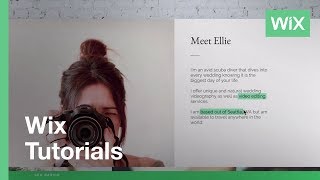
Hi, I'm Justin from the WIX Customer Solutions Team. In this video, we'll discuss search Engine Optimization. You've probably heard its more popular name SEO. In short, SEO is the process of improving your website's rankings in search engine results. Managing your site's SEO is one of the most important things you can do to promote it. And that's why when it comes to SEO, we've got you covered with industry leading features and capabilities that have helped countless WIX sites appear as top search results. In order to understand SEO, let's first take a look at how search engines work. There are over 130 trillion individual pages online today, and that number keeps growing. Search engines like Google Crawl and organize or index these trillions of pages. So when you type in a search, the search engine knows which websites are the most relevant for you. In this video, I'm going to share a few of our top tips to give your WIX website the best possible SEO. Search engines scan the content of websites to determine what the site is about, the same way that you might scan the pages of a newspaper. Looking at this newspaper, your eyes can immediately locate the title, the title of articles, the main idea of the articles, any images on the page, and the description below. The images. Just like certain keywords in a newspaper article will tell you what the story is about. Grand opening or upcoming election for example, you should use keywords in your website content that will tell search engines all about your site. You can determine these keywords by thinking what terms people would use to search for your website. And just as you won't find the same article twice in a single newspaper, it's really important that you regularly create new unique content on each of your site's pages. So if your services include video editing and you're based out of Seattle, then include those keywords in your website's content. We all want to rank high in search results, but always keep in mind that you are writing for humans. So be sure that you're writing high quality, interesting and original content that your readers will want to read. Each page on your site should have its own unique set of heading tags. Just like a headline on the front page of a newspaper, an H1 tag acts as the page headline and search engines will scan it to see what each page is about.
Inside the WIX editor, click Add from the left menu followed by text to see the different H tag options. You can drag and drop the relevant tag right onto your page. You can also easily click on an existing text element such as this title. Make sure to select it all and click Edit Text. Click the Themes drop down menu to see the available options. Notice that H1 through H6 are indicated here, and select the relevant heading tag for each heading on your page.
Now let's talk about meta tags. Meta tags refer to your site's title and description. They are the content that people see when your website appears in search engine results, and you can give each page on your website a title and description. For many visitors, these meta tags will be the first thing they read about your site, so fill them with relevant keywords. To add meta tags, click the Pages menu from the top bar of the editor and select a page. Click the Show More icon followed by Page SEO. First, go ahead and enter a title for your page. Include keywords like your business name and location. Next, you'll write a description for each page of your site. Here you can describe what visitors will see and read on your website. Use relevant keywords and phrases so search engines can index your pages correctly and show it to people searching for websites like yours. Write using vivid and engaging language. When people see your descriptions in search engine results, this description may convince them to click on your site. You can also click Preview on Google to see how it will look in search results. Keep in mind that it may take some time before your new page title and description appear in search results. Search engines have countless pages to scan and index, so be patient. When Google scans your site and encounters images, it's not able to see them the way that we do. Alt text is content that lets search engines understand what your images are showing. It's a great way for your images to help your website rank on search engines, and it's easy to add. Just like with meta tags. Alt text doesn't appear on your site, but it helps improve your website's SEO. To add Alt text, click an image, then click the Settings icon and briefly describe your image here. Add Alt text to any important images on your site, including gallery images. There are also a few quick additions that can help improve your website's search engine result rankings. Add a contact form to your site. Add your business contact information to your site's footer. This can include your email, phone number and address. Add Social Links to connect your site to all your social network accounts, check out our Social Bar feature in the editor to add these links in no time. And lastly, we suggest adding a blog to your site. It's a great way to generate fresh, high quality content on a regular basis. Before I let you go, I want you to keep in mind that it may take some time before you see your site appear in search results. Remember to periodically update your site using the tips we suggested in this video. Search engines love new content. To learn more about SEO or any other topic, please visit our help center@wix.com thanks for watching.