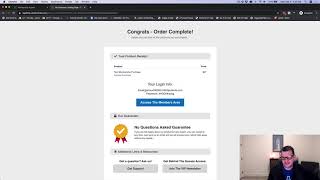
A short product demo showing the "Auto Member Create" add-on for membership areas. The presenter (Jaime Smith) demonstrates an order-form purchase and how the add-on automatically creates a member account on completion (email + password sent to the buyer) so they can immediately access protected content without manually creating a login; access remains protected for subsequent sessions or different devices.
Chapters
Hey there, in this video I want to do a quick demonstration of the auto member create, add on and what it does. And so here we have an order form and this works just as well with opt in forms. So if you want to do a free membership area or a paid membership area, this is going to work for you. And so the goal is you've got a members area, right? You want to give people access to that members area either through a purchase or through an opt in and get them into the members area. Now normally you'd have an order form like this and you collect the details and on the confirmation page you'd say okay, click the button to go here to get into the members area. And then they get to the members area and they'd get this form like oh, now I got to enter my email and create a password again. I just want the content. I just paid for this content. Can I not just get in? You've already got my email. Why do I have to put the email in again? Or they forget to do that and they just think, you know, they get to the confirmation page and they just think they should have access. I'll come back to it later. And then they don't know how to log in. They don't gotta get to the members area. It just makes it a mess. So what if you could go through and actually just do a purchase? So let's just do a test purchase here. I'm going to do 030924 tools.com so we're just going to go through and do a test purchase and we're going to fill out our order form here and we're going to click complete order. So now I'm going to go ahead and purchase this membership access and it's going to take me to a page where I can say, hey, congratulations, you've got the access and your login information is here. I've already created. Now we've got an account already. There's already a password, there's already the email to use to log in. I can click the button to get logged in. I can click my access purchase link to get logged in. I'm going to go ahead and click the access members area and I'm already logged into the members area. I don't have to create an account. Account has already been created for me and I've got it set up so that even when I go back to to my email, I now have an email that tells me that I what how to get logged in. I've got a link to the members area. I've got an email address. I've got a password. This is from a previous test so you might notice that the Dash 2 instead of the Dash 4. But this is how this works. They'll get it. You can send them an email when they purchase the product that says congratulations, you're in. Here's how to get logged in. That way that you don't have to rely on the person to create the their email address or anything or create their account or anything like that. And they've got an email to go back to that tells them exactly how to get logged in. So that's what the auto member create add on is all about. It lets you get immediately create automatically create access to your members area from an opt in form or from an order form so that your members can buy access and get access right away. And they're immediately into the content but you can still lock it down. So if they log out or if they come back with a different device they they'll still have to log in. So your content is still protected but your member doesn't have to spend the time to actually create their own account. So hopefully that's helpful and hopefully that makes sense and I would love to see you put this to good use.