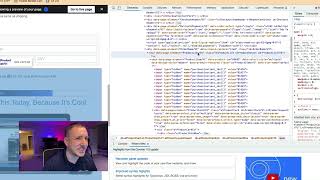
This short YouTube tutorial (by Jaime Smith) walks viewers through inspecting a webpage element to find a product ID. The speaker instructs to save and preview the page, right-click the relevant element and choose Inspect (Chrome), expand the DOM to find a node labeled product-item-v1, and read the data-product-id value (example shown: 69692). Viewers are told to record that product ID for the next step.
Questions this video answers
69692
Chapters
Okay, so we are getting there. We're getting almost there. So what you're going to do now that you have that checkbox element or you have that check element in there, that checkout is make sure to save the page, which I already did. And then we're going to preview the page using a little icon, the eyeball up there. So what we want to do is come in here. We just want to look at the page and see that, you know, know there's stuff there. Now, I've already got this set up, so, sorry, spoiler. But what I want you guys to do is come here. You will see this where it's got the check mark and then it's got the kind of the name or the little override here for the bump pre headline. All right, so what we're going to do is we're going to click on this and however you want to do that, we're going to. We're going to click Inspect. So right click Inspect. I am using Chrome right now. And then what we're going to do is I'm going to expand this a little bit here. And then what I want to do is come down here so you can see what, what's happening down here. Now I'm going to scroll up just a little bit. I want to see everything here and I want to see where it says. Hold on, there it is. See here where it says product item v1 and it says data dash product dash id. I want to see where it says 69692, because that's what I want right there. Okay, so what I would do if I were you is just kind of have a little notepad where you've got a little like a little notepad kind of like this, and just write that down. And then we're going to come back to this because you want to make. You're going to need that in the next step is you're going to need the product id. So just write your product ID down and I will see you guys in the next video. All right, Take care. Of.