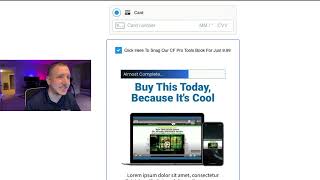
Step-by-step spoken tutorial demonstrating how to install and configure the "bump content 2.0" Add-On in CF Pro Tools. Key steps: open CF Pro Tools → Dashboard or Add Ons → Create New Add on → search for "bump content 2.0" (use the 2.0 version, not 1.0) → create the add-on and copy its code → paste the code into the site editor’s footer code (not header or CSS) → save and preview. The speaker shows switching between one-step and two-step checkout, advises styling the checkout and products, and gives setup caveats: mark the product as a bump in Manage Products and Settings, hide the bump headline so no extra title appears, leave the bump description blank and use the bump pre-headline, and that the system supports a single bump only.
Chapters
All right, one more step, and that is to create the Add on inside of CF Pro Tools. So go to your CF Pro Tools account and what we're going to do is we're going to come in here and go to Add Ons and then we're going to go click on my Add Ons. There's a couple different ways to do this, but you're going to click on Create New here or you can go to your believe. You can go to the Dashboard and that would bring you to this page. And then you can click on Create New Add on from there as well. So once you've done this, you're going to come over here and click on Search by Keyword and you're going to look for bump content 2.0. Okay, so do keep in mind there are two different versions of bump content. There's bump content 2.0 and there's bump Content. So do keep in mind bump content for 1.0 will work for 1.0. Don't use that one for 2.0 because it won't work. It will not get you to where you want to be. Alright, so use the bump content 2.0 add on here, the one that does not have a thumbnail, and give it a name. And there's no configuration. Literally all you have to do is click Create Add on and grab the code. So we're going to click Copy the code and then you're going to go back to your editor. So we're going to come back here and, and we're going to click on the code up here at the top of the screen. And then we're going to come down here to the footer code. Not the css, not the header. We're going to come down here to the footer code. Now I'm going to get rid of this one. That's actually on our staging server. We are live now. This is on the servers that you guys get to use every day. And we're going to add that in there and see if it works. So we should be good here. That's now in the system. And we're going to click Save. And then what we're going to do is hit the preview button and. And just make sure that everything is working as it should. Okay? Alright. So it looks like we are good to go. So this clicks. All of our content has been added in here. We can see the mediums, different size shirts, but all this information you can add into the products tab. And then down here you can see that my awesome t shirt has been added. It's 37 bucks and all that gets added down here. Of course all this can be stylized. Do take time to stylize your checkout and see how it works for you. Something I did want to try out here and I figured now is a good time. Let's go back and see if this works as a. Let's see if this works in the two step environment. So I'm just going to move that so I can see what I'm doing. We're going to go to the checkout here. Make sure to click on checkout up at the top and then go to two step checkout and then we're going to click Save. Then we're going to come over here to the. To the preview page. Now let's go see how that works. So it really easy just to go from a one step to a two step. Of course you're gonna put some information in here, whatever, some random place and click next. Here's how it looks with a two step. I actually really like that. That's really clean. Going from step one to step two and then you put in your credit card and check off that you want that. Of course I didn't stick a credit card in there. And I really like that. That looks really good. So go out there and do great things. Bump content for 2.0. Again this does. There's follow along with these directions. I tried to put in all the weird little quirks and things that I saw along the way while I was testing to make sure that you guys do those things as well. And you guys should be good. The one thing that I will point out real quick in the setup process do make sure. And I kind of breezed over it and that is that you have. Let's go to the. Let's go back to a one step and check out. I'm gonna go to the one. This is why I go into a one step because it's easier to edit right? And then make it a two step later. Check on the bump there and make sure to hide that bump headline. I must have said that at some point. So make sure to hide the bump headline so that it's not showing in there. Otherwise you're going to have an extra title in there. And the other thing was just real quick that sure you can save that. Do make sure that you have set in your manage products that this is set as a bump and in the settings that this is set as a bump. And then here this description should be completely blank. And then you can put something here in the bump pre headline. Okay, so those are my last remarks. Just make sure that you've checked all those little things off. And I think this is going to come together real well for you. Remember, it works with one bump, not multiple bumps. If you have any questions or run into any issues, do let us know and we will do our best to help you out in support. Okay, take care. Have a great one.