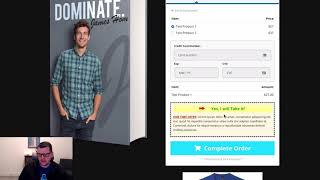
This content was created by Jaime Smith. This content was uploaded by Jaime Smith. This is a YouTube video titled "Bump Image :: Demo and Setup Guide :: CF Pro Tools" created on June 14, 2022. It features a demonstration of the bump image add-on for ClickFunnels, explaining how to enhance the appearance of a bump offer with an image.
Chapters
In this video I want to show you a quick demonstration of the bump image add on and exactly what it does. And so I've got just a regular two step order form here, just one of the templates that comes out of clickfunnels and I will notice on this page I'm on step two of my offer here. So I've got two step order form. I'm on step two and I've got my bump element here and I want to have a bump offer that somebody can choose and you know, I'd like to make it look a little bit fancier. So I've got this image right here that's going to be a my bump product. Cool looking, little CF Pro Tools T shirt kind of like this. But I would like to have this image show up inside of this bump offer to make it look a little bit better. In fact, I would like it to look a little something like this. That's exactly what the bump image add on does, is it lets you take an image that you would normally just insert anywhere on your page and highlight it. So and grab it with some code and have that code jam it right into the bump, the order bump element itself. So that is what the bump image add on does.