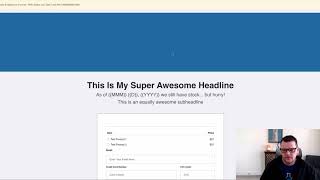
Short demo by Jaime Smith showing Date Replace Pro, an add-on that automatically replaces placeholders with the current date on web pages. The demo walks through examples (order form headline for urgency/scarcity and a copyright year) and shows hiding an element until replacement completes so live pages always display the current date without manual edits.
Chapters
I want to show you a quick demonstration of what the Date Replace Pro add on does and how you might use it. So we're on an order form here and one thing that is fairly common is we know that we want to put in urgency and scarcity into our offers. And we've got orders could be for registration forms, could be for order forms, could be for all kinds of pages. But one example is on an order form, you might want to say, hey, as of today, we still have stock, but you need to hurry. Okay, so this is a common headline, especially in E commerce. You'll notice this quite a bit. But the problem is if it just says as of today day, it's not really as urgent. But if you put in the actual date as of this day, you know, this month, this day, this year, we still have stock, then it makes it more concrete, more realistic, and people will think that, oh man, as of today, you know, in an actual date, that, you know, it's actually important. And so it makes it more real to people. So we want to show this, but we don't. We want that to change every day. And we don't have to go in every day and change our page and change the date. We want that to automatically happen. So what we can do, actually save this. And because I have the Date Replace Pro add on installed on this page, it automatically knows what today is and it automatically knows to replace these little placeholders with actual portions of the date. So if I do a preview on this page now, then we'll actually see, once the page loads that it's going to replace that with as of March 8, 2020, we still have stock, but hurry. And then the last little bit we'll do is we'll actually hide this element and we're going to go ahead and hide that so that we don't see it until it's been replaced with the current date. So now if we reload this page, we'll see that that headline is gone. And then once it places with the date, then the headline pops in. So that's what the Date Replace Pro does. It actually takes today's date and you can put little placeholders and different pieces of content throughout and it will actually replace that content and then it will display. You do the same thing. If you wanted to put a copyright notice down here at the bottom, you could put the year in and just put the year, and it's always going to be the current year. So just a couple of examples, and that's what dataplace Pro does. I hope you like it.