Demo of ClickFunnels PayPal and Credit Card Checkout
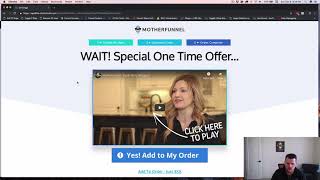
A short demo-style walkthrough by Jaime (Jamie) Smith showing a ClickFunnels add-on that enables both PayPal (Express Checkout v2, including PayPal Credit) and credit-card (Stripe) payments on the same order form. The video demonstrates product selection switching, bump products, one-step/two-step order forms, OTO flow, and how transactions appear in ClickFunnels stats.
Chapters
Hey there. I'm Jamie Smith, CF Pro Tools and I want to run through real quickly and do a demonstration of a new add on I created that allows you to run both PayPal and credit card transaction on the same order form. Now you can do PayPal or credit card with ClickFunnels. So you can run one or the other, but out of the box. ClickFunnels only supports credit card or PayPal, not both payment options. But this allows you, your customers to actually choose how they want to pay, whether they want to pay with credit card, whether they want to PayPal and run them through the direct integrations with ClickFunnels. And so I just want to run through, show you how that works and kind of talk through some of the things that make it cool. So we've got just a basic one step order form here. This is also going to work with a two step order form, but we'll just run through and do a quick demo here. And so we've got just basic order form and then on this we actually have our product selector and then we have the instead of seeing a credit card element here where you just fill in your credit card information, the customer gets to choose do they want to pay with PayPal or do they want to pay with credit card. The cool thing about this is you can actually reorganize these. You could put the pay with credit card first and that would be the default if you wanted to default to them. Selecting and pay with credit card and have PayPal as an option, you do that. But on this one I've got set up so the PayPal is default and then if they want to pay with credit card, then they can choose that and then they get the credit card form to fill that out. What you'll also notice is that when I change this, I've purposely named these products with PayPal and Stripe in the name. So, so you see that when you change which payment method you're using, it actually changes the products that are selected on the page. So we'll see down, if you take a look at the order summary element down here, it currently includes a testing PayPal product and if I choose Pay with credit card, it now includes a testing stripe product. It also works with bump products. So if I check the bump here, we'll see I get a stripe bump product because I've got credit card selected and if I select pay with paypal then now I have testing paypal product and a paypal bump product. So this works with regular products. Bump products work with a One step order form, two step order form and then let's just run through and show you the interaction with how it works with PayPal. This uses the direct PayPal integration v2, which is the express checkout version of PayPal, which is really, really cool. And that comes straight from clickfunnels. And I've just modified it so that you can combine the two on the same form. So just fill this out real quick. So I like to put in the date here. So it is actually the 9th of December. So 9, 18, 3. We're going to make this unique. So this is kind of. I've been running through this a few times today and we'll just fill in some dummy information here and let's just put in a zip code in United States. And so now we're ready to actually check out with PayPal. The other cool thing about this is the default integration of ClickFunnels. If you use PayPal as your payment mechanism, it just replaces your buy button with the PayPal button. What I want to do is actually have this buy button because there's some marketing power here because you can put some more marketing message on the actual buy button. It is a big converting factor for your customers. And you also get the nice subtext, if you want to have subtext below here so you can kind of again confirm with people what it is they're purchasing. You know, hey, I understand, you know, unlock this deal now for $37 a month sort of thing so that you can kind of reinforce what it is they're buying. So there's some but importance to this button. So this is why I built this thing out this way. But we filled in our form. We've selected I want to pay PayPal. We've got our bump, we've got our order summary. And now when they click Buy now, then they're going to get, okay, do you want PayPal or PayPal credit again? That's one of the cool features is you can actually highlight. This is completely customizable how you want this to look and feel as well as with the credit card, it's customizable the way it looks and feels. So you can. One thing that's cool about that is you can actually say, hey, choose PayPal credit take up to six months to pay. So if you've got a high ticket product, a $997 product or a $29.97 product or a 297 product, you can say, hey, you know, take up to six months to pay. By choosing Paypal Credit. You get your money as the, as the seller. You get your money right away from PayPal and they collect that money over a period of time from the customer and they take care of all of that piece of it. So you get paid right away and your customer gets the better option to actually pay over time. And that can help you increase your conversion rate. So that's a pretty cool feature. And you can actually put in the text here to kind of highlight that and customize that and let you remind your customers that they have that option. So, pretty cool feature. And so we can do the buy now again, PayPal comes up. You can choose PayPal or PayPal Credit. And, and when you do that and you click PayPal, then what happens is you actually get this little pop up. Sorry, I have three monitors going on here. So it popped up on my, on the wrong monitor. But you get a little PayPal login form here. And notice that the page is still behind with this new Express checkout. They don't go off to PayPal and get lost. And like, oh, yeah, you know what, forget about that. I don't want to do it. And then they never come back to find your page. You actually, they ever actually never leave your page, your sales page. So if they click here and click off of it, then PayPal lets them know, hey, you know, if you don't see the browser, click here to continue. And then when they do, it comes right back. If they close this out, they're right back on your page. So they never leave the sales page if they're not ready to go, if they cancel the transaction or whatever, they're still on your sales page. So you still get that customer. So that is, that's pretty good. So we click this again, we get the little pop up and then it's going to let us log in. So I'll take just a second to spin. It's a little slower in the sandbox. I've got it set up with the PayPal sandbox. It's a little slower than normal. Usually it's really, really quick. And they get the option to log in. So it's going to come up and it's going to ask me for my PayPal email address. This is my sandbox PayPal email address. So I can click next and then I put in my password and it's going to take me right in. And then once it does that, it's going to again tell me what it is. I'm buying. Take me. Just say, here we go. So it's going to tell you what you're buying right there. You can see that, what you're spending and then let you choose how do you want to pay for it. Do you want to PayPal balance your bank account, your credit card information, whatever. And then all they have to do is choose that and click Pay now. And then from there it's going to actually process that order and then it takes them back to the order form and it submits that. And now that transaction has been completed, now they have made the purchase and they paid through PayPal. That's going to go directly in your ClickFunnels account. The stats are going to be there, just like direct integration. So it's super cool that way. It all goes through clickfunnels and you see the stats, you see the sales. It's not like the old third party integration where you don't actually get to see the statistics on this. You get to see the stats, your conversion rates, how much was spent and paid and all that stuff. All your integrations, your product integrations work just like they would selling directly with Just PayPal and ClickFunnels. And so now we're on an OTO page and again you get your, this is what you're used to with your OTO pages. All the kind of high converting factors of, you know, buttons and animations and text based links and your no thanks links and all that stuff. These are the things that work well for you. But again, we've paid with PayPal, so we want them to pay with PayPal again. So in this scenario they can click the yes, add to my order and again they get the PayPal button. And now we can click PayPal and it's going to come back up, same thing. And let me grab this dragon onto the right monitor here. And so now we get this, we get the again, we're already logged in at this point since we just made a transaction. So now it's going to say, hey, here's what you're buying. How do you want to pay for it? And all I have to do is click Pay now and it's going to run through and it's going to process my transaction just like you normally see on an oto. And now I'm on my order confirmation page and what I've got purchased and is my test PayPal product, my bump product and my OTO product all processed through PayPal. So that is pretty slick. And so let's close this out and let's run through this again. I'm actually open this up in a new window and let's run through it as a credit card so you can kind of see how that works as well. So we go back in, we're going to fill out this thing again and we're going to fill this out and we're going to say 12, 19, 4, this time for another unique email address. And then we can fill in an address. And there we go. And now instead of saying pay with PayPal, we're going to pay with credit card. And so I can just grab my test credit card number. I'm just going to grab it. It's in test mode at Stripe. So I'm going to just copy this number and I'm going to go down here and I'm going to paste that in. I'm going to paste. Put in just my fake CVC code and put a date in the future. And then again, I can check my bump if I want to. I don't have to, but I can. And then I'll click Buy now. And now it's going to submit my order just like it normally would with clickfunnels. And so I can, you know, we just run through and it processes like normal. We run through here, we've got the submitting and then we go to the OTO page and then we're all good. And then all we have to do is actually again on this one, just like you would normally see, if I click yes, add to my order, then it runs through and it processes just like normal using a credit card payment, the credit card information. And now I've got my Stripe product purchase, my Bump product purchase and my Stripe OTO product. So now I've run both two different transactions. I've run it through PayPal, I run it through credit card. I have both options on that order form and then my OTO pages just pick up and run from there. So hopefully this makes sense and you can see how much, how cool of an option this is going to be for your customers and how much this might actually increase your conversion rate by allowing the customers to actually pick and choose and then also being able to say, hey, you can pay with PayPal or you can take six months to pay using PayPal credit. So it's pretty cool option to have right on the order form. And I hope that makes sense. And I will take care. I will talk to you soon. Take care.










