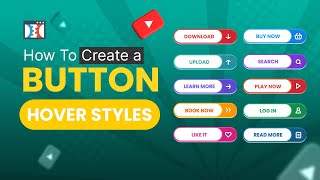
A short YouTube tutorial (created and uploaded by Jaime Smith on April 11, 2024) demonstrating how to edit button states in ClickFunnels 2.0. The presenter shows default, hover, and pressed states, explains that only background color and text color can be changed between states (fonts, size, weight remain the same), mentions gradients as an available option and notes this as an upgrade from ClickFunnels Classic, and finishes with standard YouTube CTAs.
Chapters
Hey, did you know that you can kind of edit different states for your buttons inside of ClickFunnels 2.0? So check this out. I thought this was kind of cool. So you can actually go into your button settings button states right here. So you've got your default state, you've got your hover state, and you have your pressed state. So if you want it to look a little bit different as you move through the. The different stages is somebody would be scrolling down the page and they're like, oh, look at this. I can hover over it. I see the button now. I'm hovering over it, trying to make that next decision. Do I want to click on it? It now changes so that they can see it's clickable. It's hovering over that thing. I know it's weird, but psychologically it will make people press. And then when you actually click on it, it'll actually change again to whatever. It doesn't have to be a gradient, but you can do gradients on buttons and in ClickFunnels 2.0, that's an upgrade from ClickFunnels Classic. One of the upgrades that I really love about ClickFunnels 2.0, and it looks really cool. Let's. So you can change that. The only things that you can change in the button states, by the way, are the background color and the text color. You will not be able to change, like the primary text style, this, like the button font, the weight, the size. All this will be the same for your default, your hover, and your pressed state. So let's look at what it would look like on the actual page. So if I hover over it. So we have our default look. If you hover over it. I've actually just made this one a slightly lighter color. And then if you click on it, you can actually see it changing. And that was it. So hopefully you guys like this. I know it was pretty basic, pretty simple, but it can be very effective for you when it comes to building your funnels. Okay. If you have any questions, leave them down in the comments. I'll leave any applicable links down in the description for you. If you have any questions, leave them down in the comments below. Don't forget to hit that like and subscribe button. I'll see you guys in another video.