A short demo video (by Jaime Smith) showing the "disable states" add-on for CF Pro Tools. The add-on works with a state/province selector on an order form to prevent customers selecting states where shipping is not allowed (examples shown: Alaska, Hawaii, Indiana). The speaker explains configuration is done in the CF Pro Tools settings and the provided code is copied into the order form; the country selector is set to USA-only in the demo.
Chapters
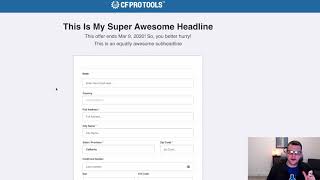
In this video I want to show you a quick demonstration of an add on called disable states. And this works in combination with the state selector or state province selector add on so that you can actually have if you've got certain states that you can't send your product to or that you don't want to send your product to, say you don't want to charge to send it to Hawaii or Alaska, or say you're selling like a CBD oil or something like that that can't be shipped to certain states, or selling alcohol or something like that that can't be shipped to, then you can actually use this add on to disable some of those states from the state selector dropdown so that they don't. So the customer can't select those and give them a little message to let them know in the drop down that your product is not available in that state. So we've got an order form here, just a basic order form and we've got the country selector set to USA only shipping and we've got the state prominence selector added on installed here. So we want to set this up so that it's only available to send inside the United States and we've got a state province selector and if we drop that down and take a look, you'll notice that we have Alaska and it's flagged as not available and we can't click on that to select that state. Same with Hawaii and same with Indiana. So we've set those up, we've configured those states so that they're not available and that they can't be selected from this dropdown and they're automatically disabled there. And so that's how this add on works. That's the disable states add on. You can configure which states you don't want to have be available and you do that inside of the CF Pro Tools configuration and then you just simply copy and paste the code, drop it into your order form and it will disable those states. Hopefully you find this useful and we'll see you on the next one.