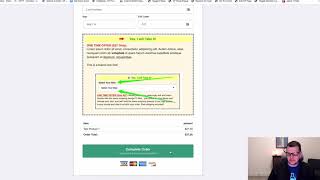
A short demo/install guide (YouTube video) showing how to use the FB Fire event add-on to fire Facebook Pixel events from page element interactions. The speaker demonstrates configuring a button to send a Purchase event with value US$12 and explains that the add-on can trigger any Facebook standard Pixel event (e.g., addtocart, initiate_checkout) and pass value and currency when supported.
Chapters
Hey there. In this video I want to do a quick demonstration of how to use the FBFIRE event add on and what it is, what it does. And so what this does is it's intended to allow you to actually fire a Facebook Pixel event based on the click of an element on a page. So for example, say on this button I want to fire a Facebook purchase event and pass across US$12 as the purchase value. I can do that pretty easily. I go to set up my button and I pass a name and an amount and a currency and that I want to fire a purchase. And so the instructions go through exactly how to set that all up. But that's what I want to happen. I want to pass over a purchase event with US$12 as the currency. And so I've got the Facebook the, the FB fireband add on installed on this page. And so I, if I go and preview this page and I've got my little Pixel Helper installed here on this page. I've got my Facebook Pixel already installed on the page. We can see right off that we've got three events that have fired microdata automatically detected. Okay, that's great. Page view and View content. Okay, but now I want to. And I've got this button disabled as submit right now just for this testing. But if I were to click on this button and then I go back and look at my Pixel Helper now we can see there's actually been a purchase fired and the purchase has a value of $12 in US dollar currency. So you can use this with any of the standard Facebook Pixel events. Initiate checkout, add to cart, subscribe. You know, there's all kinds. There's like 18 different Facebook standard Pixel events. If you just do a Google search on Facebook standard events, then you'll find all the documentation on that. So you can fire any of those and for those ones that accept values like this, a dollar value and a currency, then you can pass that in as well. You don't have to. A lot of them don't, don't allow that sort of thing. But the ones that do, you can pass that in as well. So that's what the FB Fire event does. It's really most useful and most often going to be used when you want to actually fire like an initiate checkout for an add to cart. When somebody is on a sales page and they want to click a button to go to an order form, you might want to fire an add to cart event. You might want to fire and excuse me, an initiate checkout event. And so that's what the add on does. And hopefully you find it useful and put it to good use. It.