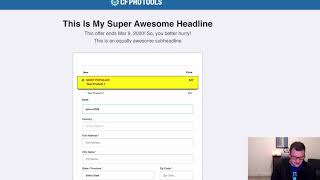
This YouTube demo (by Jaime Smith) shows the FB Total Track add-on for ClickFunnels: it installs on the order confirmation page and fires a single Facebook purchase pixel that sums all purchases across the funnel and sends one total value (with currency) to Facebook. The video walks through placing a test order (using a test card and unique email), shows line items (Test Product 1 and Kona Shipping), and verifies via the Facebook Pixel Helper that a single Purchase event was sent with the dynamic total of $31.95 USD.
Questions this video answers
$31.95 USD
Test Product 1 — $27.00; Kona Shipping — $4.95
Chapters
In this video, I want to show you a quick demonstration of the FB Total Track add on, exactly what it does. And the purpose of it is to fire a Facebook purchase pixel from your order confirmation page. So it fires one purchase event when the customer goes all the way through your funnel and lands on the order confirmation page. And what it does is it actually totals up all the purchases on the order confirmation page and sends a single value with the entire purchase funnels. And so this is great if you've got an order form plus OTO pages and then they'll land on the order confirmation page, we'll total everything up, send it off to Facebook as a single purchase. So let's walk through real quick and show you how this works. And so we're just going to go in and we're going to place a test order here. I'm going to go ahead and copy this test credit card number. So I'm going to highlight that and I'm going to copy it. And we're going to pick this product here, Test Product one. And I'm going to put in a. I like to test with the unique email address because order confirmation pages with clickfunnels will show you all of your purchases for the same email address in the same funnel. So sometimes it looks a little weird if you've done multiple tests. So I always use a unique email address and I do that by entering in the date and then I put a dash, you know, whatever test number. So in this time, this case is the third time going through this funnel today. So I'm going to go ahead and put-3 and then that's your pro tools.com and then I'm going to put in, just, just put in an address here and I'm going to paste in my credit card number. And this phone is in test mode, so then I can just put in 0, 1, 2, 3 and then 1, 2, 3 for the CVC code. And this number here is the number that's up top is just the test credit card number. And then we'll notice that I have, right here I have Test Product 1 and Kona Shipping. So I have an order total of 3195. So I'm going to click Complete order now and it's going to go through and process my order. And I don't have any OTOs set up, but if I had OTOs, I could go through there and make additional purchases. But what we notice is we have a total here with two products on the order form or I'm sorry. On the order confirmation page, we have test product one for $27 and our Kona shipping at 495. And if we look in our little pixel helper here, we can click and open that up and it will show us that we've got a few pixels that have fired here. We've got a page event and a view content or a page view event, a view cont content of it and then a purchase. And then this purchase is the one that the FB total track add on has created and fired. And we'll notice that the value here is 31.95. So it's dynamically calculated the total of these two products up into $31.95 in US dollars and it sent those all across to Facebook. If we had other products, it would total those up as well and come up with a single dynamic value based on everything that was purchased. So the total of all of these added up and it would set our currency and it sen over with the total value to Facebook. So that is the purpose of FBTOTALTrack. It installs on your order confirmation page and it gives a single purchase for all the total value of all purchases throughout the entire funnel and sends them off as one purchase event. So hopefully you like it and hopefully you put it to good use.