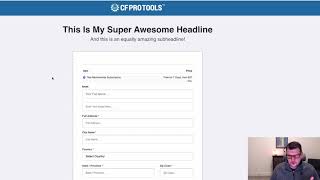
A demo video by Jaime Smith showing the Funnel Total Tracker add-on (CF Pro Tools). The add-on sends Facebook Pixel purchase events for the purchase total made on the previous funnel step so each funnel conversion (order form, OTO(s)) fires its own purchase event. The demo walks through placing a test order and uses the Pixel Helper to verify two purchase events were fired (values shown: $7 and $47), and explains that firing multiple purchases per customer can raise reported conversion rates in Facebook while helping Facebook optimize for customers who convert multiple times.
Chapters
In this video, I want to do a quick demonstration of the funnel total tracker add on and exactly what that does. Now, the purpose of this add on is to actually, as you might guess, track totals throughout your funnel and actually fire Facebook Pixel purchase events off to Facebook and let them know what the value was that was purchased on the previous step. So if I buy something on an order form and then I go to the next step in my funnel, which will be an OTO page, then on that OTO page, when I land there and the page loads, I want to tell Facebook that, hey, something was purchased by this customer on the previous step and what that total was. So whatever they purchased, if they bought, you know, a core product plus a bump or whatever, I want to fire the Pixel off for that total value from the previous step. And then if they buy something on the OTO page, when they land on the next page, I want to send the Facebook Pixel again with another purchase for the, for what they purchased on the previous step. So just from that oto, not the total of the order form and the oto. So it kind of fires a Facebook Pixel purchase event for each step in the process. Now, the benefit of that is that you get to see that the customer is converting multiple times, right? So that actually helps Facebook to actually auto optimize for traffic that's going to convert multiple times on your funnel. Now, it does throw a little bit of a monkey wrench in for some people that use Facebook as their data tool. Right. And that's not always a good ideal. You might, you need to actually be collecting your data from different places and, and use an outside source to kind of analyze that data and what it means. But if you're looking at Facebook to give you your conversion rate, then your conversion rate is actually going to be higher because you're going to fire a purchase at each step of your funnel. Facebook doesn't understand the concept of funnels or the same customer maybe converts multiple times in the same processing in the same order transaction. So they expect that there's going to be one purchase per customer. But in reality, in this one, when you're working with funnels, the goal is to get somebody to purchase from you multiple times in the same buying session. And so that throws their numbers off a little bit. When somebody buys on your order form, that's one purchase. When they buy on the OTO page, that's another purchase. When they buy on another OTO page, that's another purchase. So now you can have a 300% conversion rate on that one customer. So if you're looking at your conversion rate and saying, what the heck, how am I getting a 300% conversion rate? That's why. And that, so you may not trust that number in Facebook, but otherwise it's a huge benefit to tell them that this customer converted three times because now they'll go out and look for more people like that and they'll send them to you because at the end of the day, Facebook, Facebook wants you to have more customers because they optimize that traffic. They want you to keep spending money with them. So we're going to help them do that. And so let's just walk through and show you how this actually works. And so we've got a product here, we've got an order form. We're going to go ahead and fill this out. We're just going to put in name, we're going to put an email address. I'm going to say, oh, 3, 10, 22. That's how I do my testing. So that I have unique email addresses. I'm just going to put in 123 United States, ID 83616. And then we're going to put in a test credit card number. We can grab that up top here. I'm just going to double click and copy that. And then we're going to paste that in. And we're going to paste that in and we're going to type that out. And then we're just going to put in testing, testing. And now you'll see on this one we actually have this is our A page that has our force product add ons on it. Force products add on. So we've got a free trial, seven days free trial and then it goes to 37amonth. But today we're only collecting the one time fee, the $7. So we've got a purchase of $7. And then the order summary add on here is actually totaling up what we're buying today. So whatever that total is down here, that's what's going to get sent to Facebook on the next page. So we would expect to see a Facebook purchase pixel fire for $7. So let's go ahead and complete this order and let's see what we get. Okay, and we've got the page up and we've got the Pixel Helper now going. And if we take a look at the Pixel Helper we can see that we've got a purchase event fired. So we got a page view of view content and a purchase event. And if we expand this down we can see the purchase event was set for $7 in US dollars and that's what we want to see. So now let's click our buy button and if we click our buy button, then it should buy this OTO page or buy this OTO product. And now if I go through and click on my Pixel Helper, now we can see here again, we've got a purchase event set and we've got a total here of $7 plus $47. And let's go ahead and click Purchase on this one. And we see with this one we've got a value set for $47 because the $47 was what was purchased on the previous page. And so that's the purchase that we're going to fire off. We already set a purchase for the $7. Now we're setting a purchase for the $47. So we've got this all working through. We fired two purchase pixels because we purchased two times and we sent the value for what we purchased on the previous step over to Facebook and we've got that working. So that's what the Funnel Total Tracker add on does. And I hope you like it and I hope you put it to good use.