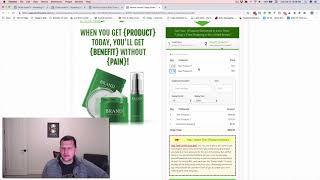
Jamie Smith demonstrates how to add shipping products to ClickFunnels physical-order pages using CF Pro Tools so cart-mode quantity-selection and order-summary display work alongside separate domestic and international shipping charges. The video shows selecting United States yields a domestic shipping charge while selecting Canada switches to an international shipping charge (example shown: $19.95), and lists the CF Pro Tools add-ons used (CF Cart Mode, CF Order Summary, CF International Forced Products).
Questions this video answers
Jamie (Jaime) Smith
CF Cart Mode; CF Order Summary; CF International Forced Products
$19.95
Chapters
Hey there, I'm Jamie Smith and I wanted to run through and show you a quick demonstration of how you can add shipping products to physical orders within Click Funnels pages and do it so that it works with the CF Pro Tools cart mode to allow customers to select multiple quantities of different products on multiple quantities on the same order form as well as works with both domestic and international shipping charges. So if you wanted to charge a different charge for United States shipping than you would for United Kingdom shipping, then you can do that with this with, with a little bit of custom code here that I'm going to show you. And it's actually called the CF International Forest Products Add on available from CF Pro Tools. So I've got just a basic order form here using one of the Click Funnels templates we can see I've filled this out and I've got my name, email address and all that and I've selected United States is where this is going to be shipped to. So now if we just click the special offer button here to go to the next step on the order form, I'll kind of show you, show you what we've got going on here. So on this step of the order form you can see right away we've got a domest shipping charge added to the order. And these, this has a few pieces of custom code on the order form and that is 1 is the CF order summary that gives us the ability to have this quantity as well as order totals. So the quantity is put in by the CF cart mode which gives us these nice little drop downs for quantity. And then order summary allows us to actually show how many of those were added to the order. And then it also shows us this, it adds up the nice total. So we go cart mode and we can select multiples of these products and we can say we want two of these and one of these. So we can add each of these products to the order versus having to select just one of one or the other. And then also it adds our domestic shipping charge and we'll notice that that's not anything that needs to be selected, it's just automatically added to the order and we get a nice order total here. And what's really cool is it's domestic shipping because we selected United States and that's what I configured as my domestic shipping country. If I go back and I look at my shipping details and say I change this now to Canada and then I step forward now, we'll see that I get my same two products are there, but I get an international shipping charge, which is $19.95. So previously I was $100.95. Now I'm $110.95. So this allows you to cover that extra cost for international shipping by charging a different shipping charge. And so this is set up as a separate product inside Click Funnels. And then we've got Cart Mode and Order Summary and the CF International Forced Products add ons going on here. This gives us the ability to have this type of an order system inside of your clickfunnels pages with just, you know, basically some copy and paste code that you drop into your order forms. So if you're looking to do something like this on your order forms, make sure and click the link down below and go check out CF Pro Tools. You can grab a copy of all these add ons inside of the CF Pro Tools library. Again, you've got CF Cart Mode, you've got CF Order Summary, and you've got CF International Forced Products to make this happen. And I think it's pretty slick. I hope you like it and I'll talk to you real soon.