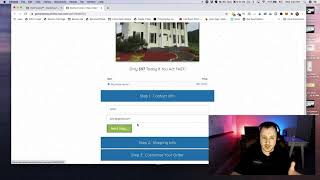
Matt from CF Pro Tools gives a short demo explaining how to set up and configure a three-step order form add-on in ClickFunnels to reduce cart abandonment by breaking checkout into smaller commitments. He narrates the three UI steps (step 1: name/email; step 2: more info; step 3: final order and extras), notes that button text is customizable and that a credit-card field should be added, and closes by promising a follow-up video with setup details. The tone is informal and instructional, with a brief personal anecdote about his old house.
Chapters
Foreign. Hey, what's up, everybody? Matt here with CF Pro Tools and I'm going to show you in this video how to set up and configure the three step order form add on. Okay, so this is really quick, really easy, and it's going to have a real cool on basically decreasing your cart abandonment rate hopefully, if this is done right. And it looks cool too as well. Here you can see it's kind of got a real clean order form process. And I'm going to walk you through that, how this works. I think that you guys are really going to enjoy this. So basically what happens is you're taking the order form process, breaking it into three pieces. That way there's a little bit more commitment and consistency coming from the customer as they're going through the process of putting it in order. So there's step one, real small commitment. What's your name? You go John. Email johnmail.com and then they click on next step. It goes here, Bam, put in. Looks like there's some information already there. And then they fill that in. That's the next step of that commitment. And then they're going to click on next step again and it's going to open up the third segment here where they can add more stuff. So if you want a big white house and a jacuzzi hot tub. Actually, it's actually my old house, North Carolina. Just a little bit of trivia. We've since sold the house, so I don't live there anymore. But it's really cool. And that's, that's really it. You can actually do. You can make these buttons say whatever you want. This should say order or submit order or something. Probably not next step. But that would be a real simple, easy verbiage to put in there. And people are gonna be like, yeah, I want to go to the next step. And then it puts the order in. So that's pretty much it. I did. I do see one thing that I probably should have put in here, and that's the credit card field. So if you're building this and as I'm showing you guys how to configure this, I will put that in here so that you guys can see how that would work. So that's how it would work. And I will see you guys in another video real quick and show you guys exactly how to set this up properly, okay?