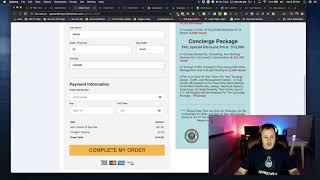
A short tutorial/demo by Jaime Smith showing how to use the CF International Forced Products add-on to automatically add one or more products (e.g., international shipping fee, international setup fee, or domestic shipping) to an e‑commerce cart based on a country selector. The speaker demonstrates: marking the United States and Canada as domestic (so only domestic shipping is added), and forcing international fees for other countries (Ireland, Andorra, Antarctica examples); using the add-on with CF cart mode so radio buttons become quantity selectors; and that the add-on can also add setup fees or extra charges. The speaker promises a follow-up video with step‑by‑step setup instructions.
Chapters
Foreign what is up everybody? I'm going to show you guys in this video how to use the CF International forced products add on. Okay? And you guys are going to see how to use an add on that allows you to force products more than one in some cases into a, into a cart so that you guys can have domestic shipping charges or enter. It's best used for domestic shipping charges and international shipping charges. If you want to use it also to put like additional setup fees or something into it, you can do that as well. So what you'll see is there's a country selector in every cart or there should be. And like if I choose an international, you'll see that I've got it set up to force two products into the cart, one being international, one being international setup fee. If I just want to have the international shipping, I can do that. And then when I select I can actually set my domestic countries. I'll show you how to do that. I've set the United States and Canada as my domestic country. So with the United States I've set it to only add domestic shipping. And if I choose where to go, if I choose Canada, it'll also do domestic shipping only. But if I choose any country outside of these two options like Andorra, I don't even know what that is or where it is, but it's going to add an international shipping and an international setup fee. Alright? And these are just examples, you don't have to have both of these in there. But this is just an example of how this add on might work and in a situation in which you might be able to use it, this is good for physical products shipping these if you have an E comm setup. Something else that you can do and I'll show this real quick is you can use this and with CF cart mode where you can't do this with other add ons. So I'm going to throw the, I'll show you guys all how to do this inside of the setup but we're going to throw a cart mode in here right in between International Forest products and order summary and then we're going to go back save this and I'll show you exactly how this works with with that. Okay, let's hit the preview. Hopefully it's had enough time to to work and turn those, turn those radio buttons into quantity selectors. Okay, so you can see that this is now a quantity selector. I'm going to select three down here. You'll see that I've got three as the quantity and the main product ship $291 worth of those three. And then if I select a different country, we'll use Ireland. It actually throws the international shipping over here. And then if I go back to Canada, it'll put my domestic shipping back on there. If I go to United States, it'll leave the domestic on there. And again, Antarctica, if you happen to be sending something to Antarctica, it'll add in those international fees. Okay, that's all. I'm going to show you guys exactly how to set this all up inside of the next couple videos. I'll see you guys over there. And can't wait to help you guys get this going. Okay. This is a really awesome add on.