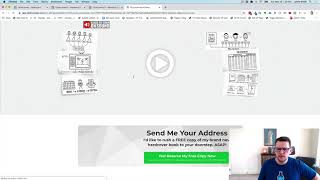
A short tutorial/demo by Jaime Smith (CF Pro Tools) showing the "International Shipping" add-on for a funnel platform. The video demonstrates a test "free plus shipping" book offer where selecting United States shows a domestic shipping charge ($9.95) while selecting United Kingdom shows an international shipping charge ($19.95). The speaker explains that you must have both the International Shipping and Order Summary add-ons installed, and that you can mark one or multiple countries as domestic (e.g., US, Canada) with all others treated as international.
Questions this video answers
$9.95
$19.95
July 5, 2022
Jaime Smith
Chapters
Hey there. In this video I want to show you a quick demonstration of an add on called international shipping. And what this allows you to do is do just that. Allow you to add a shipping charge to your orders based on whether it's a domestic or an international order. And so if you're in the United States and you want to ship your product out of the United States and you know it's coming from a fulfillment center something in the United States and so it's cheaper to ship it domestically to orders to addresses within the US Then you could charge one price and say if you want to ship internationally and you want to ship it to Europe or Asia or Africa or whatever, and obviously it costs more to ship internationally and you so you want to be able to add a little bit of additional shipping charge for those international orders. So I've got a quick demo funnel here, I've got a test funnel set up and we'll just call this one a free plus shipping book offer. But what I want to do is charge a different shipping rate for domestic orders than I do for international orders. So if we click the little yes reserve my copy button here, it's going to open up our order form on the pop up page. Now I just happen to be in step two already. I've toggled over step two. In fact, let's just refresh this page and show you how this works from from the start. So let's go ahead and click our button again. It's going to pop up. It pops up our order form inside the pop up and then if I put in and select United States as my country, I've just got some basic test data here and I click go to step two then we can see what happens is my book is selected my awesome book and the price is free plus shipping. And then inside of order summary we can see that we have my awesome book is listed as free and then domestic shipping charges added for $9.95. Now the way that this works is we've got a couple of add ons installed on this page. One is the international shipping and two is the order summary. So you want to have both of those installed in order to get this functionality to work and have your order summary show up like this. But the one we're focused on right now is the international shipping. So we can see we selected United States and I have United States configured as my domestic country and so everything else will be considered international. But because I select the United States as my country then it's going to show $9.95 as shipping. But if I go back and I edit my shipping details actually, well, let's see. That's not working for some reason. That's a clickfunnels issue so I have to check that out. But if we go in here and we click to open this up and now let's say I select United Kingdom as my country and click go to step two now we can see that we've got the same My awesome book is selected same free plus shipping, same line item for my awesome book and it's listed as free. But now my international shipping is what's added and it's shown is $19.95. So that's what the international shipping add on does is it allows you to say hey, I want to add this product or this shipping charge to my order if this order is selected as a domestic order and I want to add this other shipping charge if it's listed as an international and you can configure it could be multiple countries that are listed as domestic. Say you wanted to ship, the price would be the same for US and Canada but different for all the other countries or U.S. canada and Mexico is the same but all other countries are international. Or say you're in Europe and you want you know and or you're in the UK and you want UK to be domestic and all other countries to be international. You could so the add on allows you to configure all that and that's what the international shipping add on does. So make sure and watch your instructions down below and see how to get an install for yourself. I hope you like it and I hope you put it to good use.