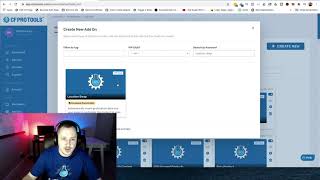
This is a short CF Pro Tools demo (video) where Matt (support) shows how to install and use the Location Swap add-on to dynamically replace text on landing pages with the visitor's location for more targeted messaging. He demonstrates: creating the add-on in CF Pro Tools, copying the generated JavaScript, pasting it into a page's tracking footer, using double-curly-brace tokens (e.g., {{city}}, {{state}}) in page text, and setting the page element's CSS title to "cf-location-swap" so the swap works. He also lists available tokens (countrycode, countryname, state, city, zip/postal_code, latitude, longitude, IP address) and notes that city-level accuracy can vary.
Questions this video answers
cf-location-swap
Page Settings → Tracking → Footer code (footer).
Double curly braces, e.g., {{city}} or {{state}}.
country_code, country_name, state, city, zip/postal_code, latitude, longitude, IP address.
Chapters
Foreign. Hey, what's up everybody? It's Matt here with CF Pro Tools support. And in this video I'm going to show you how to use the location swap add on, which allows you to swap out a little bit of code for the actual location that maybe your customer is in. So if you want to be a little bit more streamlined or targeted about your ads or your landing pages, you can actually make one landing page instead of like 2020 and have each one of them with a little bit of code, have it kind of reach out to the person. So maybe you're targeting somebody in a particular state or somebody in a particular city. It'll actually say, hey, discover the number one trick for doubled conversions in Meridian or Eagle or Kalamazoo or wherever, right? And in these scenarios, that's going to help you guys reach out to your, your market in a little bit more of a targeted manner. So they're like, yeah, this guy's talking to me, right? And so that's how it would look. And here's a couple different things that you can actually swap out. So you got your country code, country name, state city, zip code or postal code. Latitude, longitude. If you guys are getting that, you guys might creep somebody out. If you guys are using this, they'll be like, what? How does this guy know that I live right here at this exact latitude and longitude and the IP address depending on your situation. So let me show you real quick how this works. This is a really easy add on to set up. Okay, so the first thing you're going to want to do, let me pull this on over so you guys can see it and that is this. What we're going to do is quick create. If you guys are in your CF Pro Tools account, just click on add ons or click Create new and search out location swap and we're going to click on that. And this is probably where you're watching this video. I'm not going to make three videos. I'm just going to make one quick one because it's really not too hard. And I'm going to call it, just call it whatever you want live. And there's no configuration for this, guys. It's really easy. Just give it a name, click Add on or Create add on button down here. You can create this once and use it on all of your ad, all of your pages where you want to do something like this. Okay, so once you've done that, it'll create a little bit of code for you. Click the copy code. And all we're going to do is pop on back over here and you're going to put it into your settings on your page and go to tracking. Tracking code. Go to your footer code. Actually apparently works in the header code because apparently that's where I accidentally put the other one. I'm going to take that out just so that we're, we're not giving you guys any bad habits. Normally it always goes in the footer code. So that's where we're gonna put it. And that's the new code that I just created. And hit the X and then we're just gonna hit save for right now. Now there's a little bit of on page configuration that you guys are gonna have to go through and that is this little bit of code. So if you guys are like, hey, discover the number one trick for doubled conversions in or whatever it is, you would have to do the double curly braces and then type in whatever it is. So if it's the city, you would type in city. If it's the state, you just type in state or whatever it is. Right. So that is how that works. And these are your different options. I'll leave that up for a second here. So you've got the double curly braces. Country underscore code. Country underscore name. If you want to like say the U.S. i don't know what it said. I forget what I said. Might have said United States or USA for the state. It's actually going to write that out. Should say this, the name and the state and so forth and so forth. Okay, so all the way down to the IP address. So once you've done that, there's only one other thing that you guys are going to have to do. I actually forgot to do this when I was building this out and it all showed up as a bunch of code. So I was like, oh man, I forgot to do that. But if you come up here and you go to your settings and then set your. You can, you can make this look however you want, but you're going to have to come down to the hashtag, click the hashtag and change the CSS title to cf-location-swap. Once you've done that, you can click Update again that cf-location-swap, click the update button and you're all set. Of course, if you have other elements on the page, make sure you do that with them as well. And once you're done, hit save and we'll go preview this. Make sure that everything looks good and that it shows the name of the state we should be good. All right, look at that. Discover the number one trick for doubled conversions in Idaho. All right, so it does write out United States writes out Idaho meridian. Guys, I was going to point out occasionally I get some tickets where it's like hey this isn't working. What's, you know what gives if it's not working for your city? You um, you, it may just not have a good ping on your exact location. Guys, some places might be a little bit further out but most of the time, most of the scenarios that I've seen it works fine. So that's not a common complaint. So outside of that guys, that's how it works and I hope you guys got something out of this and I hope you guys put this to good use. Okay? If you guys have any questions be sure to hit me up over in support. Okay? Take care.