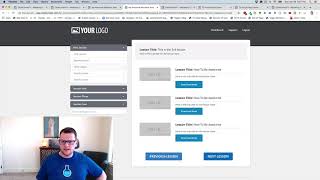
Short demo video (speaker: Jaime Smith) explaining the Member Nav add-on for ClickFunnels/CF Pro Tools. The add-on adds configurable "Next Lesson" and "Previous Lesson" buttons inside a members area so users can move sequentially through lessons; speaker briefly demonstrates moving between lessons, notes design control over the buttons, and recommends using it alongside the Magic Mover add-on.
Chapters
Hey there. In this video we're going to show you a quick demonstration of an add on called the member Nav Add on. What this does is it allows you to have buttons like this inside of your members area that allow you to have next lesson and previous lesson buttons that will skip to the next lesson or the previous lesson. So we've got here we're on our first lesson, we want to click next lesson. Now we've gone on to our second lesson and we can click next lesson and gone on to our third lesson and if we click previous lesson we'll go back to our second lesson. That is the member have add on. So excuse me, allows you to create buttons in your members area. You have complete control over the design of these buttons and where they go and everything else. And you'll probably want to use in combination with the magic mover add on And I'll walk through and show you how to do that inside of the inside of the next video. But I want to show you real quickly that's what the member nav does. It allows you to have previous and next lesson buttons. Makes it super easy for your members to to actually navigate through all the lessons. And just when they're done watching the video on one click next lesson, go to the next lesson, watch the video on that one. They skip something or miss something. They can click previous and go back to the previous one. That's what it does. I hope you like it and we'll see you in the next video.