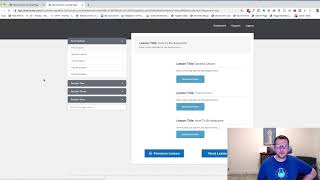
A short demo by Jaime Smith showing the "Member Collapse Other Sections" add-on for a members-area UI. The video demonstrates enabling the add-on and shows that when enabled the navigation automatically collapses all non-active sections so only the currently active lesson section remains expanded, reducing clutter and keeping focus on the current lesson.
Chapters
Hey there. In this video we'll walk through and do a quick demonstration of an add on called Member Collapse other sections. And so it's not a super sexy name, but I want to show you what it does and what you might use it for if you've got a rather large navigation area inside of your members area. So we've got a basic members area page here and we've got four sections here and we can see that we've got a lot of here going on. So we've got a bunch of lessons. They're all obviously duplicates of the same thing, but we can expand this out quite a bit. So if we're bouncing between lessons and we'll notice that when we bounce between lessons these all stay expanded. So if somebody clicks through and expands these out can get rather tedious and long and we don't necessarily want that. And so what we can do is we can enable the member collapse other sections add on. It'll actually always collapse to only the section that's active. So I'm going to go ahead and enable this add on. So I've got a version of this installed on this page and I'm going to enable it now. So I'm going to go ahead and turn it on. And now if I refresh this and go in here and now if I go in and I click one of my other lessons in one of my other sections, we can see that it always collapses the others and I'll always stay active to just that lesson section that they're in. So it just helps to kind of keep the clutter down and keep them just focused on the current lesson section. And that's what this add on does, that's what it is good for, is to kind of keep that focus on the current topic. So hopefully you like it, hopefully you put it to good use and I'll see you in the next one.