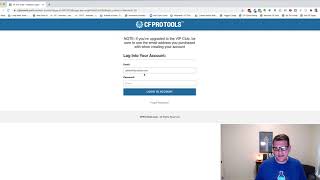
This demo video (CF Pro Tools) demonstrates the Members Area Deep Links Add-on for ClickFunnels. The presenter shows how adding two small pieces of code—one on the login page and one on the members area page—lets external links (emails, webpages, sales pages) point directly to a specific members-area lesson using a URL hash like "lesson5.20". If the visitor is not logged in the system preserves the hash through the login process and redirects the user to the requested section and lesson (example shown: section 5, lesson 20). The video also points viewers to a separate installation video for setup details.
Hey there. In this video I want to show you a quick demonstration of an add on called the Members Area Deep Links Add on. What this means is allows you to link to a specific lesson inside of your members area from an outside service like an email or from another webpage or something like that. Generally within side of clickfunnels, the only way to navigate to a specific lesson is by being logged in and inside of your members area and then clicking a link to go to that lesson. But sometimes you want to be able to send an email and say, hey, go check out lesson seven to learn about this thing. And you want to be able to link specifically to that. You know, you want to be able to take people directly to where it is you want them to go. Clickfunnels doesn't support that out of the box, so we created a way for you to do that. So just a quick demonstration that We've got a ClickFunnels members area here. This is the old CF Pro Tools members area. But if I put in this address, I want to go to, I want to go here and I want to go say I want to go to the actual lesson for the Member Area Deep links lesson. That's. I happen to know that that's in section five, lesson 20. So I put in lesson five. 20 and then I hit enter to go to that. It's going to reload my login page because I'm not logged into the members area yet. But notice it retains that hashtag lesson5.20. So now if I go ahead and log, my members area is going to go ahead and get me logged in. It'll take just a second to load that and then once it logs in, it'll take about a second and then it'll figure out and I'll look at the URL and say, oh hey, they wanted to go to the Members area Deep links page. And you'll notice that's exactly where we went. Now this is not the first lesson. This is actually lesson five. 20. So if I go here, you'll notice that I'm actually on lesson 5:20 right here, the Members Area Deep links. So by default, normally when you log into a members area, it logs you in straight to the first lesson. But this one it took me me because I had lesson 5:20, it took me directly to that lesson and that's what we want to see happen. And that is how this add on works. So it's got a couple of pieces. You add one piece onto your login page and you add one piece into your members area page and then you can just add the hashtag lesson dash or lesson 5, 25, 1, 2, 3, you know, 5, 4, whatever it is. The first piece is your section and the second piece is your lesson number within that section. And then your members area will go directly to that drum to that lesson. When somebody goes there, if they're already logged in, it just goes straight to it. If they're not logged in yet, it will go ahead and let them log in and then it will take them to that lesson. So that's what the members area deep links does. Works great from email emails that you send out. Works great from other webpages. If you've got a sales page or say an opt in page or say you're doing a blog or something like that and you want to link people directly to a member lesson, then you can do that as well. So hopefully that makes sense and hopefully you like this and hopefully you put it to good use. Watch the installation video to get this installed for yourself.