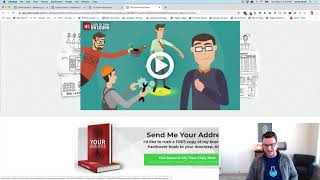
A short demo video (by Jaime Smith) showing the "Multiple Popups" add-on for ClickFunnels. The add-on enables multiple distinct pop-up windows on the same page (for example: an exit-intent pop-up and a button-triggered order-form pop-up) by tagging buttons/links to select which pop-up content to show. The presenter demonstrates exit-intent behaviour and a separate button-triggered order form pop-up, notes that the add-on is configurable via tags in the ClickFunnels editor, and briefly mentions installation/configuration instructions.
Chapters
Hey there in this video we're going to give you a quick demonstration of an add on that is called multiple pop ups and it does what it sounds like. It gives you the ability to have multiple pop ups on the same page with different content. And this doesn't happen out of the box. With clickfunnels. With clickfunnels they give you the ability to have one pop up and you can edit that pop up in the editor and you can tell that pop ups, yes, I want to open when somebody tries to exit or not. And well, here's a page where we wanted to have a little bit of both. We want to have a pop up that pops up when they go to exit the page that tries to save the sale if somebody's going, getting ready to leave. But then we also want to have a pop up that when they click a button to buy that we actually pop up our order form in a pop up window so that they stay on the same page and don't have to go away to another page for the order form. So let me show what that looks like real quick. So we are here and if I scroll out of this window like I'm going to leave, then I get my normal pop up that says hey, wait, before you go, do you want to order this from somewhere else? And so it gives them the option to go, you know, buy the book in Amazon or Books a million or anything like that. So this is our normal pop up content. This is when we see, when you watch the video on how to get this installed, you'll see that this is what we set up inside of the actual pop up editor, inside of the clickfunnels editor. So this is our normal exit on our pop on exit pop up window. But what we also want to be able to see here is if we scroll down and say yes, I want to reserve my free copy. Now when we click that we want this to come up and be able to show our order form in a pop up right here. And so now we've got another pop up same thing and the key here is that we've got this little X. This is our normal pop up. It functions just like our normal pop up. If we click outside of it, it goes away. If we click it again it'll come back. We click the little X, it goes away. If we click in here it'll come back. This is functions just like the normal pop up would. The only difference is it has different content inside of it. So and you can actually use many of these as you want to. And this is actually triggered by a button click, could be triggered by a link click. And we just tag those links in a certain way so that we know which content to show inside of our pop up. And you'll get to see that inside the configuration installation instructions. But that is what the add on does. It gives us that ability to have. If we refresh this page gives us the we'll see that we can still do our exit pop. So when we go to exit the page, it will give us one piece of content. But then if we go and we want to click a button and we want to show a different piece of content based on a different button click, or you could have different content based on multiple different button clicks, then that's what this add on does. I hope you like it, and I hope you put it to good use.