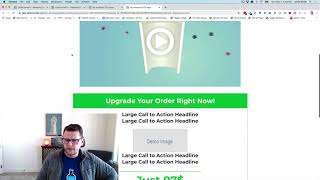
This YouTube demo (by Jaime Smith) explains an accessory add-on called "OTO Add Products for Bumps and Shipping." The add-on does not configure products itself but, when an OTO order is submitted, collects and adds required products (OTO bumps and domestic/international shipping line-items) so other OTO-related add-ons can function together. The speaker gives a concrete example: a $97 core product ("my awesome box set of books") with $14.95 shipping for US orders and $29.95 for international orders. The video notes that configuration is simple and that installation instructions will be shown in the next video.
Questions this video answers
$97
$14.95
$29.95
When the order is submitted on the OTO page.
Chapters
Hey there in this video, I just want to walk through real quick and show you a demonstration of an add on that is called. Let's get to it. It is called OTO Ad Products for Bumps and Shipping. And so it's a super, super long name. We'll come up a better name for it. But it explains what it does, right, which is it adds products when you're using OTO Bumps and OTO International Shipping. So there's a couple other add ons currently that work with this. We may add more in the future. But you can add what we call OTO bumps and OTO International Shipping or domestic shipping. So the OTO International Shipping add on allows you to add domestic and shipping, domestic and international shipping charges to your OTO products and it also allows you to do OTO bumps. So this add on is what actually adds those products. So we've got a couple of the other add ons that actually configure and get the products kind of set up. And then this, this add on here doesn't do anything like that. All it does is actually says, hey, when the order is submitted on the OTO page, then collect all the products that I need to add to the order and add them properly. So it's kind of an accessory add on. So but it's called OTO Add Products for Bumps and Shipping. And so super simple configuration is really easy. But let's just walk through real quick and show you an example of what this does. So we are inside of an OTO page here now. And this is just a sample that I built. It might look somewhat similar to a Traffic Secrets funnel. And so we've got an OTO page and we've got a video on here and we've got an offer. The offer, the core offer is that for 97 bucks you can get the my awesome box set of books. And to that we'll add $14.95 in shipping if it's an US order, if they purchased on the order form and selected states is the country, then we'll charge $14.95 in shipping. For any other country we're going to add $29.95 for international shipping. So that is the offer. So in order to make that happen, we'll have to use the OTO International Shipping add on. And so this add on here, the OTO add products for bump and shipping will make sure that those products actually get added properly. Whether it was US domestic, all that stuff. It'll do the work there. And then also we have the ability to add additional products. So we call these OTO bumps, and this add on will actually make sure that those bump products get added properly when they click the big old yes link button down below. So nothing visual to see about this one doesn't do anything special. All you have to do is make sure that it's on your page. So in the next video I'm going to show you how to get the code, get it installed on your page so that it works, but hopefully you'll understand now what it's for. It's used in combination with other add ons, and if you don't have this one installed, the other add ons won't work, and vice versa. If you have this one installed and don't use the other add ons, then it doesn't really do anything. So they go and go in tandem. Hopefully that helps.