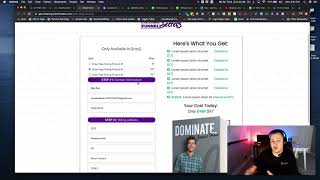
A short tutorial by Matt from CF Pro Tools demonstrating the OTO grouped products add-on. The video shows grouping multiple products (fixed-price and optionally subscriptions) on an OTO (one-time offer) page so a single click on a link or button can add multiple products to an order; it also notes that multiple subscription products cannot be grouped and advises consulting legal counsel for forced-continuity rules. The speaker walks through a live test purchase and confirms grouping worked.
Chapters
Foreign what's up everybody? It's Matt here with CF Pro Tools support. And in this video I'm going to show you how to use the OTO grouped products add on. Okay? And so if you guys are thinking about grouping together more than one product on or forcing products together on your OTO page, like maybe you want to have a, maybe you want to offer a subscription, maybe you want to group that with like a paid trial. Maybe you want to make it like, hey, pay, pay a dollar now. And then in seven days we'll start you up on a subscription or whatever. Right? That would be a great time or a great, great opportunity to use something like this. You can actually group more than one product together. You cannot group more than one subscription product together. There may be FTC rules and guidelines against having too many products or doing too many like forced continuity type programs trying to do some of that stuff. So I would recommend, you know, seeking, seeking your own counsel if you need to, regards to the rules around that. So that being said, I wanted to show you how this works. I'm on a page, a simple order page right here. I'm going to grab this test card out and I'm going to test with the $17 product. This is the first order page. The OTO page is actually on the next page. And I'm just going to throw in some random numbers here and then select a country. We'll be in New Zealand today and throw in our credit card numbers, expiration date and the CVC code. So it's 17 bucks. I'm going to complete this order and then on the next page I'm going to click on one of our buttons where we, where we created this button and we created this text link so that both of those, if clicked, would group all of our products together. And I've got two products grouped together. If I wanted to group three or four of them together, I could. Right now I've just got two basic fixed price products. If I wanted one of those to be a subscription and one to be a fixed rate price product, I could have that as well. So that's it. I'm actually going to test this using the text link. And I've not done this before, so hopefully, hopefully it works. We're going to click that right now and find out on the confirmation page. Looks like it worked and we're good to go. So the order page was 17 bucks. And then it shows both products being grouped together with one button click. Okay, I'll show you guys exactly how to set all of this up inside of the following videos. Please take a look at those next videos, and I'll show you exactly how to set all of this up. Okay, take care, and I'll see you guys in the next video.