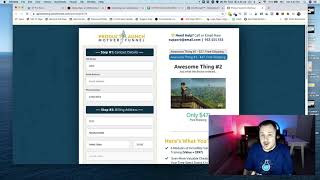
A short demo video (transcript) by Matt from CF Pro tool support explaining how to use the Accordion product add-on. Matt demonstrates selecting between multiple products in the Accordion (he has two configured, may add a third), shows that selecting an item updates the order summary (example: a $47 product), and suggests watching Jaime's videos for creating products and order pages.
Chapters
Foreign. Hey, what's up, guys? Matt here with CF Pro tool support. In this video, I'm going to show you guys how to use the Accordion product add on. I think you guys are going to get some pretty cool ideas with this. When you see how it works. Let's jump in and take a quick look. So what this really does is allows you to actually set up a few different products. I've only set up two as of right now. When I get into actually showing you how to. How to set this up, I might add a third one in here just so you guys can see that. So you can select product number one, product number two, and you can actually see some content. So you can use this for more information, more content that you need to expand upon whatever it is. And it's each one that's selected, you can actually see that show up down here in the product or the order summary. So if I select this one again, you see that it changes to the $47 product. And I've got a lot of information on what that particular product offers. So a lot of cool ideas. Let's jump in. I'll show you how to create this. Don't forget to check over Jamie's videos and how to create your products, how to create your order page if you guys need to get caught up on that. And I'll see you guys in the next video. Okay, thanks.