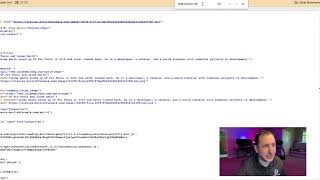
Short tutorial showing how to find product IDs for previously created products. Steps: inspect product settings and note the order products are listed; open the page preview; use View Page Source (or DevTools) and Ctrl+F to search for the attribute data-product-id; record the numeric IDs in the same top-down order as the product list (example IDs shown: 132015 and 132016). These IDs are later used when configuring add-ons in CF Pro Tools.
Questions this video answers
132015 and 132016.
January 15, 2026.
Chapters
In this video I'm going to show you how to find a product IDs for the products that you've previously created. So what I'm going to show you here is the way that I understand it the best, the way that it seems to be the simplest way to find those product IDs. So what I'm going to show you real quick, let's go look at your settings and your product settings. So if you have 1, 2, 3, 3, 4, maybe you have two products here, maybe you've got one product. What I want you to do is take note of the order in which they are loaded in here. So you've got your regular price product, then your promo price product. So that's number one. Number two, if you have more products in here, just note which products and the order in which they are loaded in here and take notes. Put it in your little notepad or the text edit program, whatever it is. I'm going to encourage you to just kind of keep track based on the order in which you have added those and loaded them into here. The next thing we're going to do is go to the preview button here. We're going to go look at the page and the way that it's set up on the page. So without any add on code installed, you will see that all the, you will see all your different product options again you see the regular price and the promo code price in that order on the actual page. Okay, so what we're going to do now, we're going to do a right click and we're going to do a not an inspection, we're going to do a view page source. Although you can find this using the inspection panel. Doing the same thing, I find it to be simpler here. Just come in here to the page source, do a Ctrl F and look for data-product-id and find that. Now you'll notice here there's one and there's two, right? So the order in which they show up is 132015 and 1320016. So write those down corresponding to the same order in which you previously saw these. So product number one, product number two, and the product IDs that are associated with them are going to come in the same order, top down, 132015 for the first one, 132016 for the second one. All right, take note of those. We will come back to those and we will need those when we ultimately end up inside the CF Pro Tools to create the actual add on configuration itself. Okay, so that's how you find the IDs for your products.