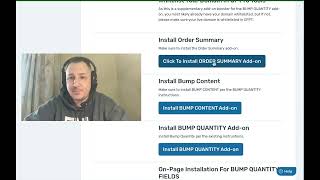
A short tutorial overview explaining prerequisites required before installing a conversion-boosting add-on that relies on the Bump Quantity add-on. The speaker instructs viewers to ensure Bump Content (which requires Order Summary) and Bump Quantity add-ons are installed—buttons and the Add new option in the sidebar are referenced for installation; on-page installation details will follow in a later video or section.
Chapters
Hey, welcome back. And in this video, I'm just going to do a quick overview of the different add ons that you need in order for this add on to work. So this is a conversion boosting add on that works with bump quantity, correct. So that will require you to have the add ons that are required for bump quantity. So just a quick overview of what you'll need before you finish installing this is is to make sure that you have bump content setup, which requires order summary. So you'll need the order summary setup. I've left a button here in the setup instructions for you. You'll need bump content setup, so make sure to go through the instructions for this add on. You can use these buttons to install that or you can go to the add ons button over on the left sidebar here and just select select Add new and you'll be able to select and install those from there. And you'll also need bump quantity add on installed in order for this to work as well. So all three of these and then once you have these working and set up, please come back to these instructions and we'll talk about the on page installation for bump quantity fields and how to set that up. Okay, see you guys in another video.